
To connect your Admitad account to Mediarails, we'll need your Admitad API credentials.
See instructions listed below to get your program's API key from your Admitad account, and for instructions on how to add that API key into Mediarails to begin pulling in stats on your active partners.
*Make sure to do this process for each Brand you have in Admitad and make sure the Brand matches with the one you set in Mediarails.
To get your API Credentials from Admitad:
1. Log in to your Admitad account at https://www.admitad.com/en/sign_in/
2. Click on your company's name in the top right of the screen and select Settings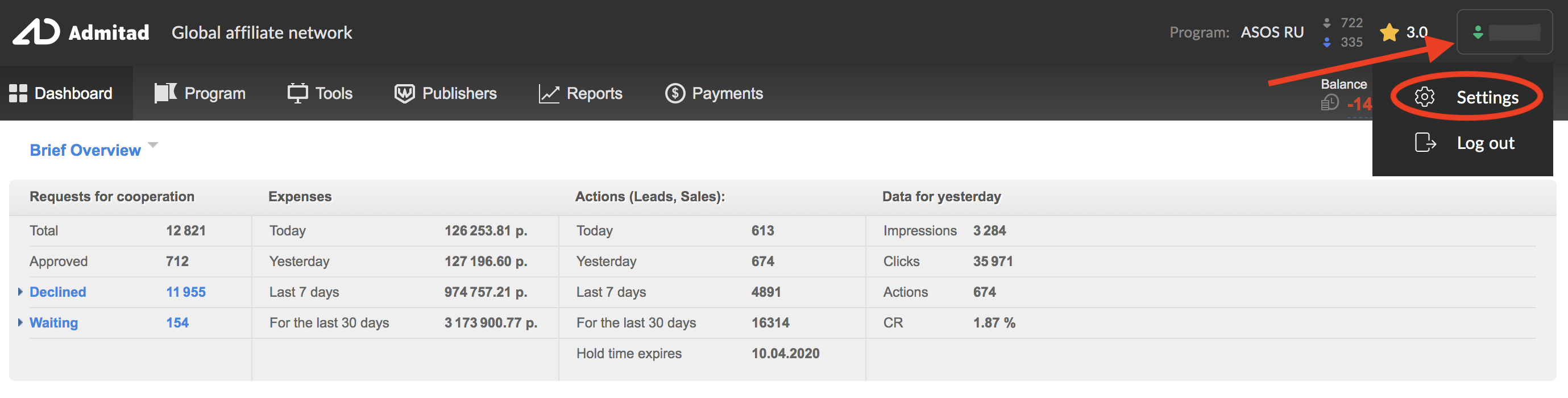
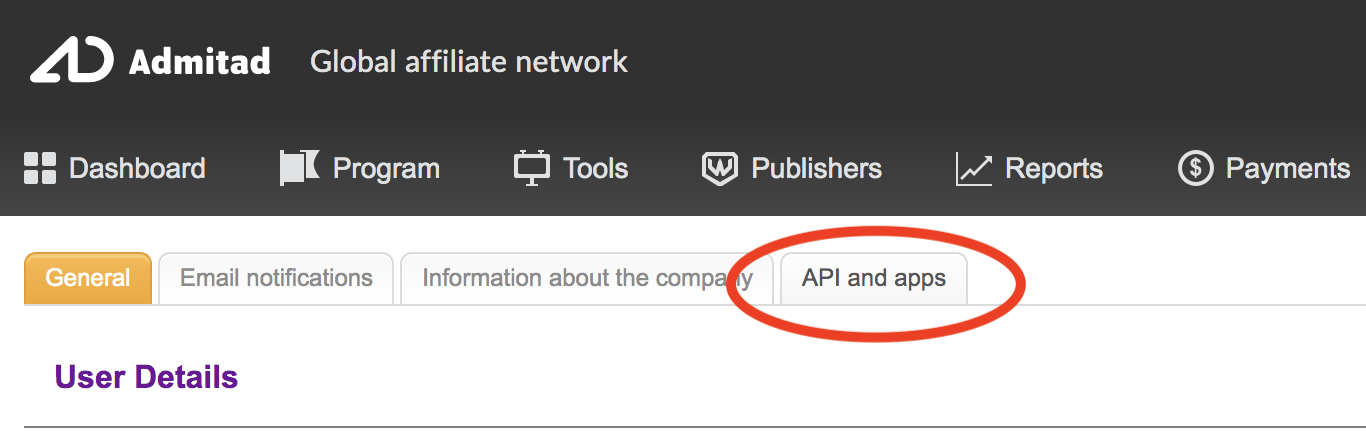
3. Click on the tab titled API and Apps
4. Once the screen loads there will be a box with your API credentials. In order to see and copy the necessary credentials you will first need to click the button to "Show credentials"
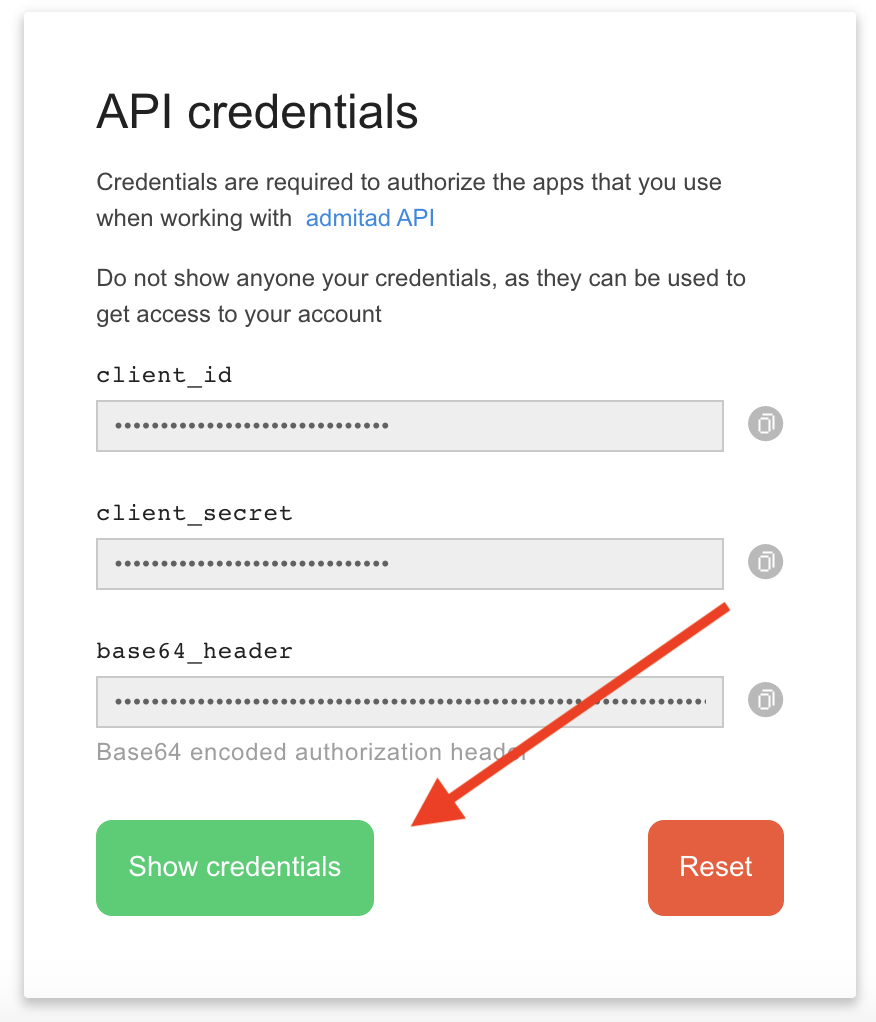
5. Use the buttons on the right to copy the client_id and client_secret into Mediarails following the instructions below
To add the copied API Key to Mediarails
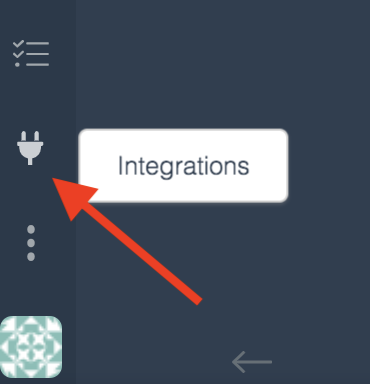
1. Click on the Integrations plug icon on the left sidebar of Mediarails
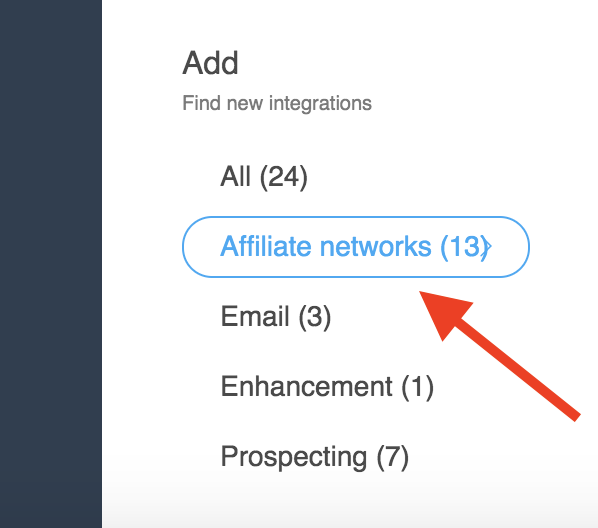
2. Click on Affiliate Networks on the left side "Add" list
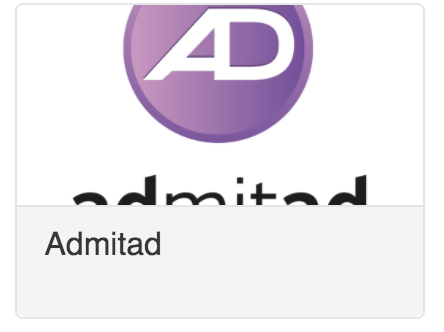
3. Click on the Admitad icon
4. Paste the client_id and client_secret that you copied from your Admitad account into the respective spaces in the Admitad Integration card in Mediarails:
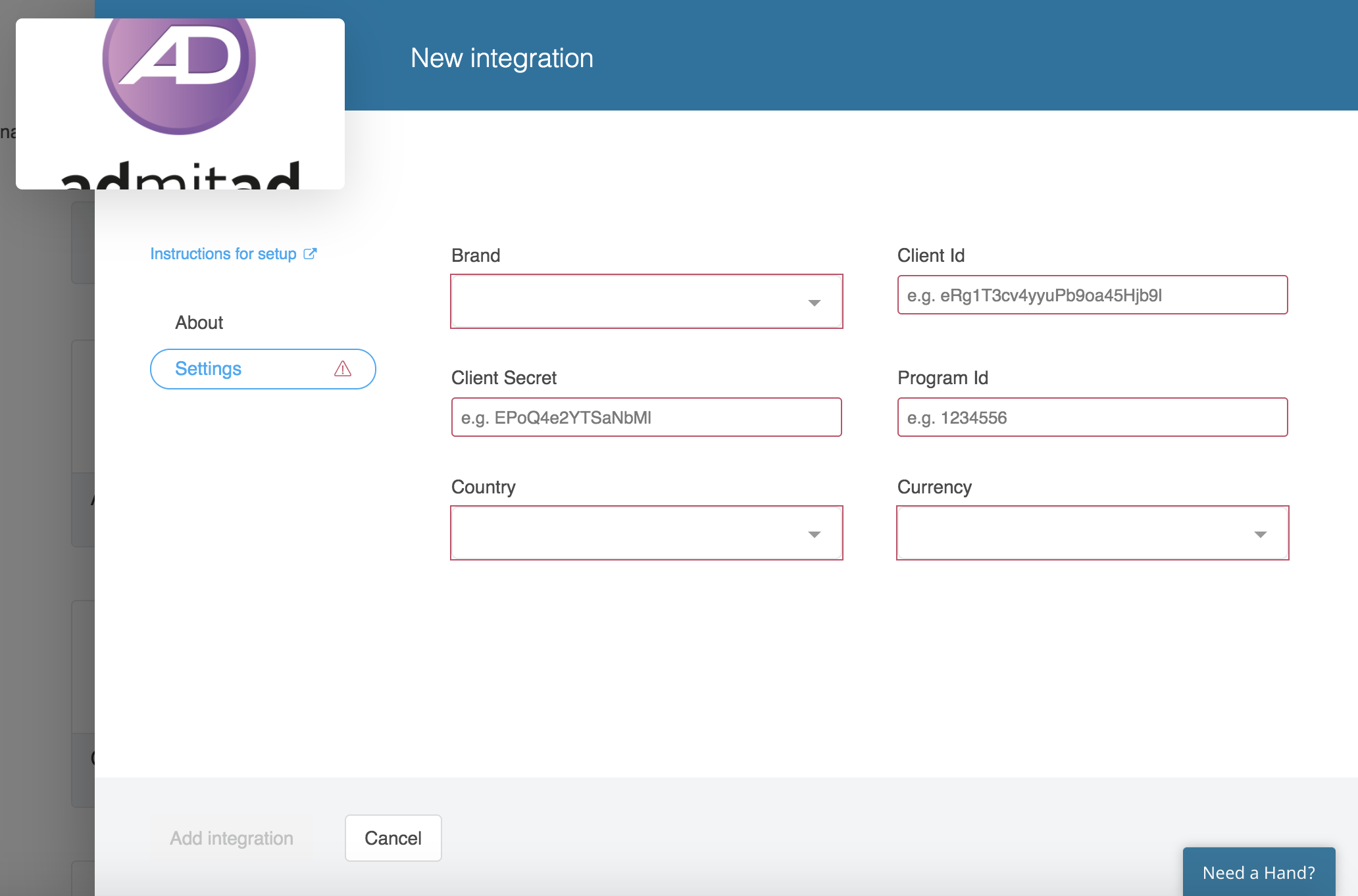
5. In the Brand field, select your company's brand that is associated with the Admitad API key
6. In the Program ID field, add your Admitad advertiser Program ID
- Your program ID can be found by looking at the browser URL while you are logged into your Admitad account. The Program ID will be the numbers directly after the ...campaign/
7. In the Country field, select the country associated with your brand's program
8. In the Currency field, select the currency that your Admitad program is reporting
Please note: this is NOT relating to currency conversions. This is intended to help you keep track of which currency your brand is reported in. Mediarails does not convert currencies, selecting a currency here will reflect the currency provided within your Admitad account.
Comments
0 comments
Please sign in to leave a comment.