
1. Go to the url address of the HasOffers brand you want to connect. (this will look something like yourbrandname.affiliates.com). Use your credentials to login.
All 3 of these pieces of info are required to plug into the connection:
- Login URL
- Username
- Password
These help us collect email addresses for your partners from HasOffers.

2. Once logged in, select the SUPPORT drop down and select API as seen below.

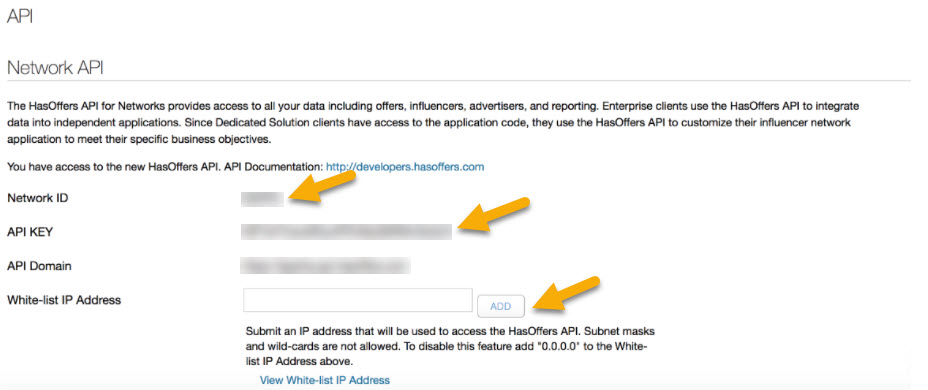
3. Copy the API Key and paste in to the form for API Key and then Copy the Network Id and paste into the form for Account ID.
4. Whitelist Mediarails: In HasOffers, Copy and Paste in the Mediarails IP address and hit ADD to make sure we are white-listed to have access: IP: 52.37.118.25
Comments
0 comments
Please sign in to leave a comment.