
Please note: Partnerize was formerly known as Performance Horizon.
1. Follow the below link and enter your Partnerize credentials.
https://console.partnerize.com/login/phg/en_us?
2. If you have more than one brand under the account login, select the brand you are integrating from the drop down in the upper right hand corner.
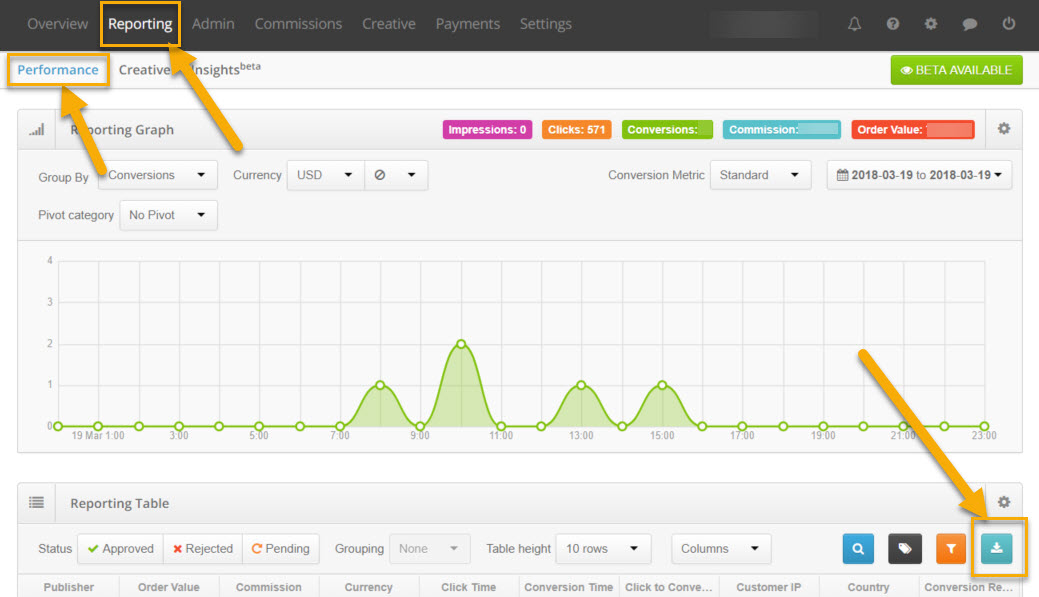
3. On the following page click the Reporting tab in the top left corner of the screen and then select Performance. (see image below)
4. On the Performance page click on the Download Reports Button in the far right corner of the Reporting Table (as shown below).
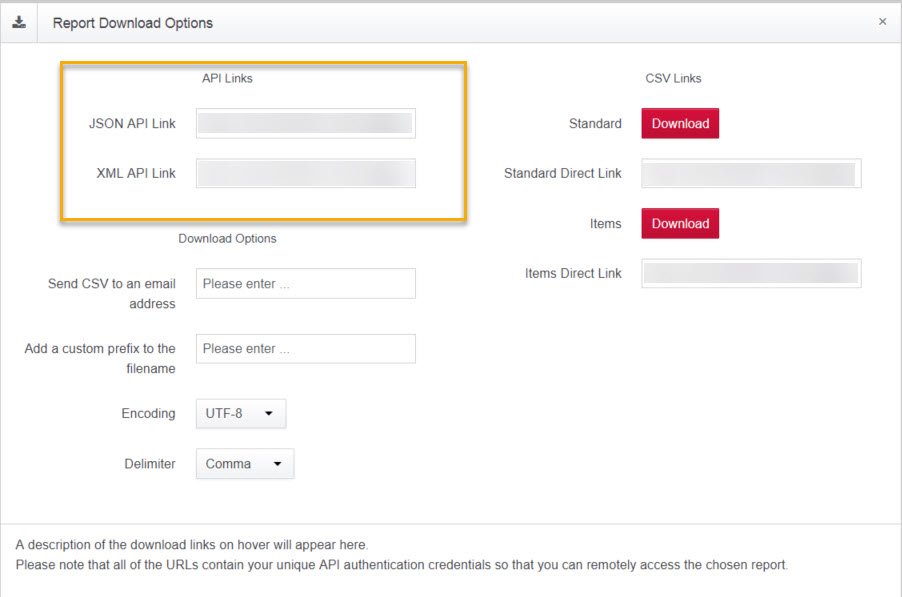
5. This will bring up a smaller window where you can copy one of the API links for XML or JSON to retrieve part of the info needed to fill in the form. (see image below)
The link will look like this once you copy and paste into a text program:
https://hmPw4X3fG6:PolVSq5l@api.performancehorizon.com/reporting/report_advertiser/campaign/5031l208/conversion.json?start_date=2018-01-04+00%3A00%3A00&end_date=2018-01-05+00%3A00%3A00&ref_conversion_metric_id%5B%5D=2¤cy=USD
You will want to grab the Colored Bold parts from your link to fill in the form:
The first string (hmPw4X3fG6) will be the Application Key
The second string (PolVSq5l) will be the User API Key and the Network Key
The third string (5031l208) will be the Brand Campaign ID
Comments
0 comments
Please sign in to leave a comment.