
In order to pull in data on current Rakuten partners Mediarails connects to Rakuten's affiliate marketing platform, LinkShare, via API connection. The Rakuten LinkShare API will pull in data on Active partners. See instructions here for setting up a Rakuten LinkShare integration in Mediarails.
The Rakuten API does not allow for email addresses or data on inactive partners to be sent via API.
If you would like to add data for all your LinkShare Partners for use with Mediarails CRM functionality, you will need to manually upload email addresses and other data into Mediarails using CSV imports.
To Export Email Addresses from Rakuten:
-
Login to Rakuten LinkShare at login.linkshare.com
-
Go to your Rakuten LinkShare dashboard: https://dashboard.linkshare.com/
-
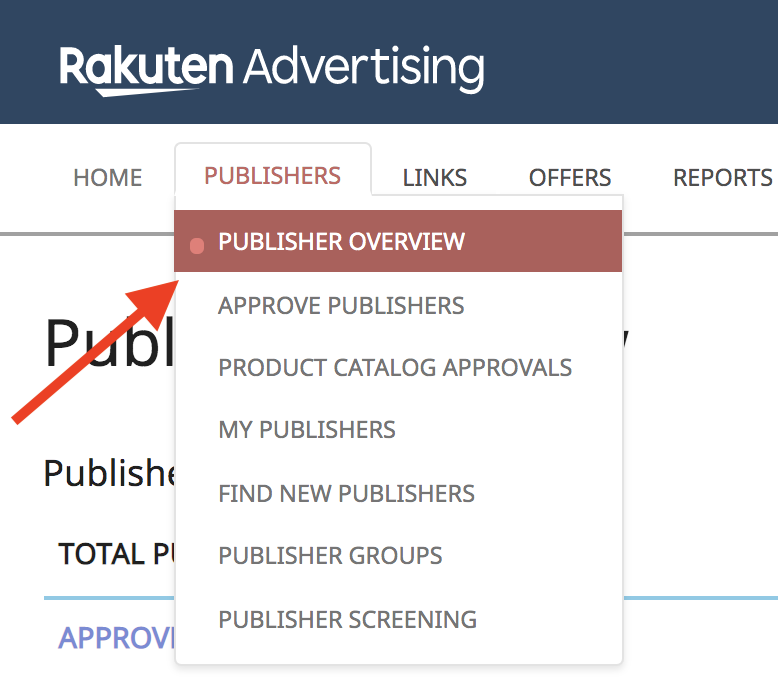
Click on the Publishers tab and select Publisher Overview
-
This will open an overview of your approved, applied, and removed publishers. Click on “Approved:” to get a list of all your Approved publishers with their email addresses.
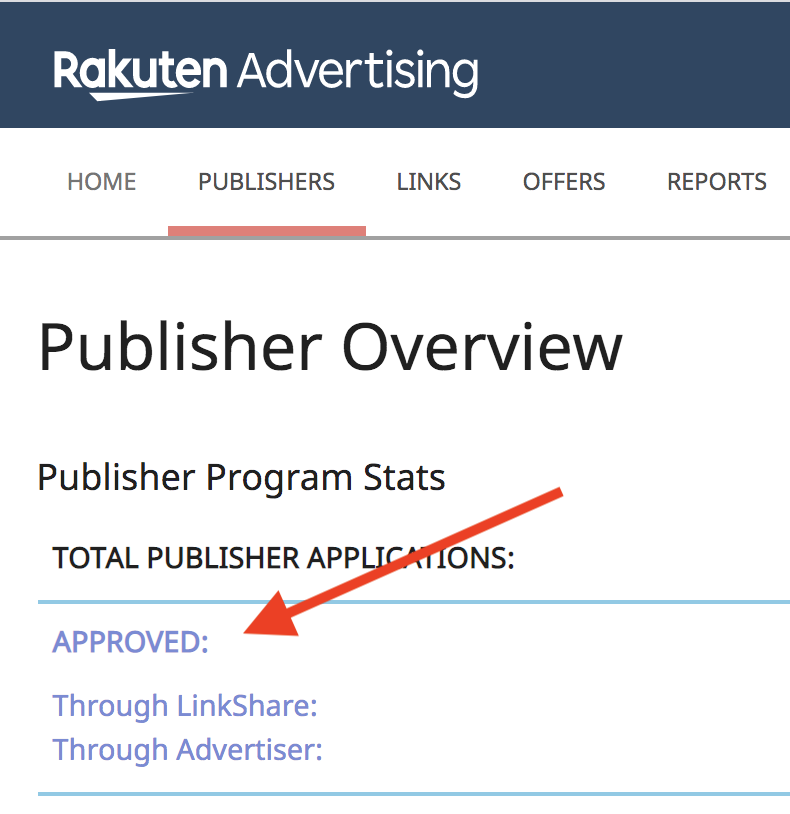
Please note: LinkShare publishers are able to opt-out of a listed email so some publishers may not have email addresses in this list.
-
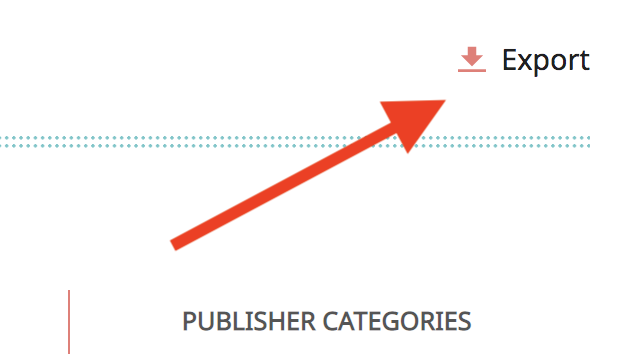
Click Export on the right side of the report to export a CSV
-
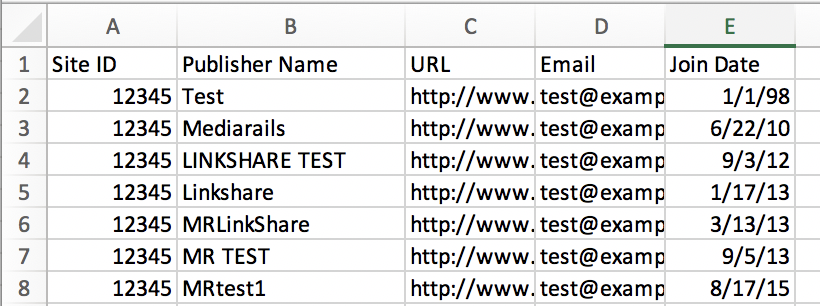
The exported CSV will look like this:
-
You will need to re-format the column titles to match those accepted in Mediarails to match the example below:
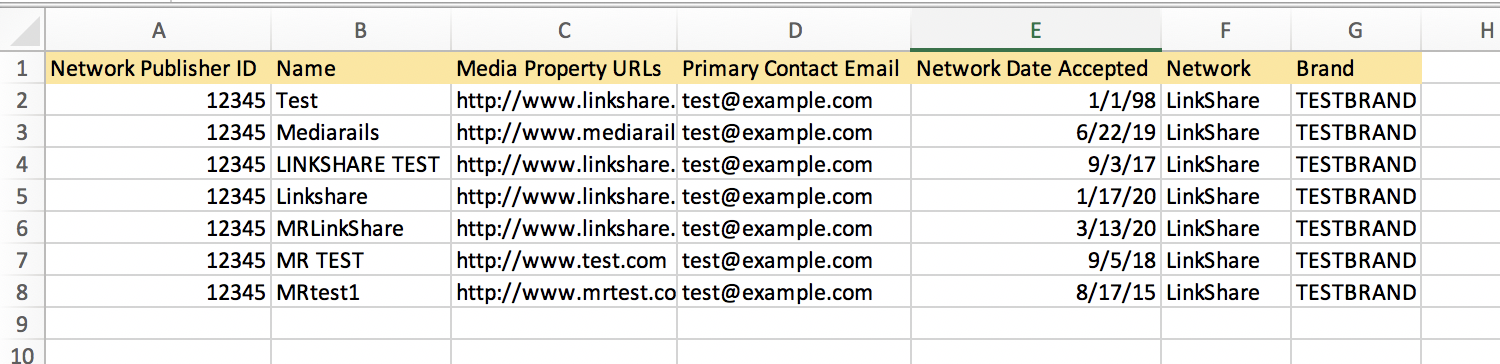
Column Title Changes:
(LinkShare export > MR Columns)Site ID > Network Publisher ID
Publisher Name > Name
URL > Media Property URLs
Email > Primary Contact Email
Join Date > Network Date AcceptedAdd Columns:
Network = LinkShare
Brand = Your company’s brand -
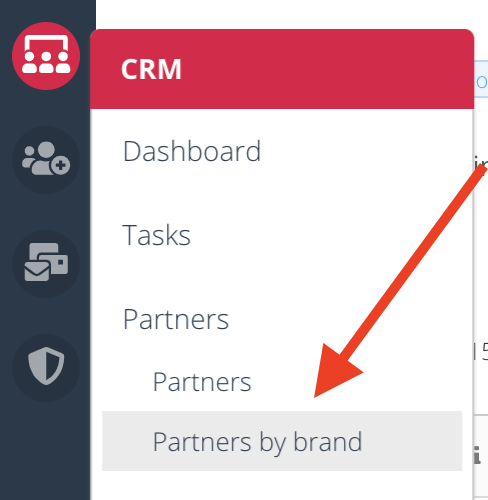
Go to Mediarails and navigate to the Partners by Brand workspace
-
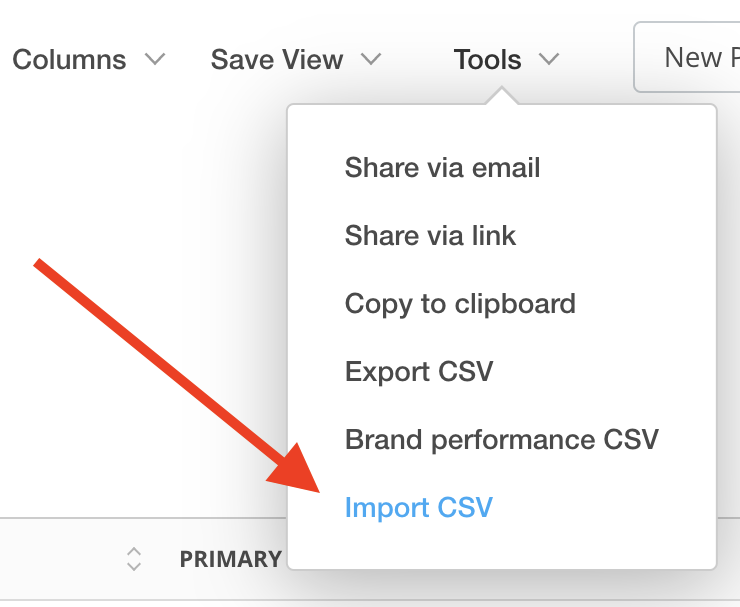
Click on Tools and select the Import CSV option
-
Click the Upload option and select your file from the popup
-
Your import should now be processing. Your upload may take a few minutes to load especially if you have large amounts of records to upload. Refresh the page and use filters to locate the imported group as needed.
Any failed rows will appear in a failed row report after the upload has processed. Check the failed row report for reasons of failure. Correct the errors and upload the failed row report as a new upload following the instructions above.
To export extra info like promotional categories and publisher groups from Rakuten:
-
Login to Rakuten LinkShare at login.linkshare.com
-
Go to your Rakuten LinkShare dashboard: https://dashboard.linkshare.com/
-
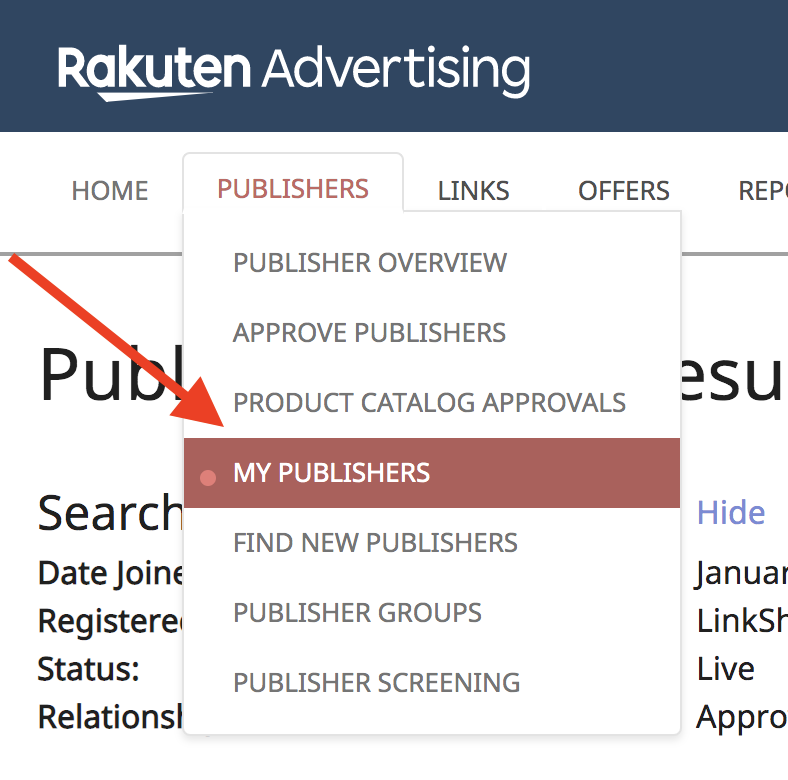
Click on the Publishers tab and select My Publishers
-
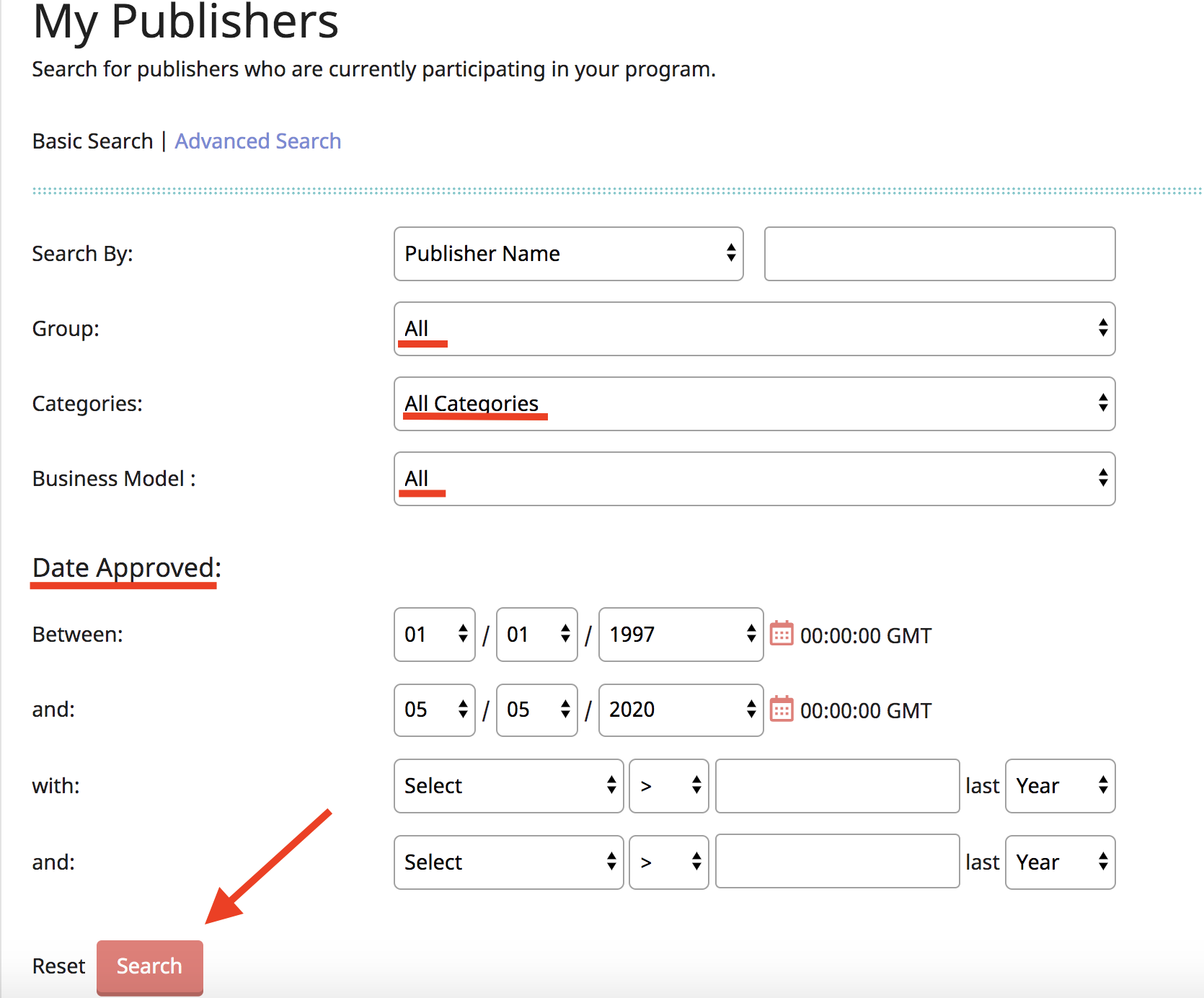
After clicking on My Publishers a form will appear. If you would like to export all publishers, leave the form as-is (like shown below).
- If you would like to export a certain group, category, business model, or publishers who joined during certain time periods you are welcome to change any of those fields in the form to export the data you would like.
-
Click the Search button to pull up the report
-
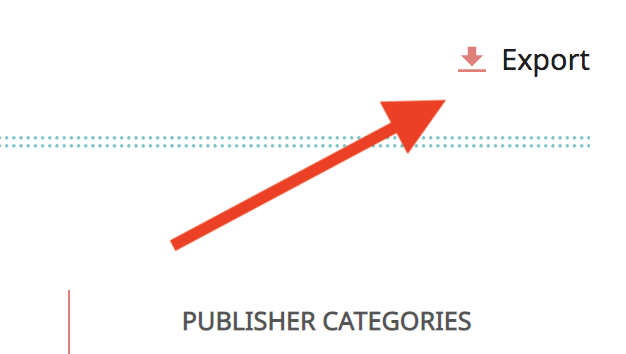
Click Export on the right side of the report to export a CSV
-
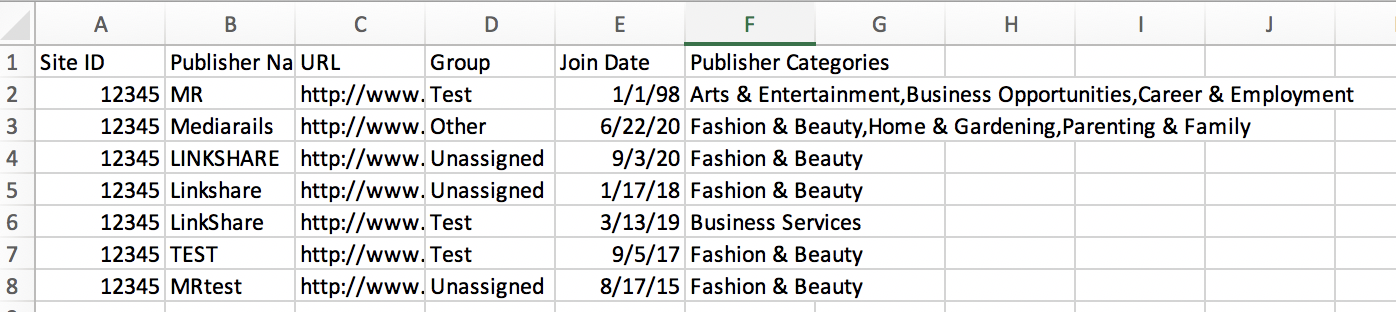
The exported CSV will look like this:
-
You will need to re-format the column titles to match those accepted in Mediarails to match the example below:
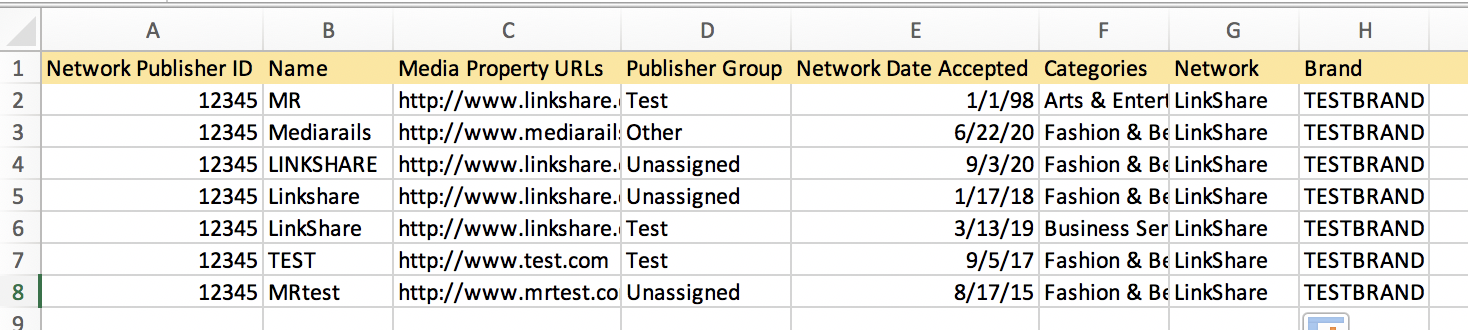
Column Title Changes:
(LinkShare export > MR Columns)Site ID > Network Publisher ID
Publisher Name > Name
URL > Media Property URLs
Group > Publisher Group
Join Date > Network Date Accepted
Publisher Categories > Categories
Add Columns:
Network = LinkShare
Brand = Your company’s brand -
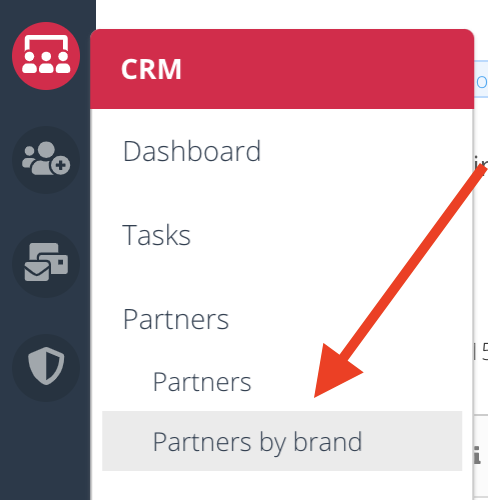
Go to Mediarails and navigate to the Partners by Brand workspace
-
Click on Tools and select the Import CSV option
-
Click the Upload option and select your file from the popup
-
Your import should now be processing. Your upload may take a few minutes to load especially if you have large amounts of records to upload. Refresh the page and use filters to locate the imported group as needed.
Any failed rows will appear in a failed row report after the upload has processed. Check the failed row report for reasons of failure. Correct the errors and upload the failed row report as a new upload following the instructions above.
Comments
0 comments
Please sign in to leave a comment.