
There may be times that you want to remove certain Prospects or Partners from an Email Workflow.
You can remove records from workflows in two places within Mediarails. Either directly on the Prospect or Partner record, or from the List View. For more information on these methods, see the article on managing records in an Email Workflow.
When using the Actions button in the List View, you will be presented with two options when attempting to remove a record from an Email Workflow.
The actions are:
- Remove and block (hard remove)
- Remove only (soft remove)
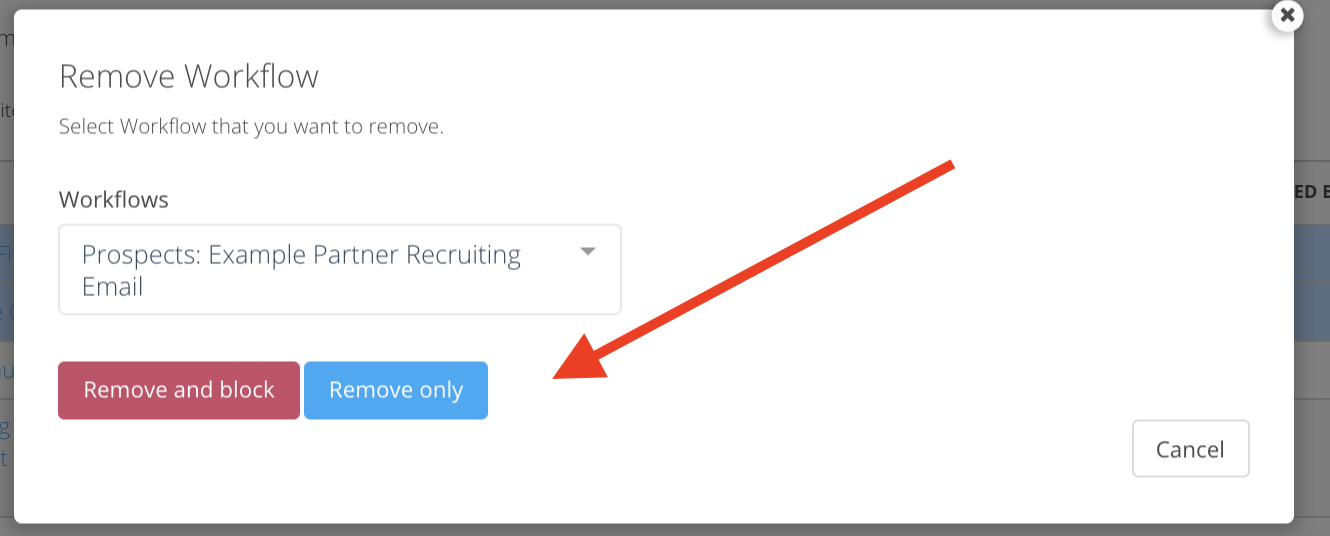
Remove and block means that the record will not go back into the same workflow. It can be added to other workflows, but not the workflow it was blocked from.
Remove only means that the record is removed from the workflow, but not blocked from being added back in the future.
Comments
0 comments
Article is closed for comments.