
2021 Mediarails Product Release Notes
Aug 2nd Release
Product Updates
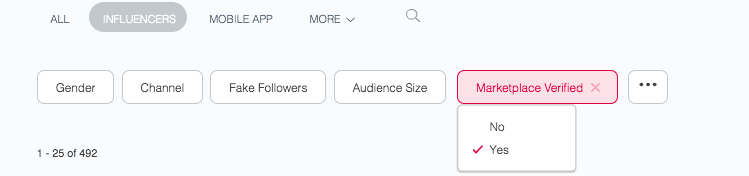
- New Impact Marketplace Verified Badge and Filter
- Users will now be able to see whether a Mediarails Discover prospect is verified by Impact's Partnership Cloud
- Users will be able to filter by "Marketplace Verified" to identify Impact verified partners

- Social Audience data can now be manually refreshed as needed
- This update gives users the ability to manually refresh Social Audience data using the Actions menu on any Partner or Prospect list view.
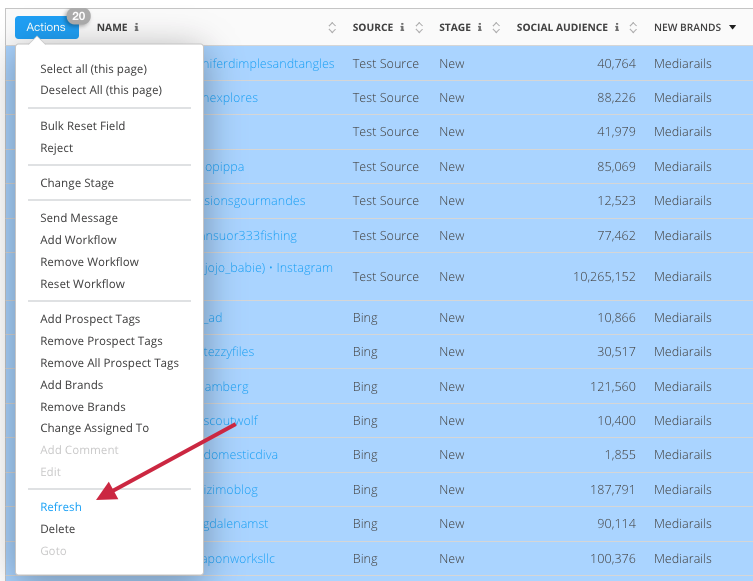
- This update gives users the ability to manually refresh Social Audience data using the Actions menu on any Partner or Prospect list view.
- New Account Settings
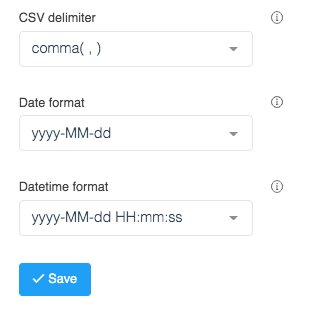
- New account settings have been added to the Settings page
- Ability to set a desired CSV delimiter
- Ability to set a date format for any dates that appear in the UI
- Ability to set a date/time format for anywhere that a date and time appear together in the UI
June 24th Release
Product Updates
- New contact image upload ability on new and edit contact forms
- Users will now be able to upload images for each contact using the New Contact or Edit Contact forms
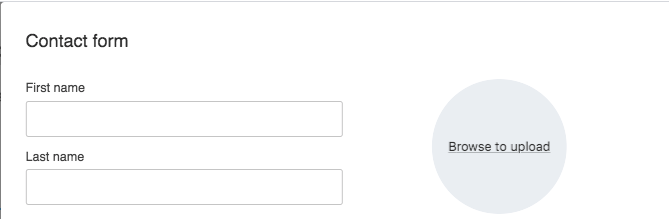
- Users will now be able to upload images for each contact using the New Contact or Edit Contact forms
- Email Workflow report data refresh
- Email Workflow metrics will now refresh every hour
May 21st Release
Product Updates
-
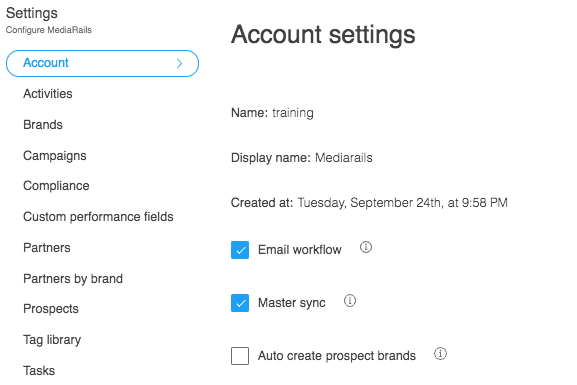
New Account Settings menu on the Settings page
-
This allows users to disable all email workflows, disable the Master sync that continually runs to update records with data such as monthly visitors and new contacts, or enable the automatic creation of prospect brands each time a new prospect is added.
-
- Tag terminology updated to "Prospect Tag(s)" in the Prospects section
- Columns and filters in the Prospects section will now have the wording of "Prospect Tag(s)" to ease the confusion of Prospect vs Prospect Brand tags.
- Columns and filters in the Prospects section will now have the wording of "Prospect Tag(s)" to ease the confusion of Prospect vs Prospect Brand tags.
- CSV export for Newsletter and Email Workflow metrics
- Users will now be able to export Newsletter and Email Workflow reporting data to CSV using the Tools dropdown on the respective reporting page
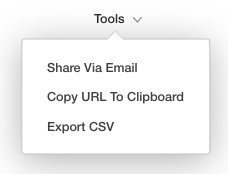
- Data points include Record Id, Name, Email, Last Contacted date and time, Last Opened date and time, Last Clicked date and time, Error reason (if applicable), "Created At" date, and "Updated At" date
- Users will now be able to export Newsletter and Email Workflow reporting data to CSV using the Tools dropdown on the respective reporting page
April 8th Release
Product Updates
- CSV export for Newsletter history
- Added ability to export a CSV file of historic Newsletter performance data
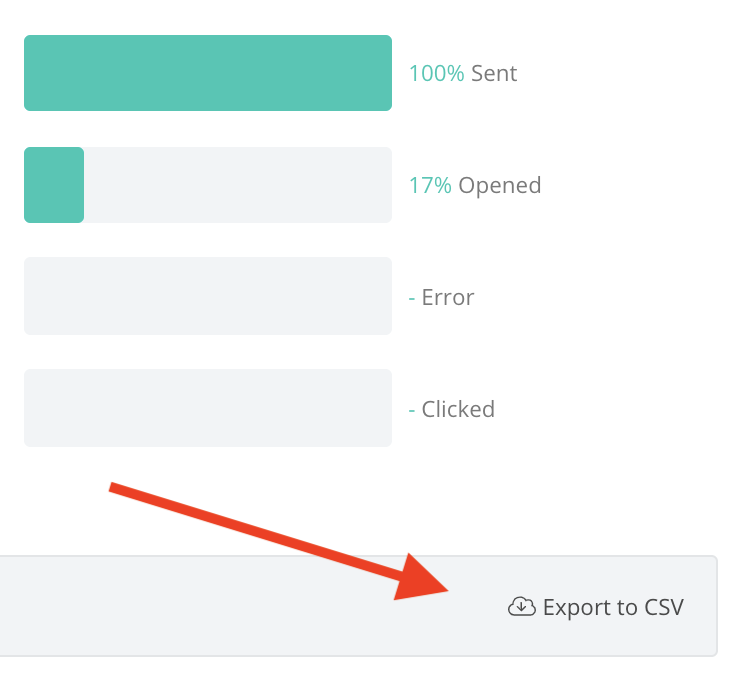
- Added ability to export a CSV file of historic Newsletter performance data
- Edit columns in Newsletters and Email workflow reporting pages
- Ability to edit the columns shown on Newsletter and Email Workflow reporting pages
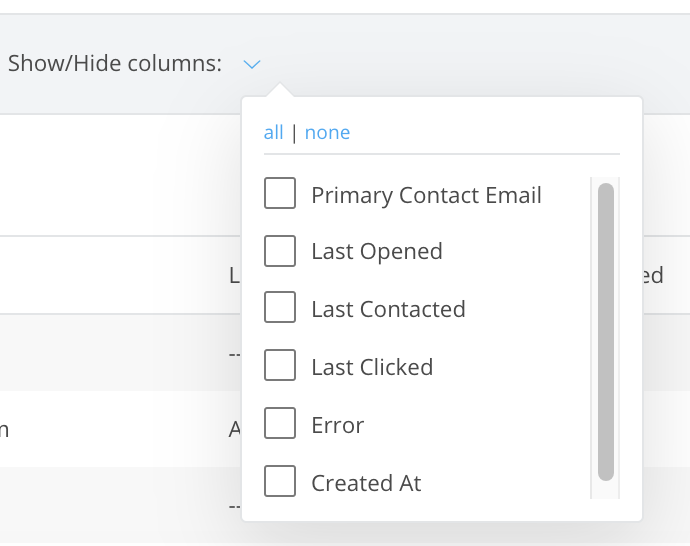
- Ability to edit the columns shown on Newsletter and Email Workflow reporting pages
March 3rd Release
Product Updates
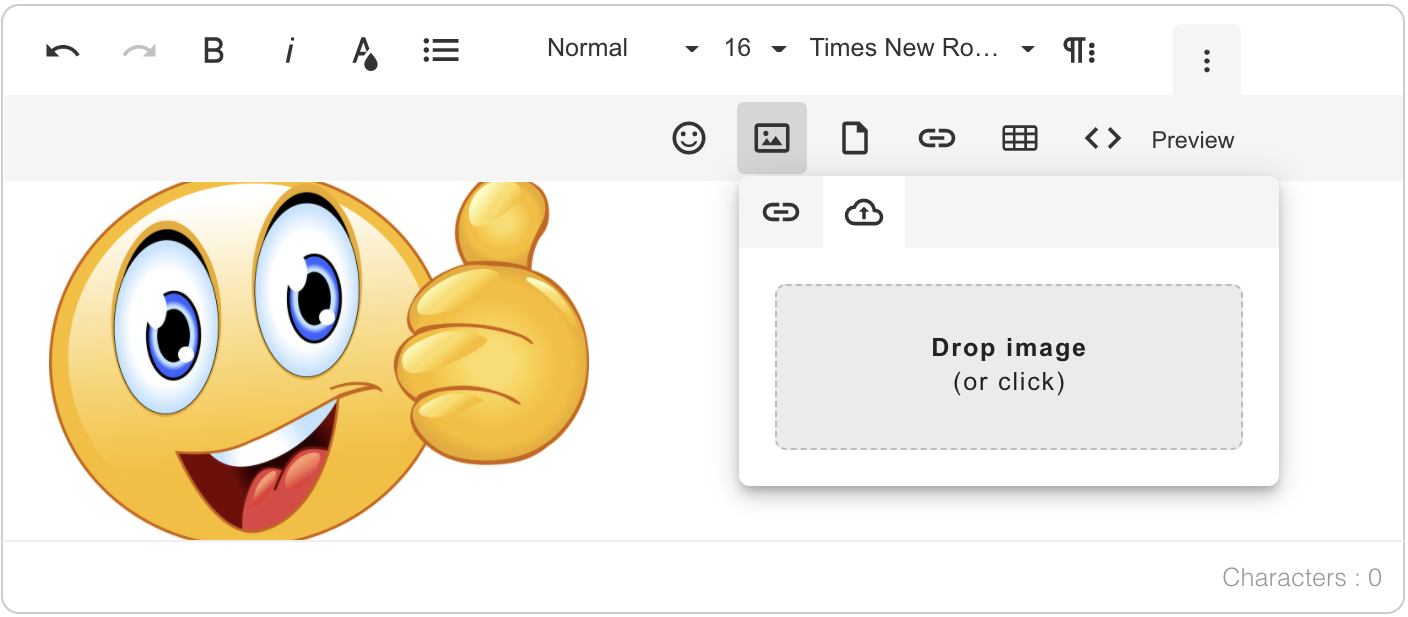
- Ability to upload images in all emails
- Images can now be uploaded directly to emails from a user's local computer
- This makes adding hosted images an option, but no longer a requirement
- Ability to BCC/CC in Email Workflows
- Previously this option was only available in one-off messages
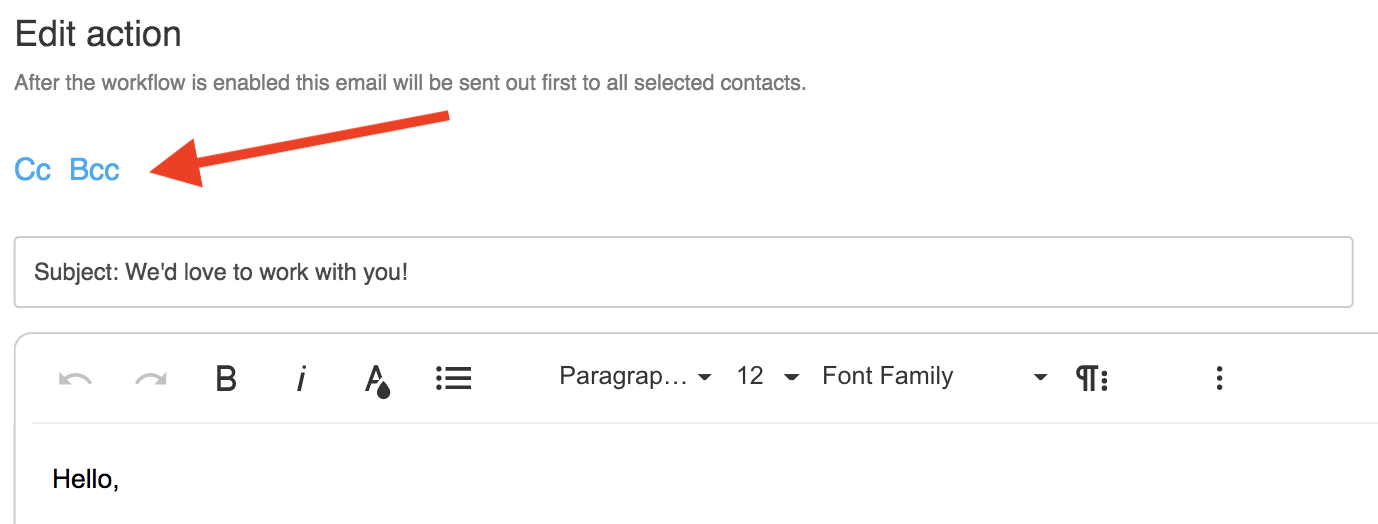
- Previously this option was only available in one-off messages
- Custom fields are now accessible in Prospect Review Mode
- Users can now add Custom Fields to Prospect records easily and quickly in Review Mode
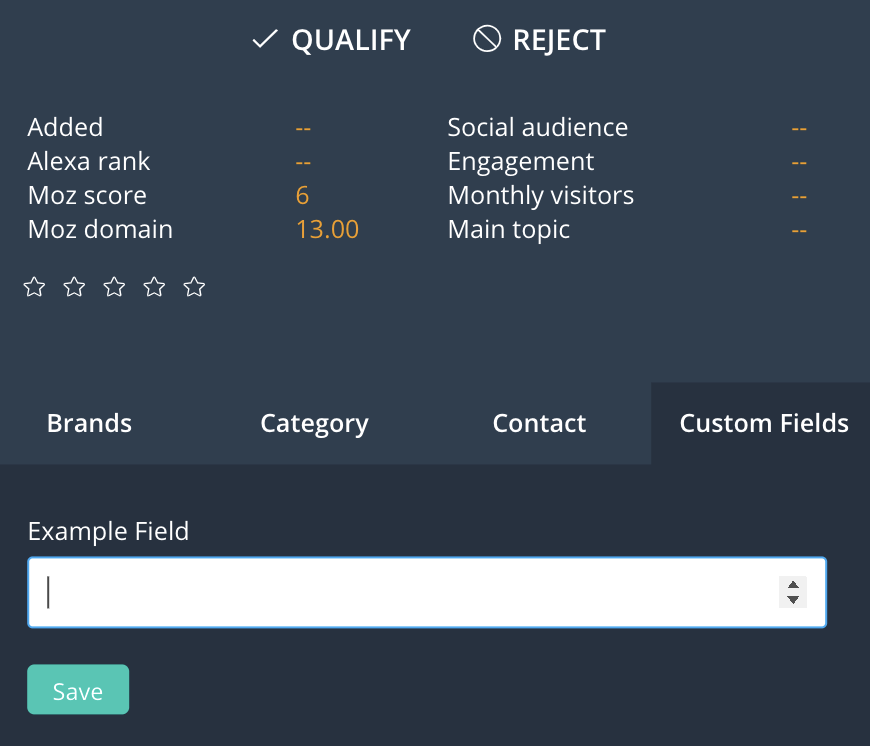
- Users can now add Custom Fields to Prospect records easily and quickly in Review Mode
Jan. 24th Release
Product Updates
- Newsletter feature launches in beta
- Can be located in the left sidebar under Automate > Newsletters
- Enables users to send scheduled one-time emails to groups of prospects or partners
- Users can preview messages or send test emails
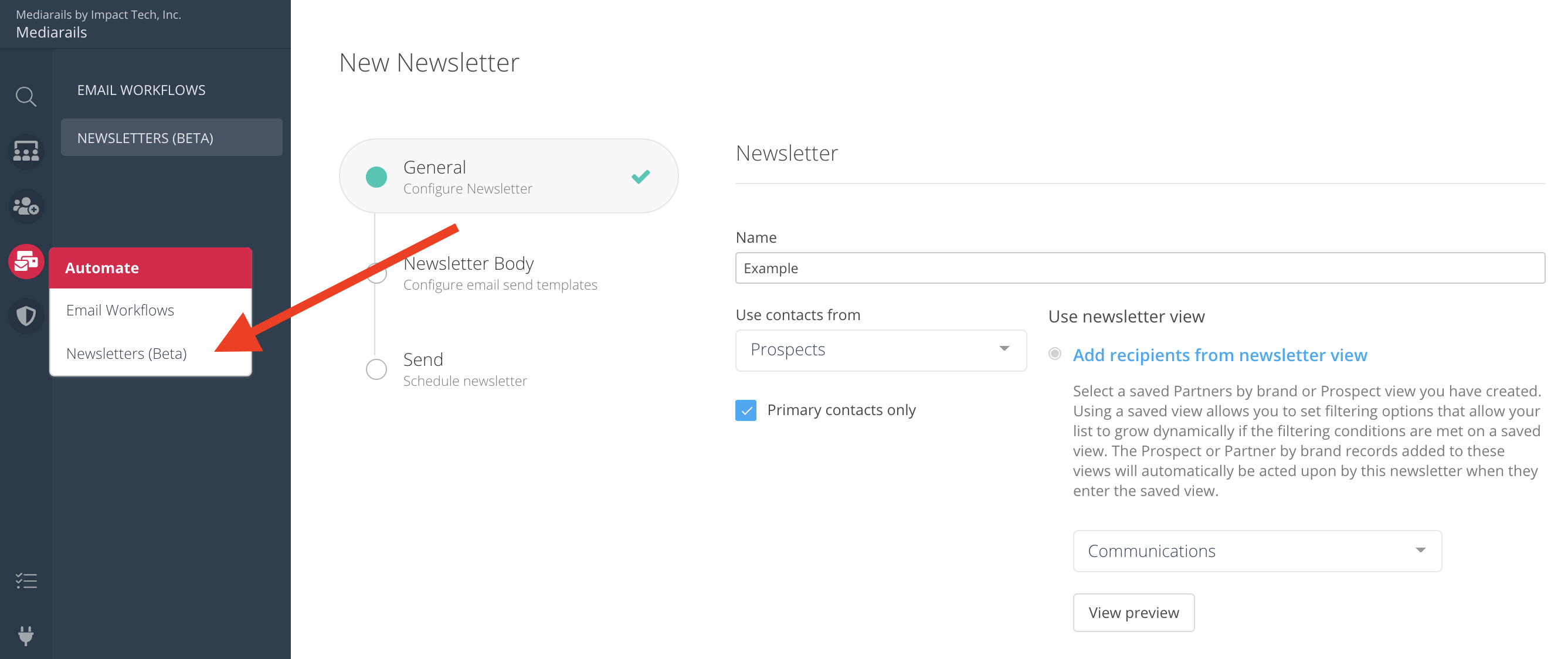
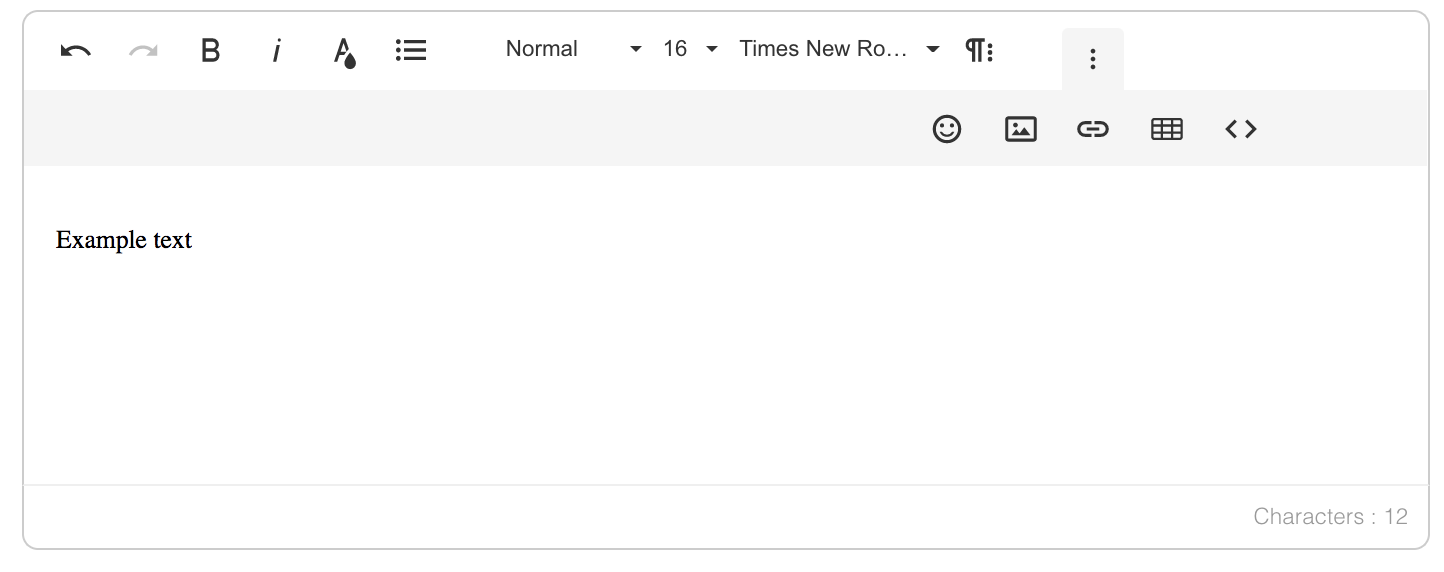
- New streamlined text editor for emails and comments
- Alexa and Moz enhancements improved to reduce speed of data population on new records
- The size of the description for Tasks has been increased to 16 megabytes
2020 Mediarails Product Release Notes
Oct. 13th Release
Product Updates
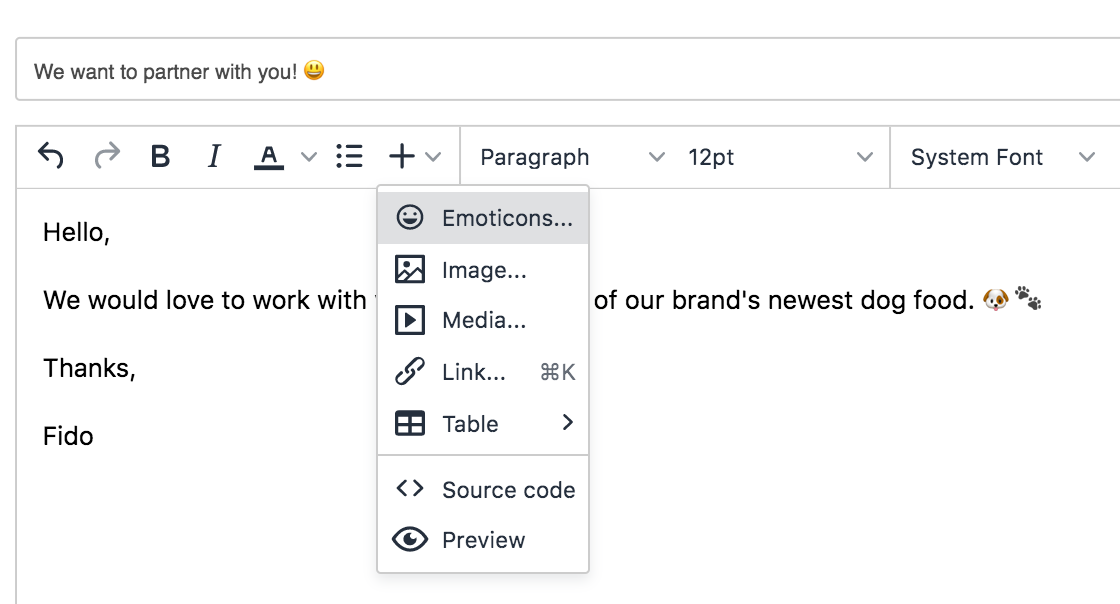
- Emojis are now supported in emails and subject lines 🎉 🙌
- The Taxonomy page in Settings has been renamed to Tag Library
Sept. 31st Release
- New dashboard pages are launched!
- General, Partner and Prospects dashboards added to Dashboard tab
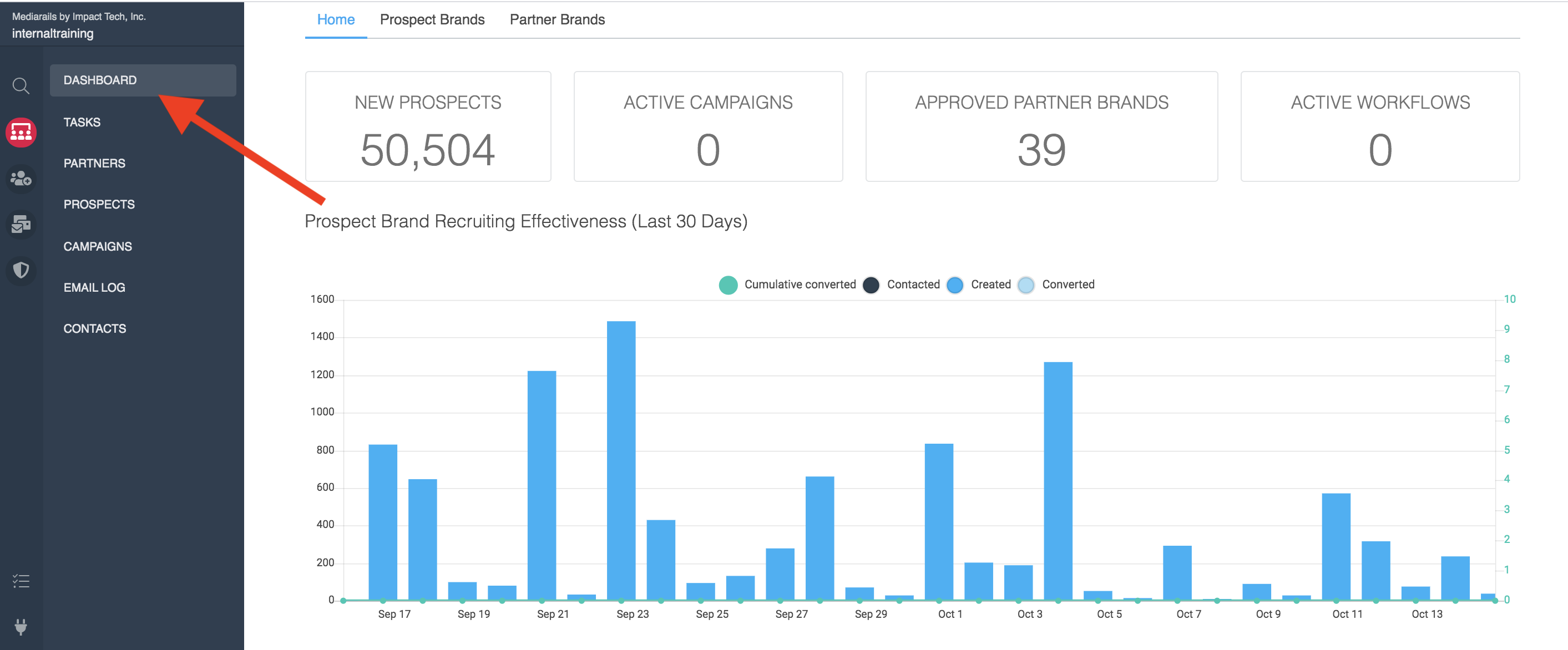
- General, Partner and Prospects dashboards added to Dashboard tab
Aug. 24th Release
New Feature
- YouTube Prospecting Integration is live!
- Users are now able to search YouTube for vloggers and influencers using keywords and influencer/audience demographics
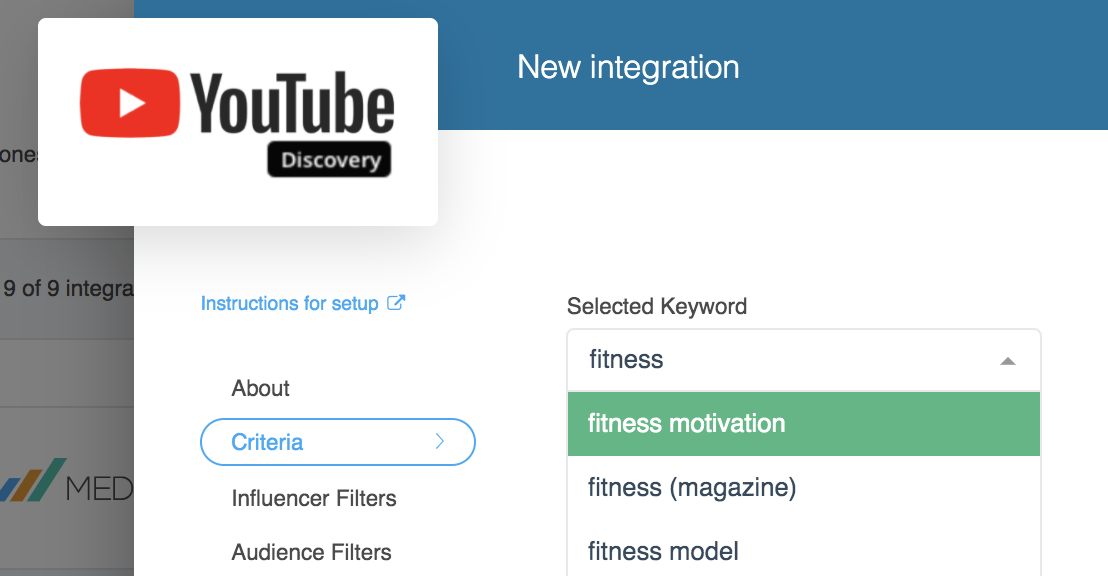
- Users are now able to search YouTube for vloggers and influencers using keywords and influencer/audience demographics
July 29th Release
Product Updates
- BETA testing: Opportunities tab added to the Partners workspace detail pages
- This allows users with multiple brands in the system to create Prospects from their current Partners for use in cross-brand recruiting
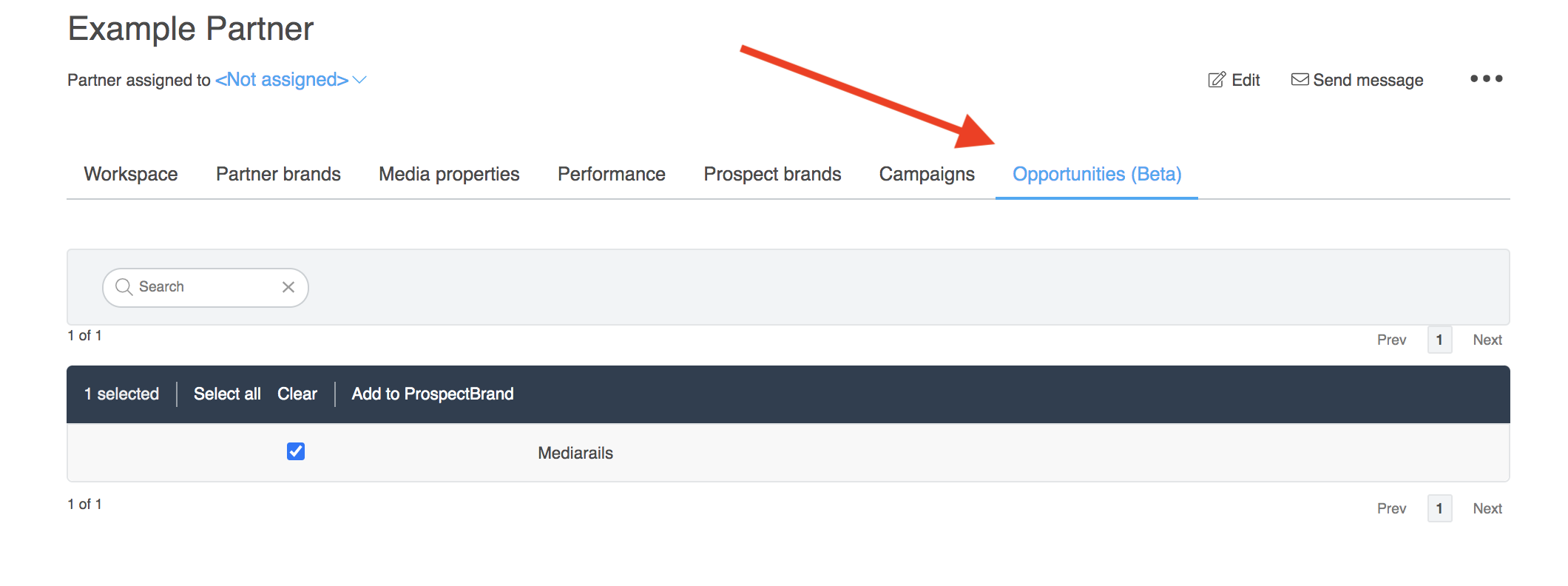
- This allows users with multiple brands in the system to create Prospects from their current Partners for use in cross-brand recruiting
July 14th Release
Product Updates
- Soft remove option added for workflow recipients in all Prospects and Partners workspaces
- This allows users to decide from Hard and Soft remove options, called "Remove Only" or "Remove and Block" so they can remove specific recipients from a workflow and decide whether the recipients can enter the same workflow again in the future, or will be blocked from entering that workflow again.
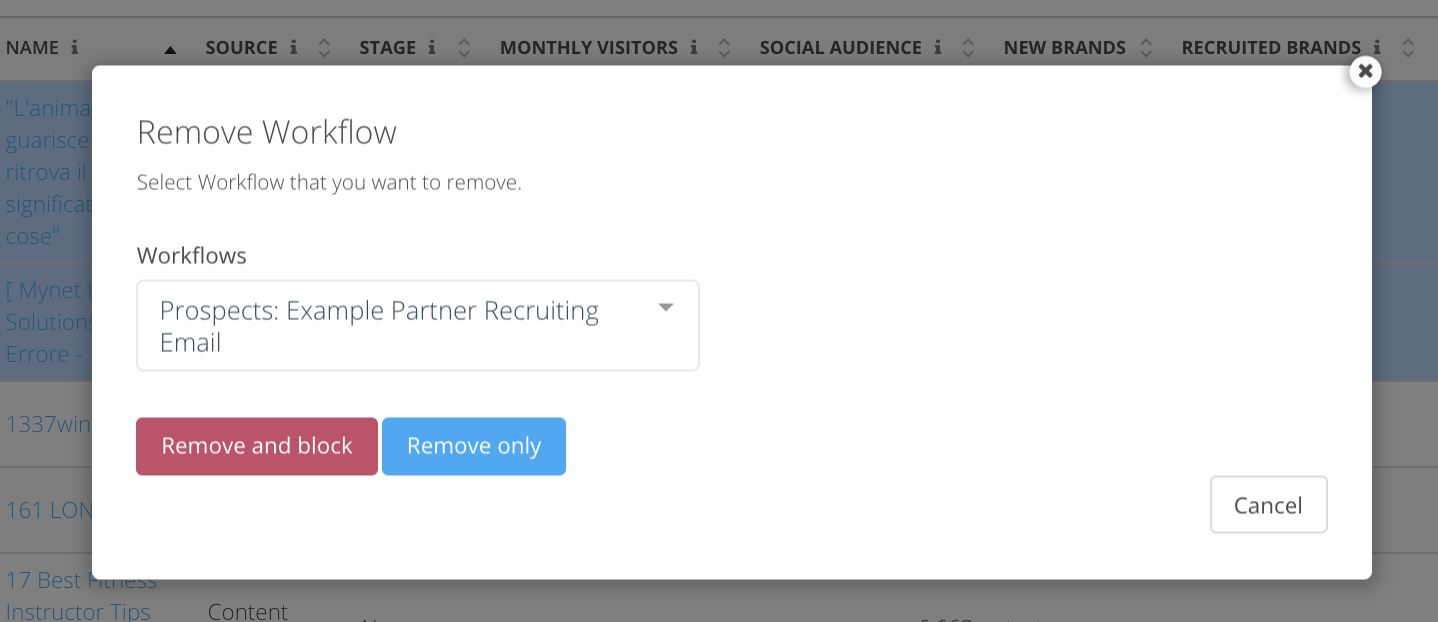
- This allows users to decide from Hard and Soft remove options, called "Remove Only" or "Remove and Block" so they can remove specific recipients from a workflow and decide whether the recipients can enter the same workflow again in the future, or will be blocked from entering that workflow again.
June 10th Release
Product Updates
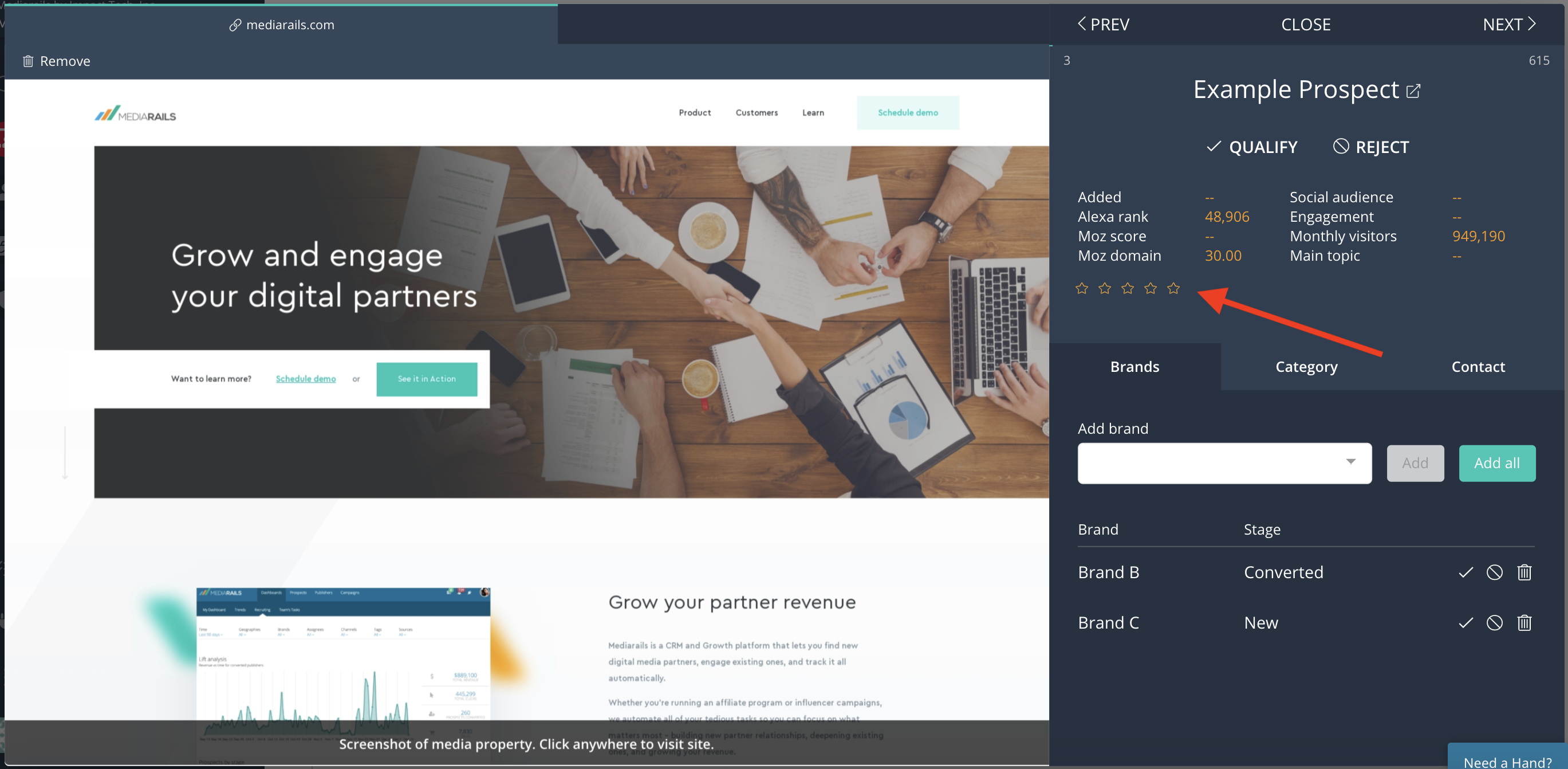
- Star ratings are back in Review Mode!
- First and last names are no longer required for creating a new contact record
May 28th Release
Product Updates
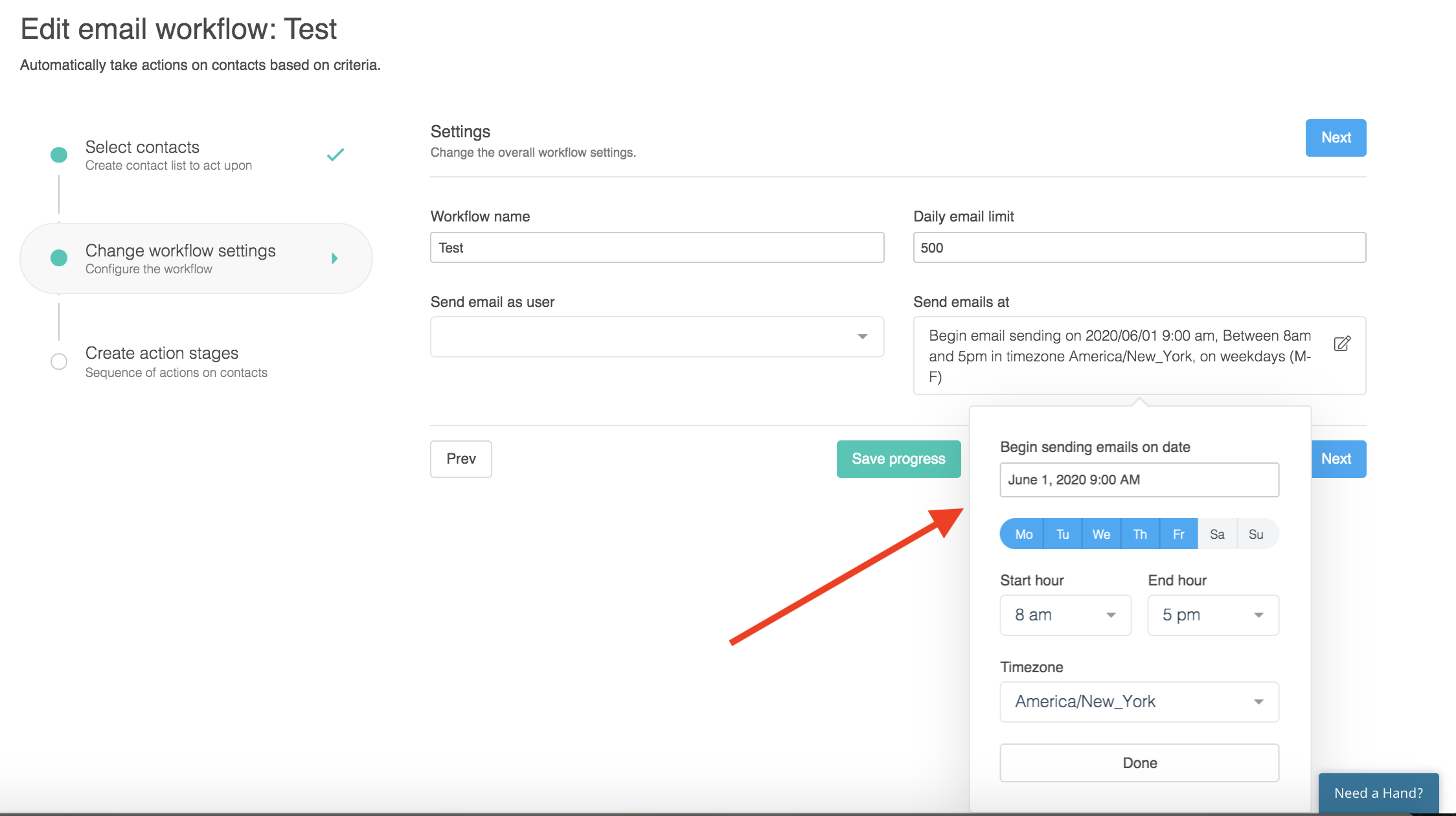
- Scheduling now available for Email Workflow start date & time
- Load-time speed improvement (10x improvement!)
- Review Mode, List View, and Detail page loading times have been significantly sped up and improved
April 27th Release
Product Updates
- Click tracking added for outgoing emails
- Total link clicks will be tracked for one-offs and email workflows
- Additional columns/filters added to Prospects and Partners List Views regarding click tracking

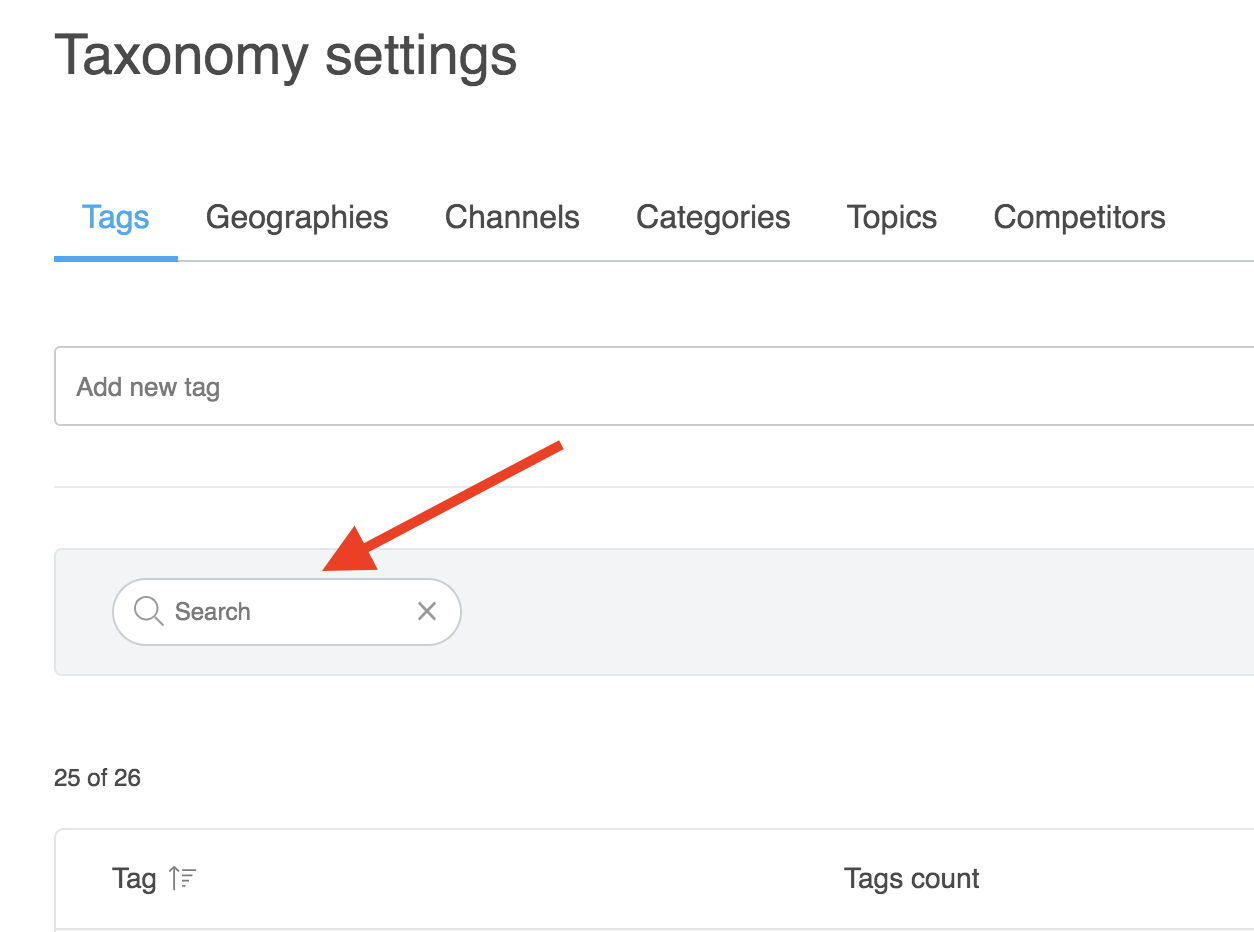
- Search function added to Taxonomy page
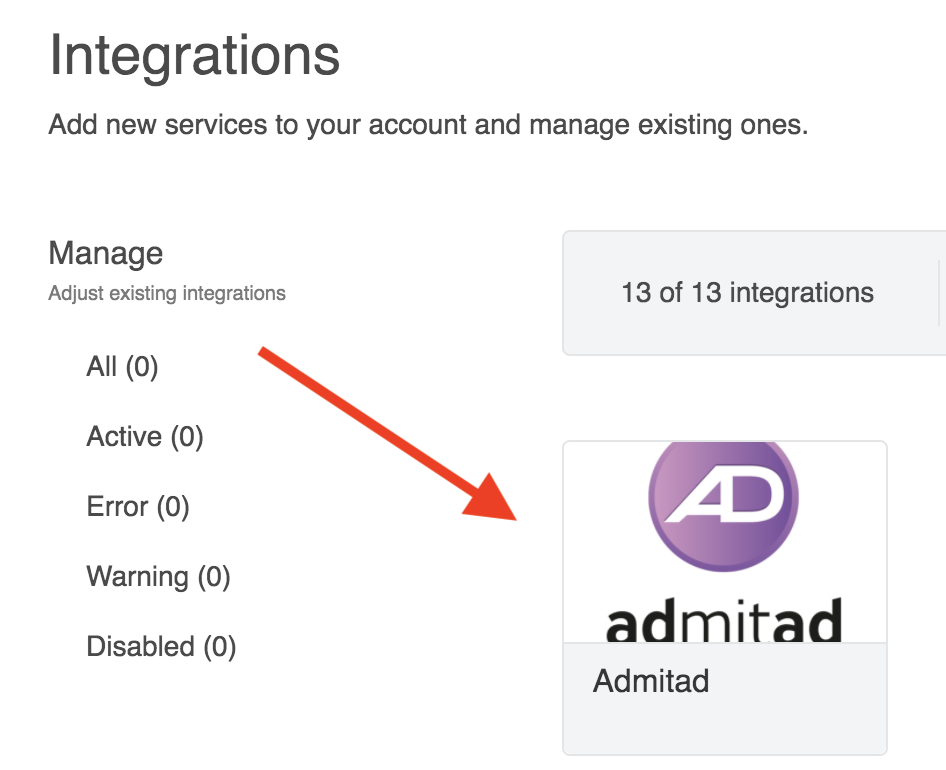
- Admitad Network Integration added
- Support users who work with the Admitad Network
- Support users who work with the Admitad Network
April 8th Release
Product Updates
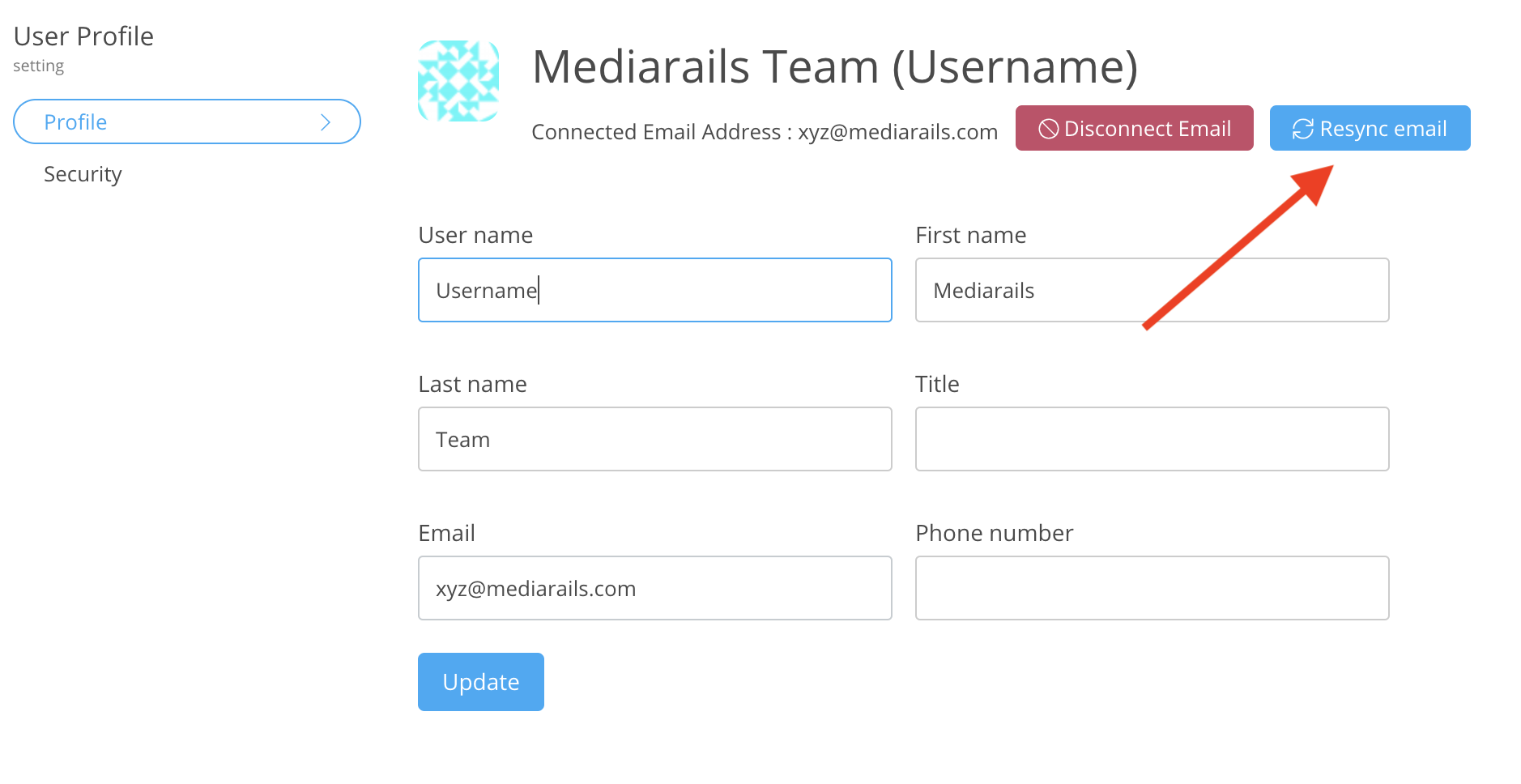
- Email Re-sync added to user profile page
- Re-sync will enable users to re-sync their email addresses to the Mediarails system in order to troubleshoot email connection errors.
- Re-sync will enable users to re-sync their email addresses to the Mediarails system in order to troubleshoot email connection errors.
- Email workflow limit has been increased to 20,000 records at a time
- Users can now add up to 20k records at the same time using saved views. For saved views that are larger than 20k records, all records will still be added as the workflow progresses.
- File attachments on Prospects and Partner details pages have been increased to accept and store files up to 50mb in size
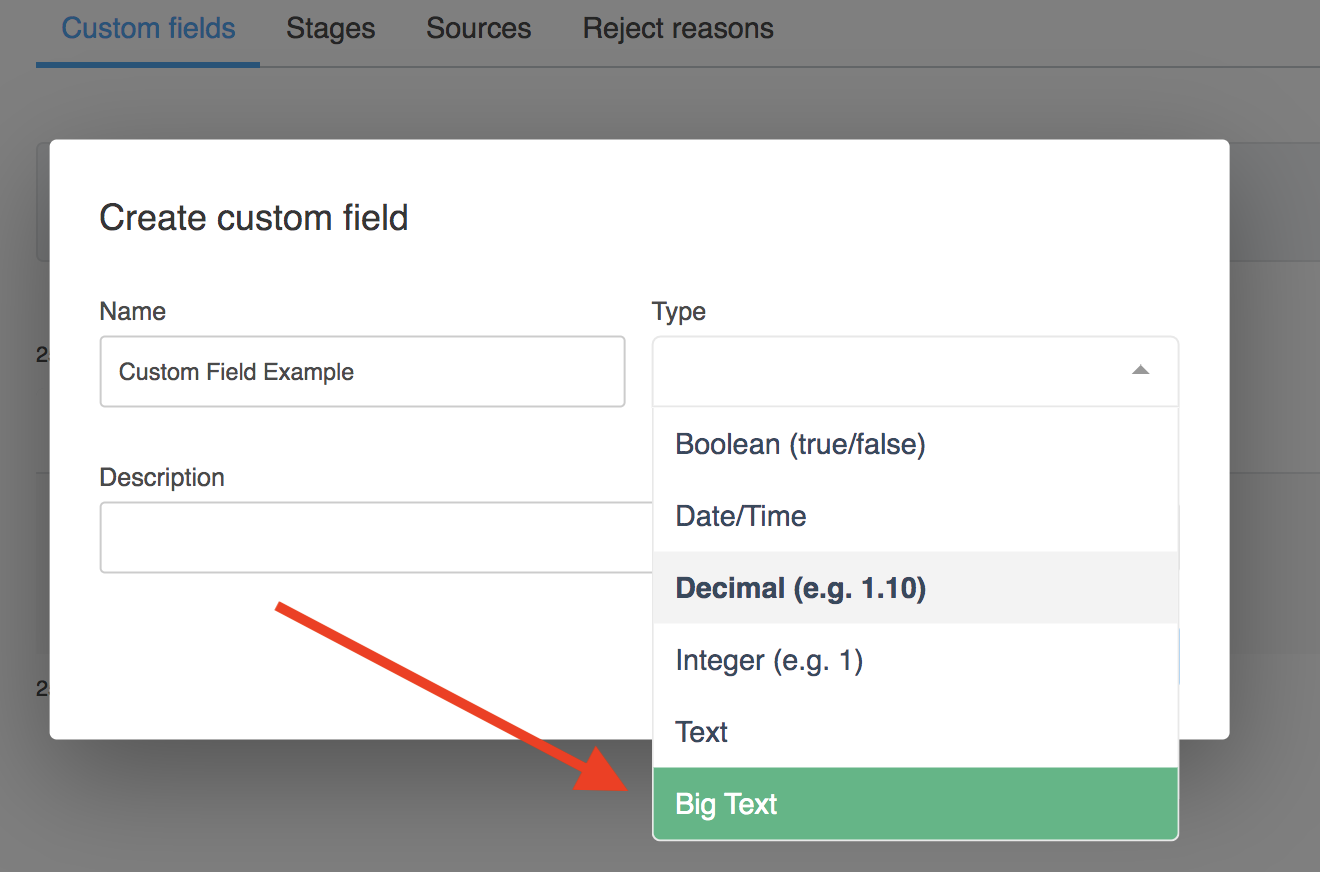
- New custom field type called "Big Text" allows 65 thousand characters to be added to a custom field in Prospects, Partners and Partners by Brand workspaces
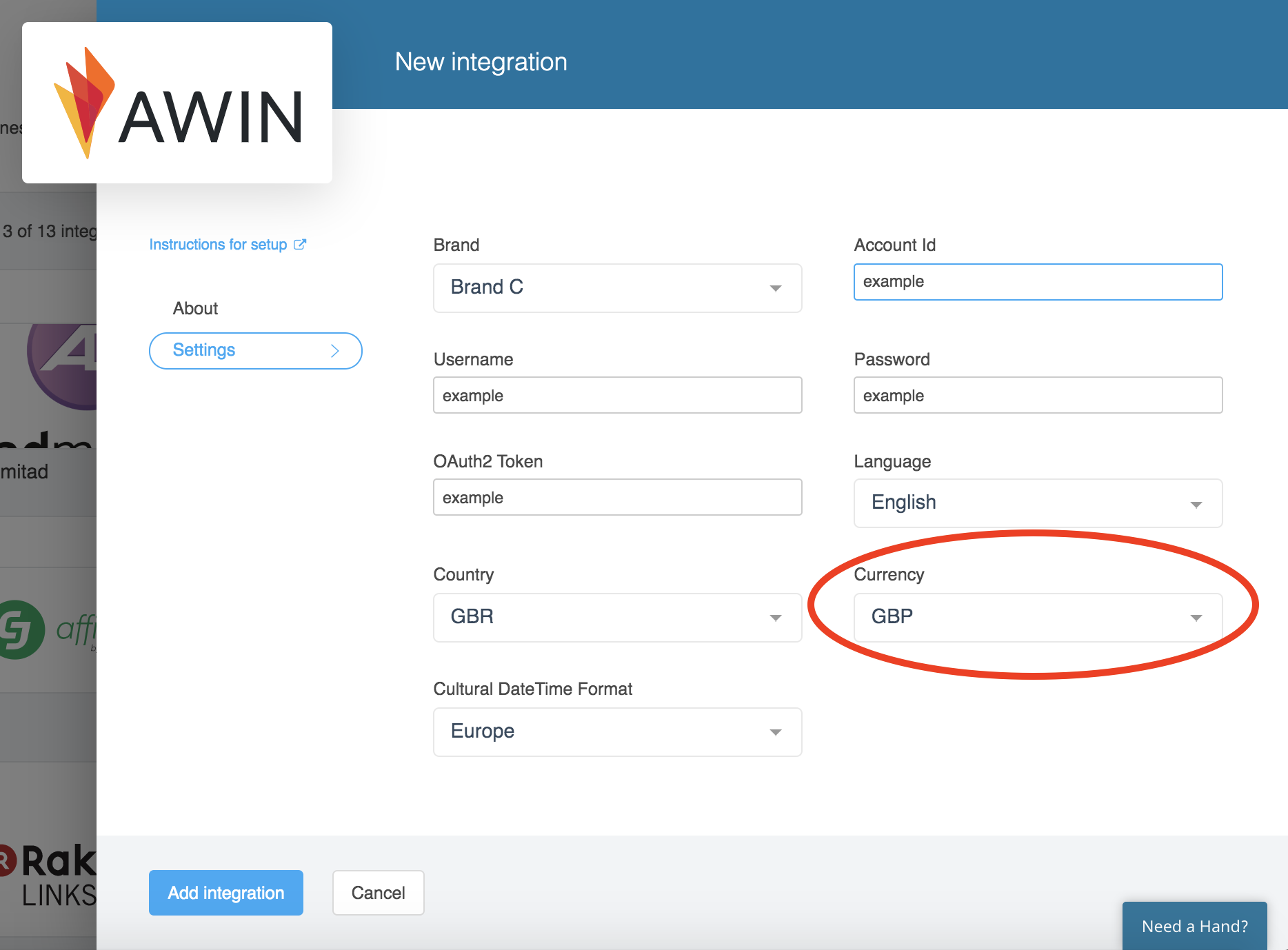
- Currency field added to network integration settings
- Please note that this field does not calculate currency conversions. It is intended to show users which network is reporting in which currency for reference
- Please note that this field does not calculate currency conversions. It is intended to show users which network is reporting in which currency for reference
March 11th Release
Product Updates
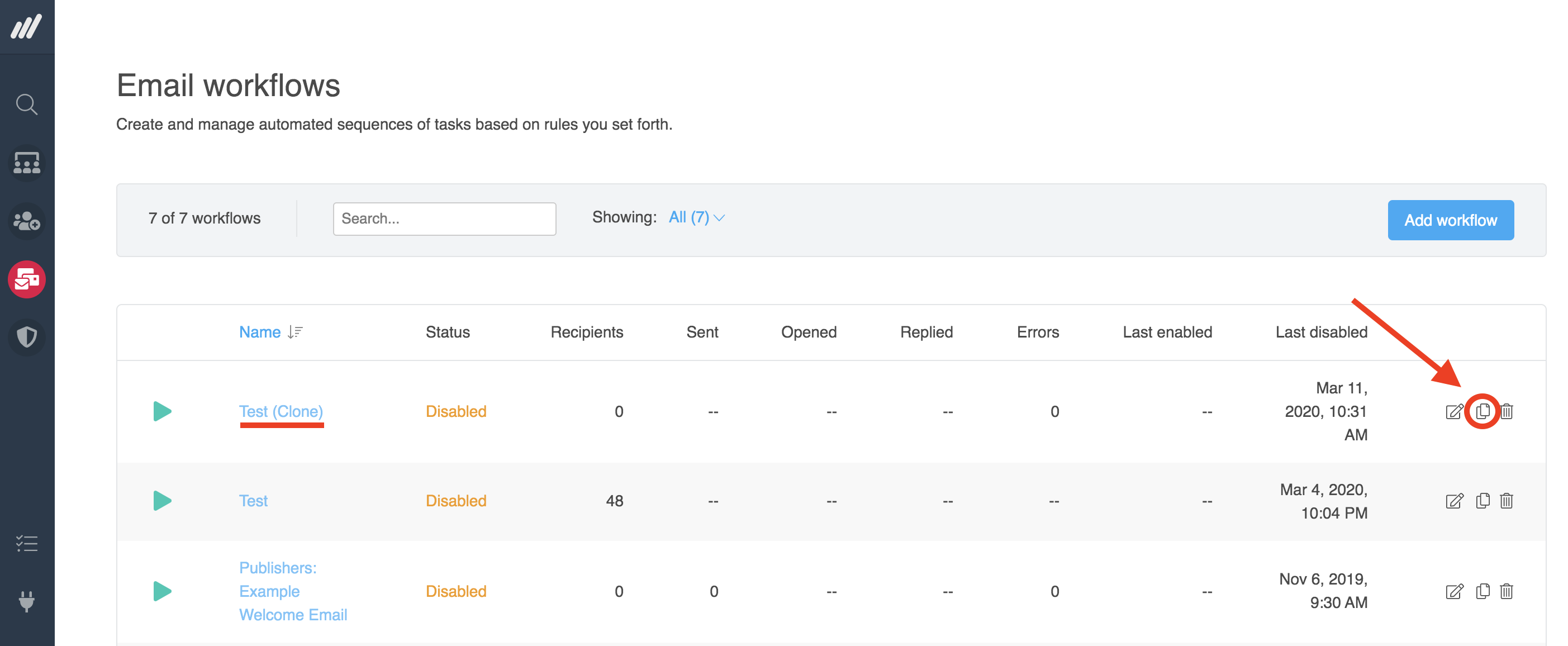
- Clone workflow button is now available!
- Users are now able to clone an entire workflow by clicking the clone button on the right side of the workflow list. The newly cloned workflow shows as "(clone)" in the list like shown below.
- Users are now able to clone an entire workflow by clicking the clone button on the right side of the workflow list. The newly cloned workflow shows as "(clone)" in the list like shown below.
Bug Fixes
- Mediarails Chrome Extension loading issue upon login has been fixed and is functioning as expected
Feb 20th Release
Product Updates
Discover Tools
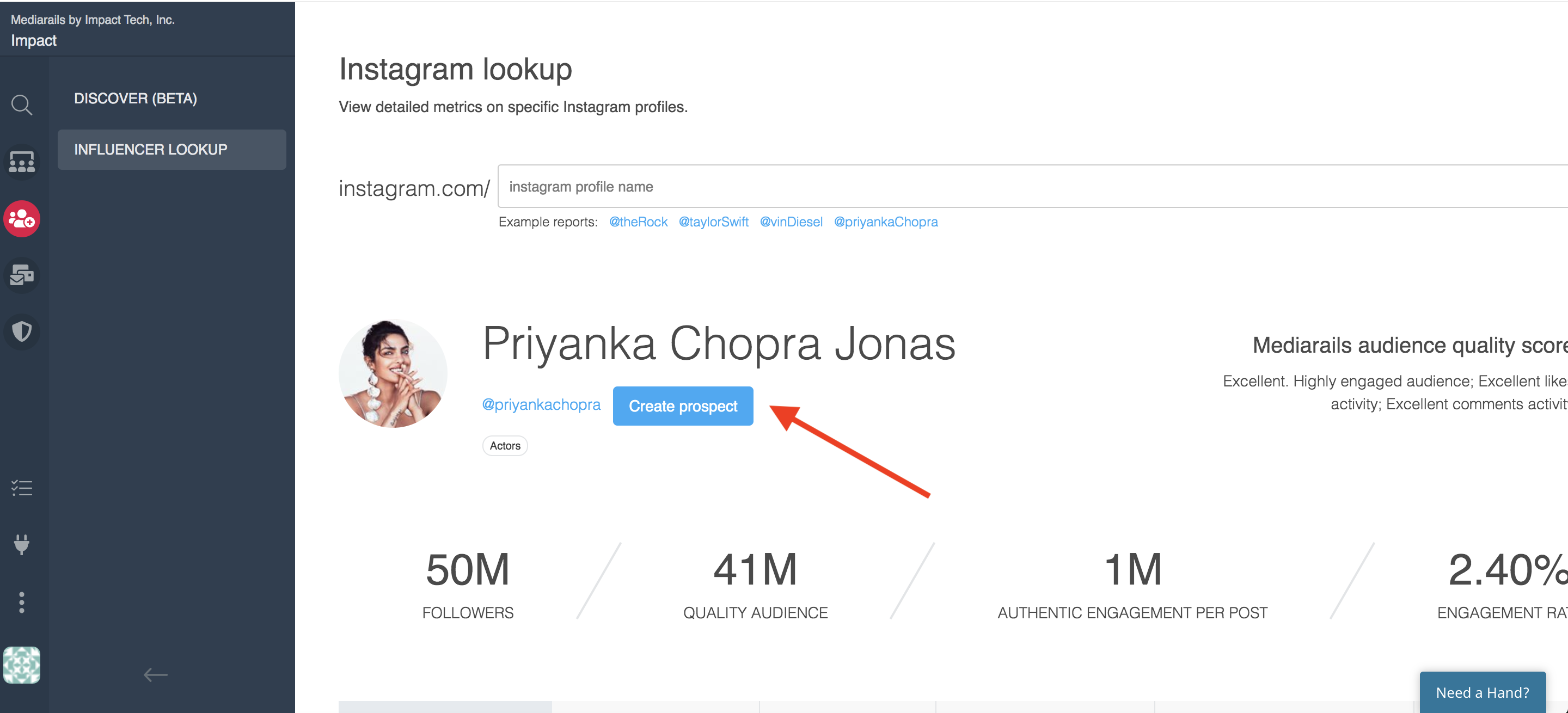
- Users now have the ability to add an Influencer to the Prospects section directly from the Influencer Lookup using the new Create Prospect button
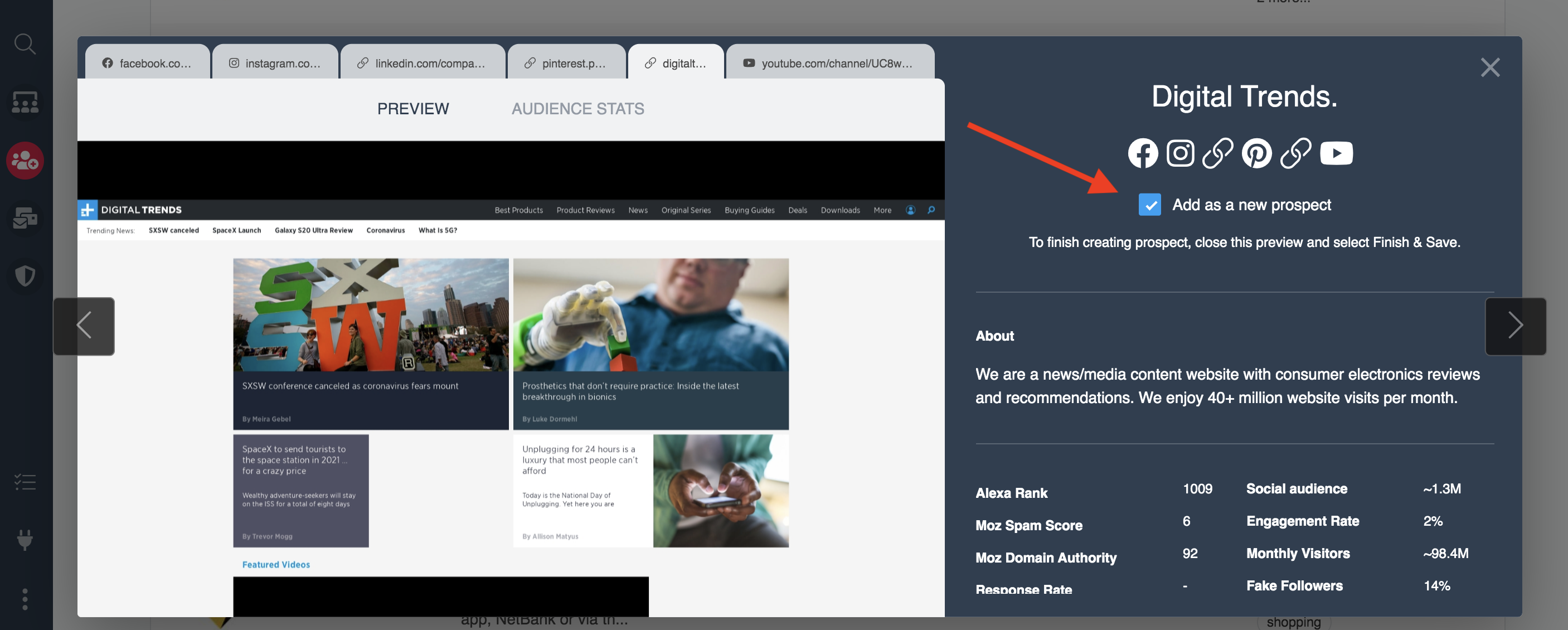
- Users will be able to add Tags, Brands and more to the new Prospect record using the form that pops up after clicking the Create Prospect button
- Users will be able to add Tags, Brands and more to the new Prospect record using the form that pops up after clicking the Create Prospect button
- Users now have the ability to add an Influencer to the Prospects section directly from the Influencer Lookup using the new Create Prospect button
- Users will be able to add Tags and Brands to the new Prospect record during the process
- Users will be able to add Tags and Brands to the new Prospect record during the process
General Updates
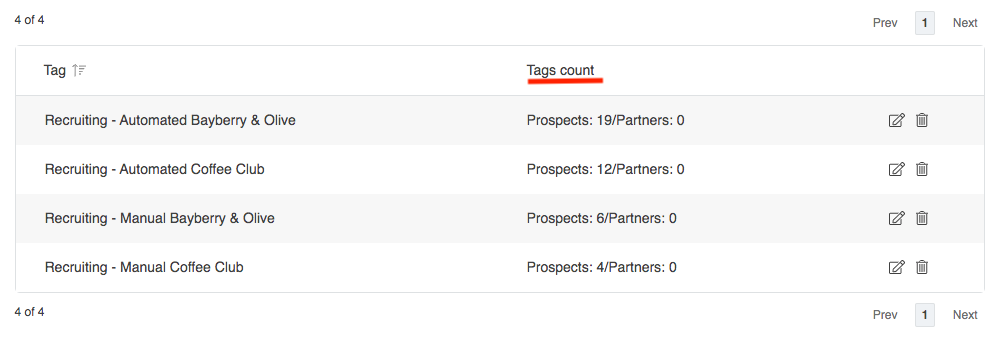
- Tags now have a running count in the Taxonomy section of Prospects or Partners who have those tags applied
Jan 27th Release
Product Updates
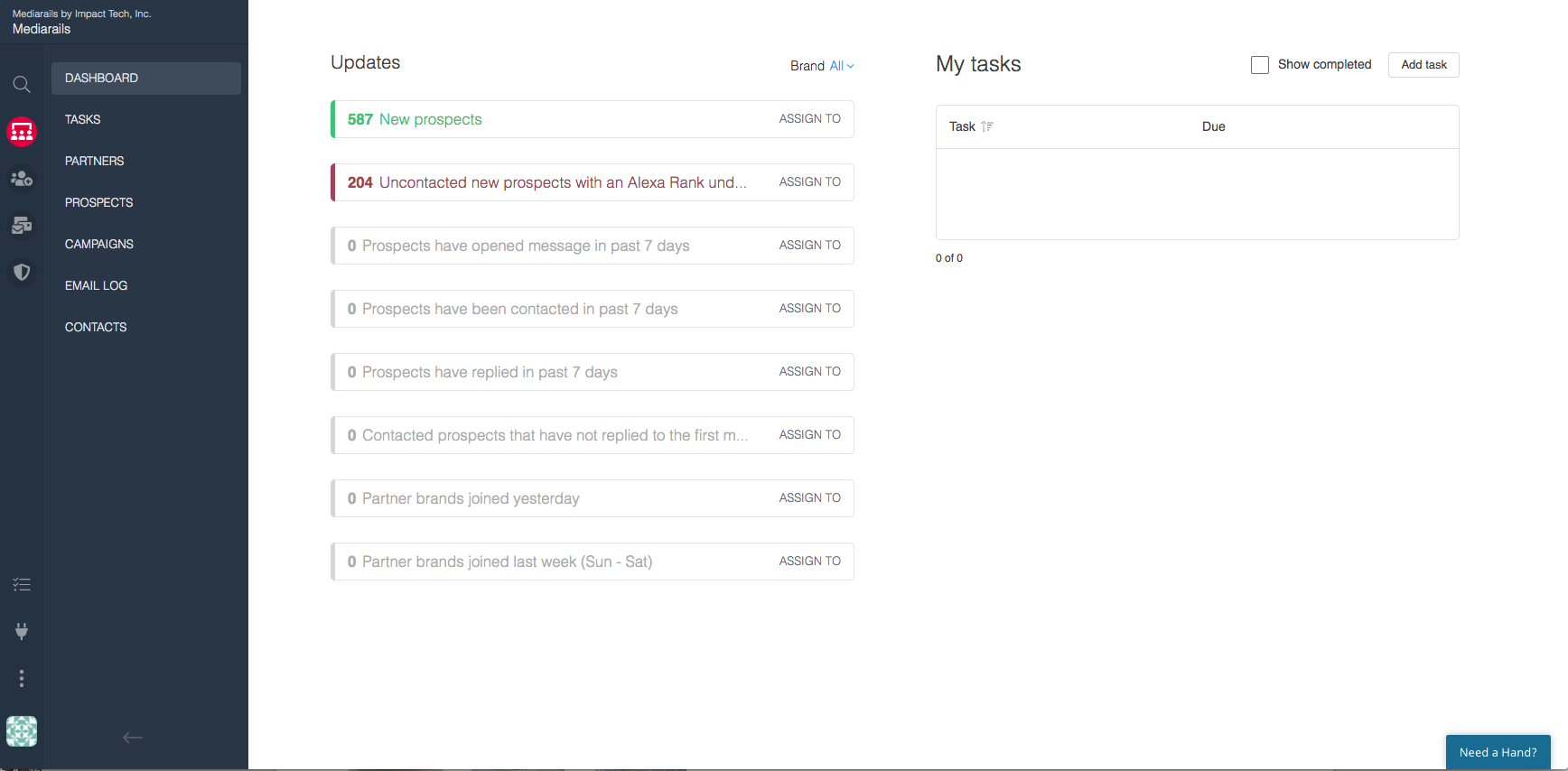
- New UI becomes default interface!
- Bulk Reset feature is added to Actions on Prospect and Partner list views
- This allows users to reset certain fields in bulk such as Source or Conversion date (the fields available for bulk resetting vary by workspace)
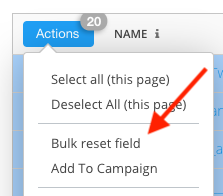
- This allows users to reset certain fields in bulk such as Source or Conversion date (the fields available for bulk resetting vary by workspace)
Jan 20th Release
Product Updates
- Campaigns Revamped
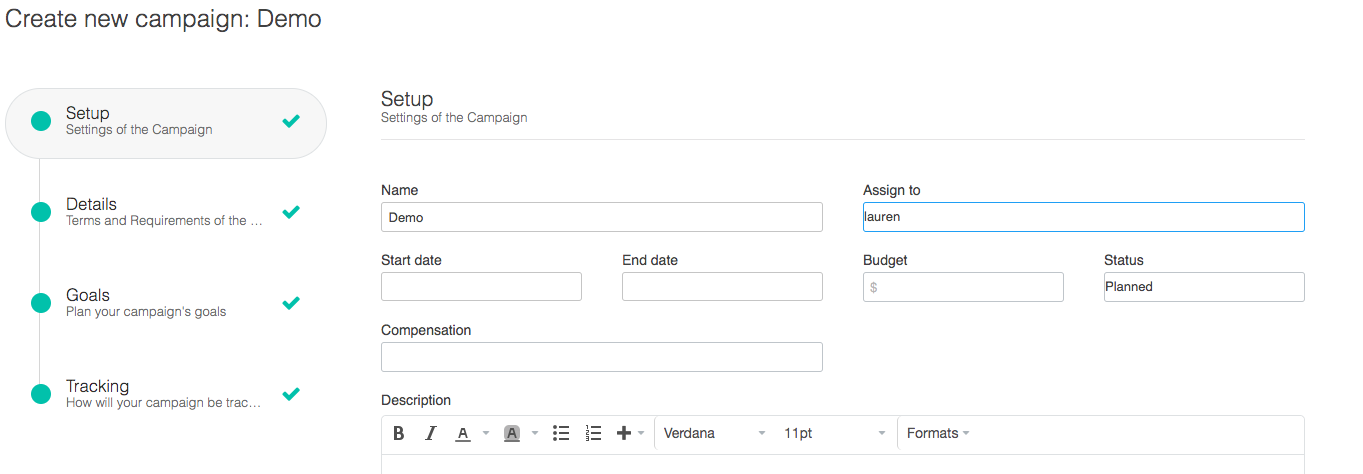
- Partner Compensation field is added to mark whether the partner received a payment for the placement or free product

- Details page is added to campaign setup which allows users to:
- Designate post types (Video, Article, Image)
- Enter number of placements
- Set approval type (Needs Approval, No Approval Necessary)
- Add approval date
- Creative Assets added to Goals tracking page
- Partner Compensation field is added to mark whether the partner received a payment for the placement or free product
General Product Updates
- Popup added to Email Workflow setup to remind Users to check with their email provider before sending mass quantities of emails
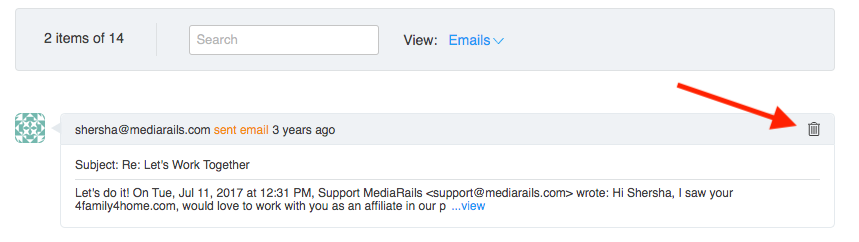
- Users can now delete individual emails from the Prospect/Partner Detail page
2019 Mediarails Product Release Notes
Dec 11th Release
Security Updates
- Passwords must be at least 14 characters
- Active sessions now expire after 2 hours
Nov 25th Release
Product Updates
- Instagram Discovery Prospecting Integration is added!
- Users can now search for Instagram Influencers with advanced demographic filters for both Influencers and Audiences
- Users can now search for Instagram Influencers with advanced demographic filters for both Influencers and Audiences
- YoY, YTD, MoM metrics can now be added in the Partners workspace for Network Actions, Revenue, and Clicks
- If users do not have data that goes back far enough, these metrics will not provide data
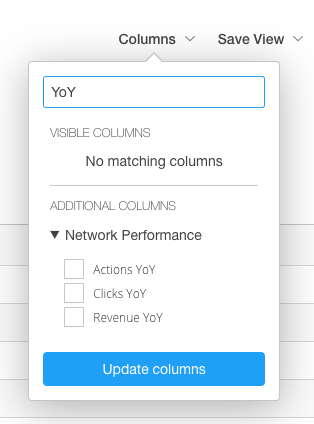
- If users do not have data that goes back far enough, these metrics will not provide data
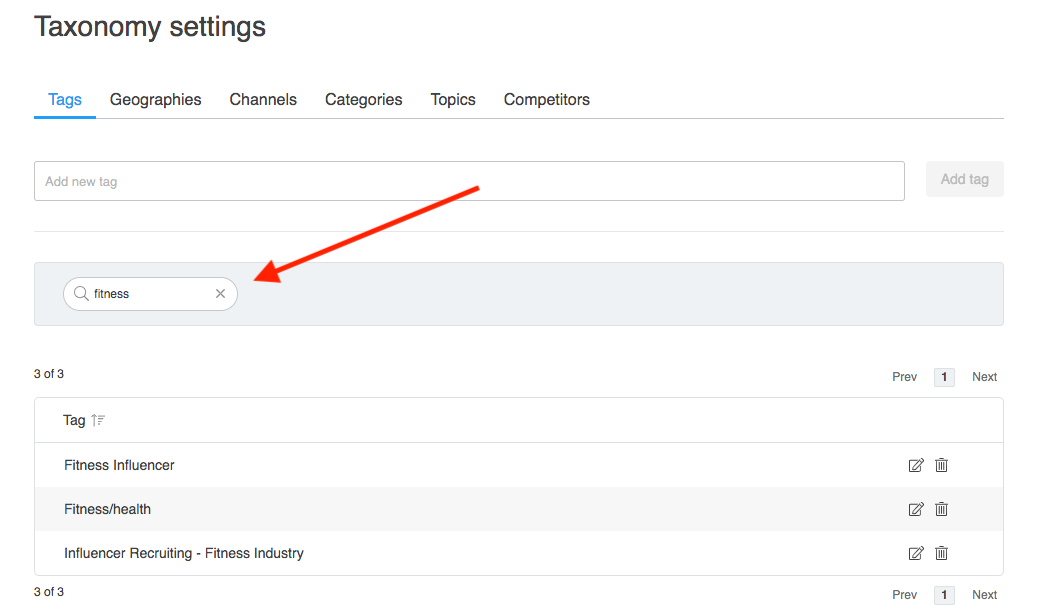
- Search in Settings - Users can now search for keywords in Settings pages including Tags (Taxonomy), Users, and Tasks
- Ability to edit and add Network Start Date and Network in Partner Brand edit pages
Bug Fixes
- Social Media toggles in the Bing integration now show changes in the UI when edited
Nov 16th Release
Product Updates
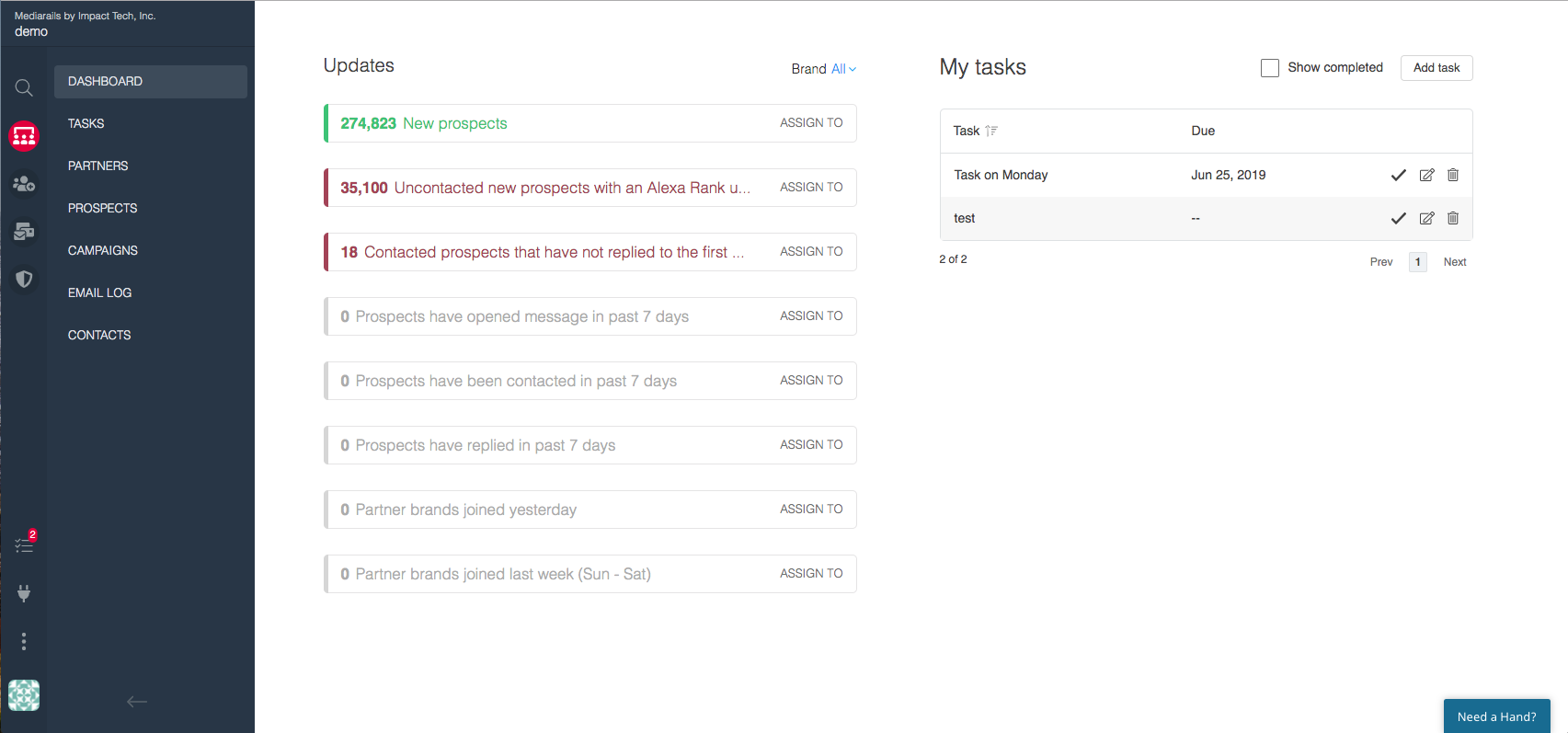
- Publishers workspace becomes Partners (platform terminology update - see image below)
- Publishers becomes Partner Brands
- Publisher Groups becomes Partners

- New UI preview is available
Nov 6th Release
Product Updates
- Pagination is added to the Settings pages to make finding tags and brands simpler
- Users can now add Placements directly from Campaigns
This saves time when adding placements while on the Campaigns page. It is no longer necessary to add placements only to the activity page. Using a dropdown users can select an existing or new activity to assign the placement to. - Do not call becomes Do not Contact (platform terminology change)
- Improved tag porting when using Add to Prospects from Publisher Groups
Oct 16th Release
Product Updates
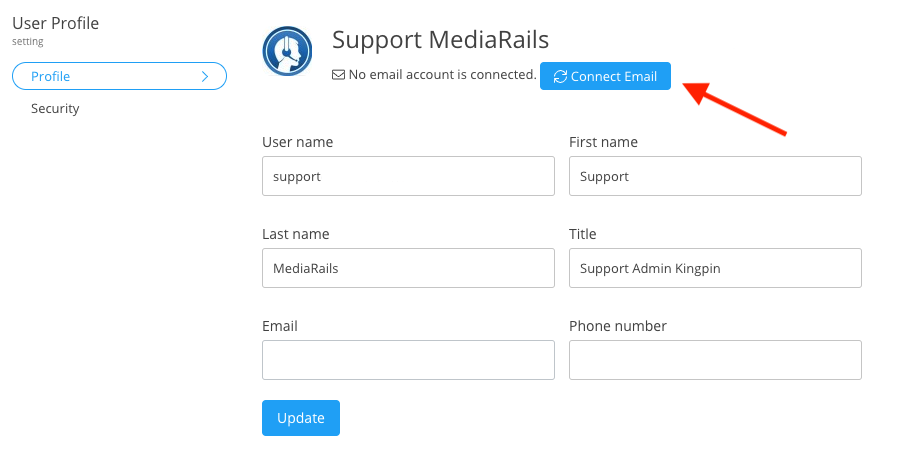
- New and Improved Profile Page with Connect Email button
Oct 2nd Release
Product Updates
- New notification: when a user attempts to connect an email and if it fails, the user will receive an email stating the email failed to connect.
- Compliance tab has been added to Settings with option to delete all email data in the system and instructions on deleting entire account.
Comments
0 comments
Article is closed for comments.