
Adding a new prospect with the New Prospect button is simple and only takes a few steps.
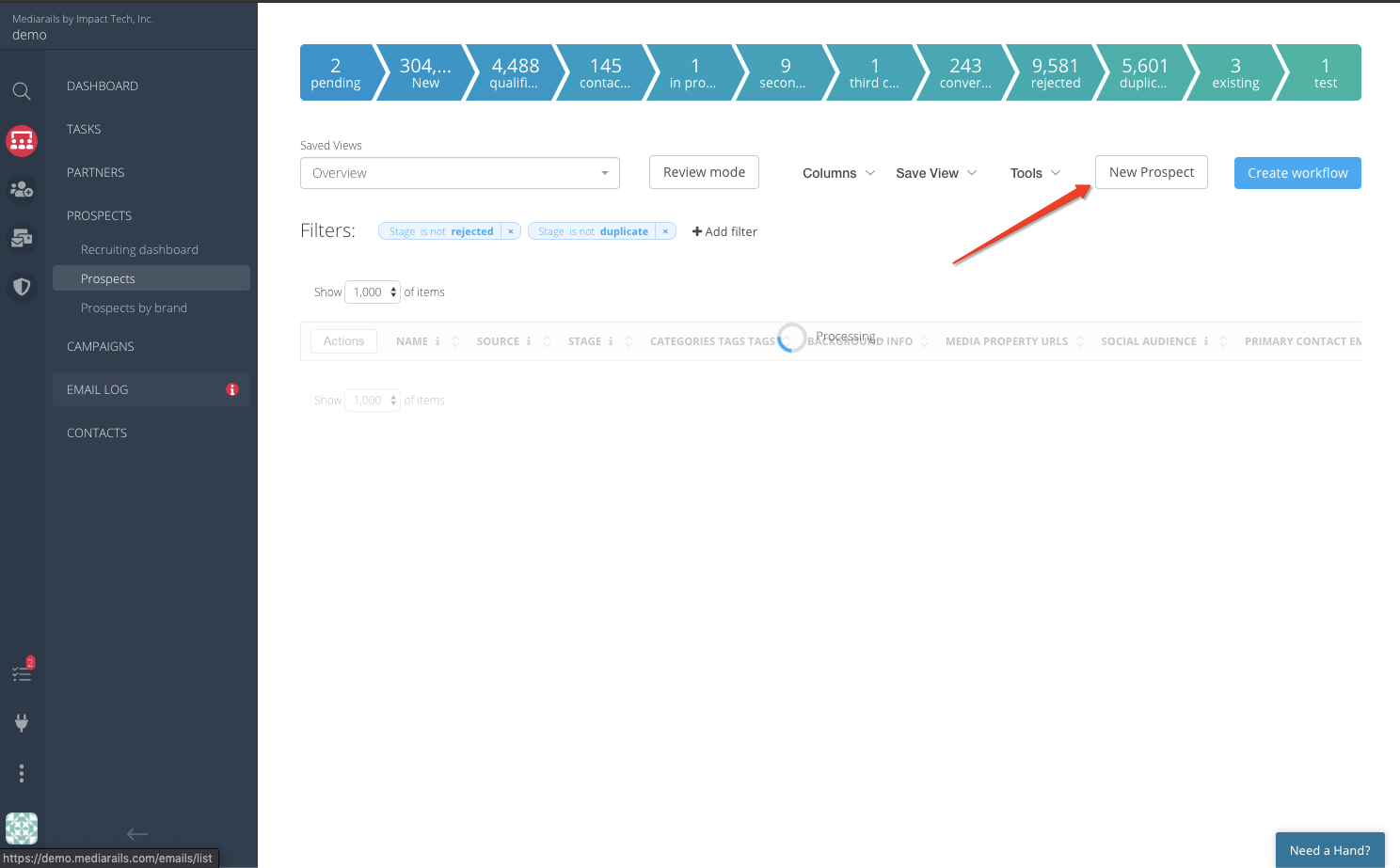
Step 1: Navigate to the Prospects section using CRM icon on the sidebar (like in the image below)
Step 2: Click the New Prospect button in the upper right corner:
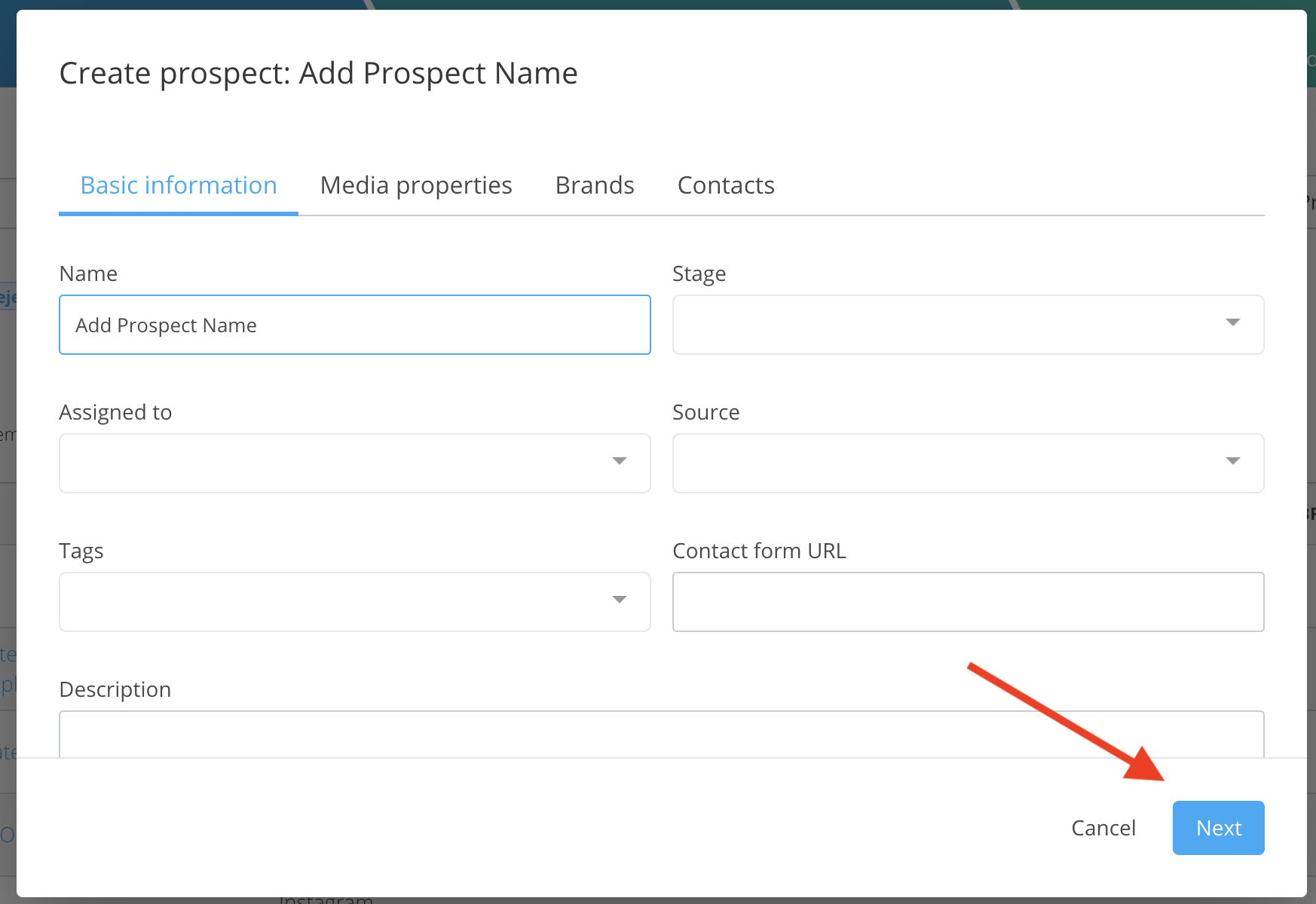
Step 3: Fill in the Name field and any other optional fields as needed
The two required fields are Name and Email.
Step 4: Click the Next button on the bottom right
(click next two more times to get through the optional Media properties and Brands tab)
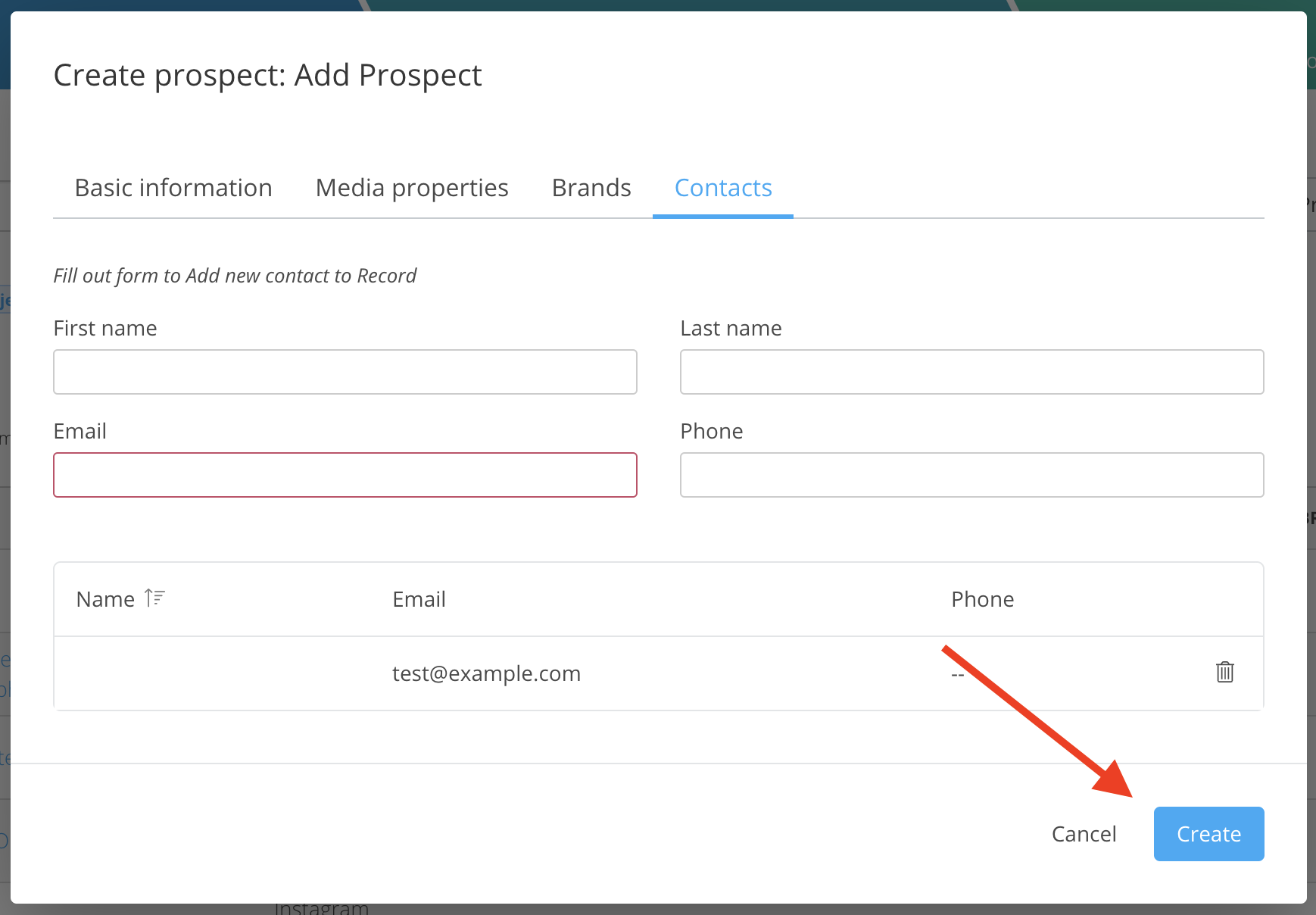
Step 5: After you enter the contact's email address click Create to create the Prospect:
TIP: You can search for these newly created prospects by creating a filter for Name Is ______ or by pulling in the Created At ____ column and sorting to most recent.
Comments
0 comments
Please sign in to leave a comment.