To get the most accurate conversion numbers from your recruiting efforts it is a good idea to create specific Mediarails Terms within Radius to use for Recruiting.
What does this mean?
When inviting partners to join your program you will send them a sign-up link to apply. These sign-up links are inviting partners not only to your program, but to specific contract terms.
If you have a contract set up to use with Mediarails alone, your partners recruited from Mediarails will be easy to identify. In simple terms, you'd be able to track sign-up conversions coming from your Mediarails outreach efforts by sending those partners through specific terms that are then tracked in both Radius and Mediarails.
For more information on how to create terms within Impact Radius, please see the Radius help article here
How to get a Mediarails signup link from Radius
Please note that the instructions below are regarding actions taken within the Radius platform and not on the Mediarails platform
1. Go to Contracts on the Radius Sidebar and select Template Terms
- You could also create a Custom Term if desired
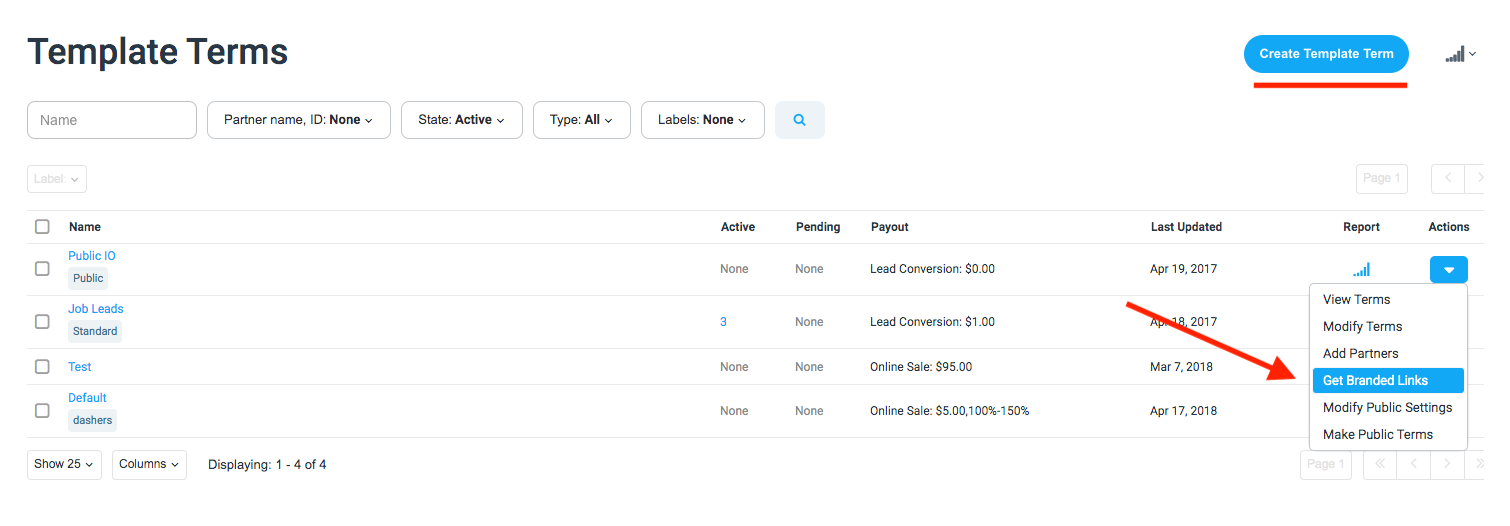
2. Add the term by clicking the Create Template Term button on the top right of the page (as seen below)
3. Create the terms. Either start from scratch
or copy and paste all the details from your current Public IO or any other terms you'd like to offer. More info on creating Contracts can be found on the
Radius Help Center.
4. Once the terms show in the list, click the Actions dropdown on the right of the Mediarails-specific term and click Get Branded Links (as shown below)
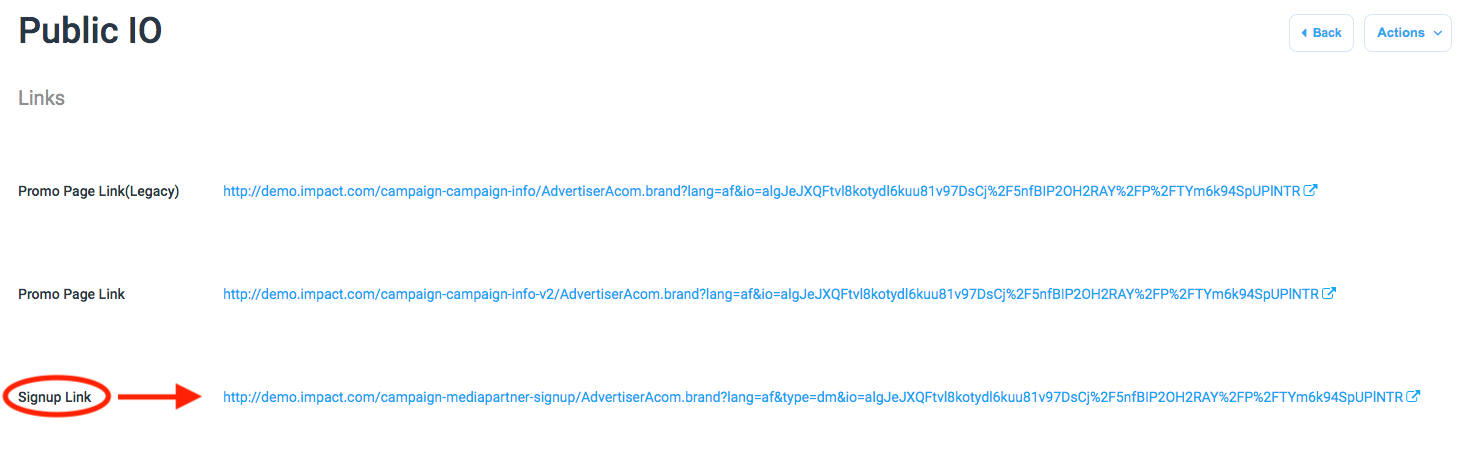
5. On the Branded Links page you will be able to see and copy the specific sign-up link that will only apply to the specific Mediarails IO
6. Copy the signup link and paste that link into your Mediarails email workflow messages.
Once your prospects begin to apply, you will see the Mediarails-dedicated terms showing up in Radius as well as under the Network Program Terms column in Mediarails, and you will know how many partners have signed up from the email workflow containing those specific signup links.

Comments
0 comments
Please sign in to leave a comment.