
The Prospects by Brand section is used for Multi-brand customers to help manage multiple brands and have the ability to manage each brand individually.
In the Prospects by brand section you can filter by brand and be able to have a more clear view of your recruiting actions with that specific brand.
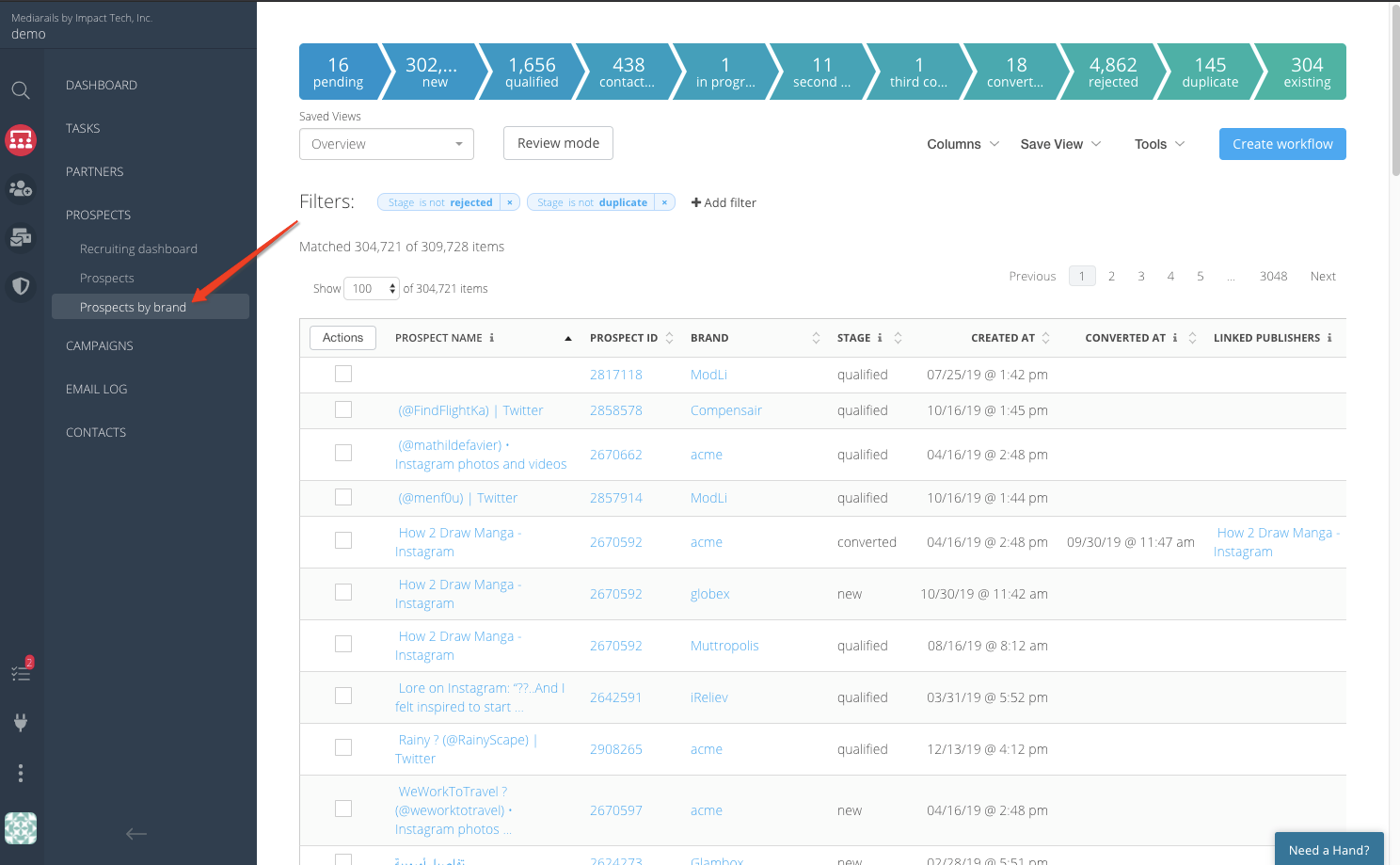
To explain this in another way; the Prospects workspace shows you prospects and those prospects can have multiple brands tied to them. This view is great if you are the only one managing all brands as you can interact with a prospect record at that level.
The Prospects by Brand workspace shows you one prospect record per brand. This allows for a scenario where there are multiple people managing multiple brands so you can filter down to the brand you care about working on and not need to see all of the other information for other brands.
To make the difference between Prospects and Prospects by brand a little clearer, see the images below to get a better idea of the conceptual differences between the two workspaces.
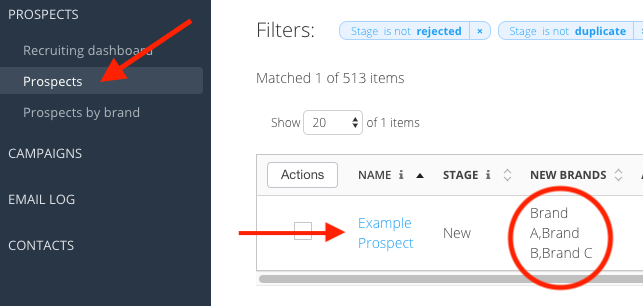
Prospects section:
- Each Prospect record has a single listing with all brands tied to that record shown in the list
- There will only be a single Prospect listing for each Prospect, See below for one prospect with multiple brands tied to it:
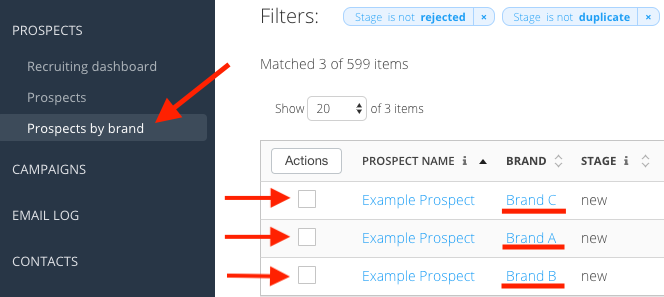
Prospects by Brand section
- Each Prospect listing is for a single Prospect and each brand has their own record and status.
- Each Prospect may have multiple listings depending on how many brands you have tied to it. See below for the same prospect listed above, this shows 3 listings, one for each brand.
Comments
0 comments
Please sign in to leave a comment.