
Disconnecting Email and Connecting New Email.
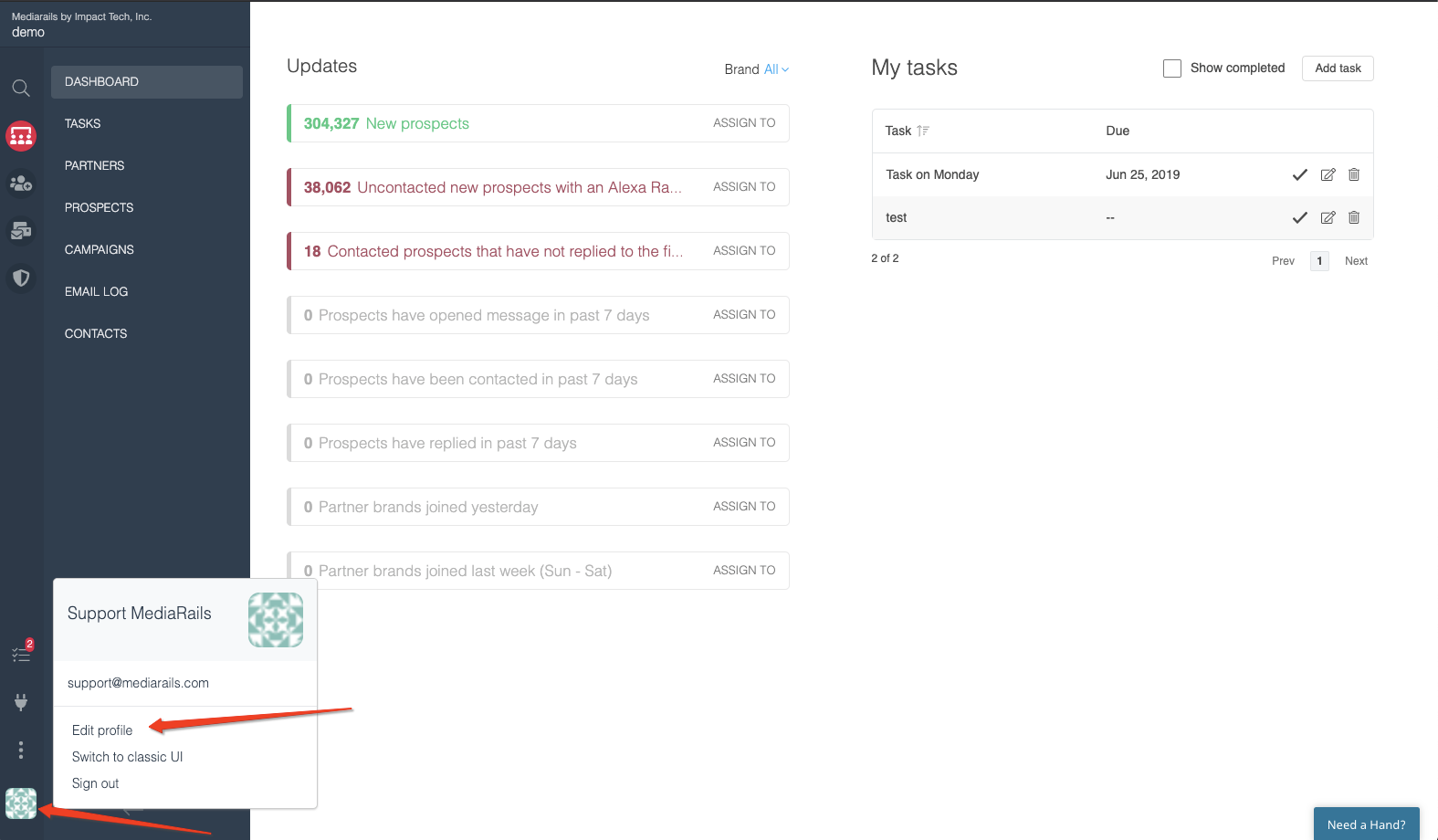
1. Click on the geometric icon on the bottom of the left sidebar and select Edit Profile.
2. Click the link that says: Disconnect Email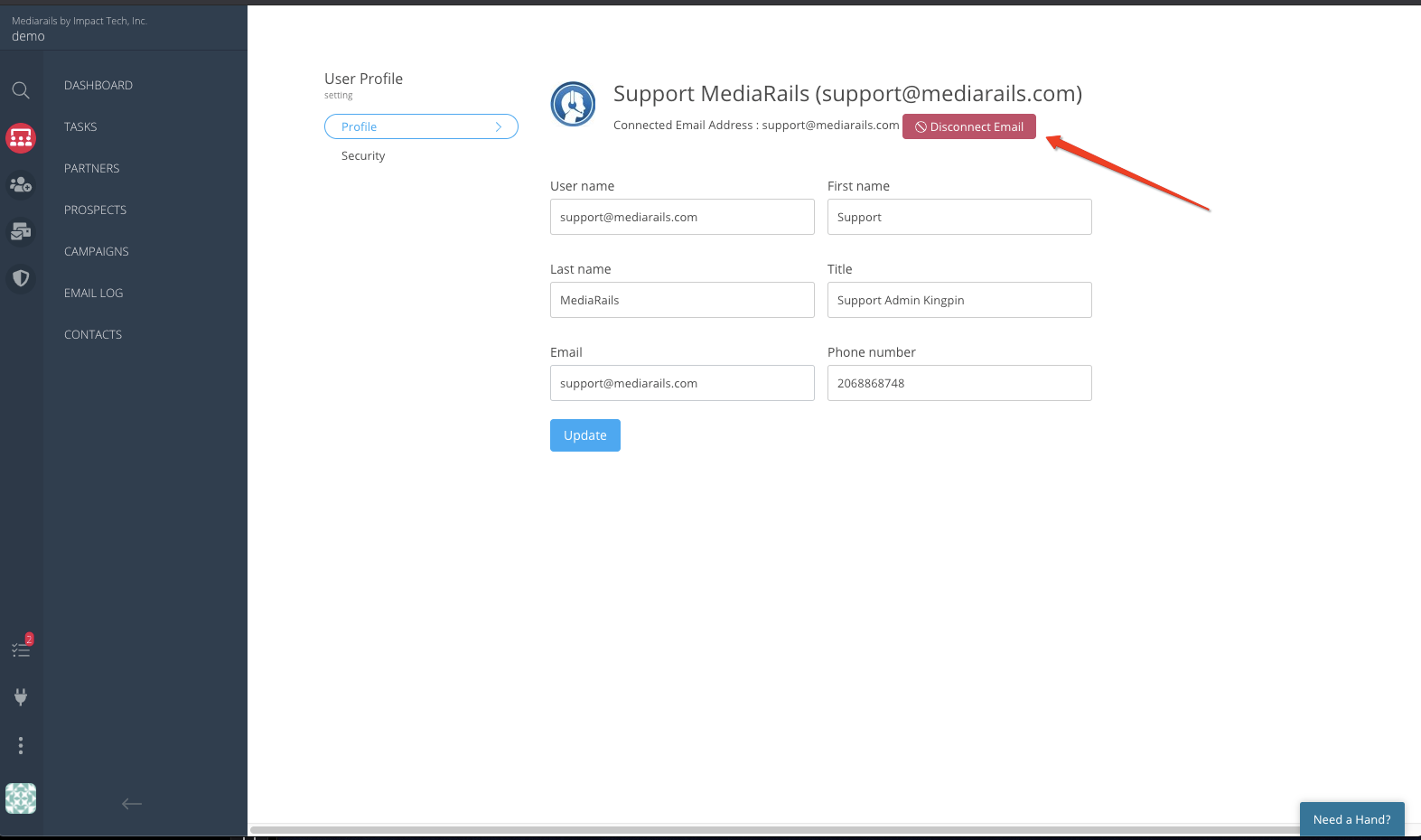
4. Edit your profile and enter the new email address you wish to connect.
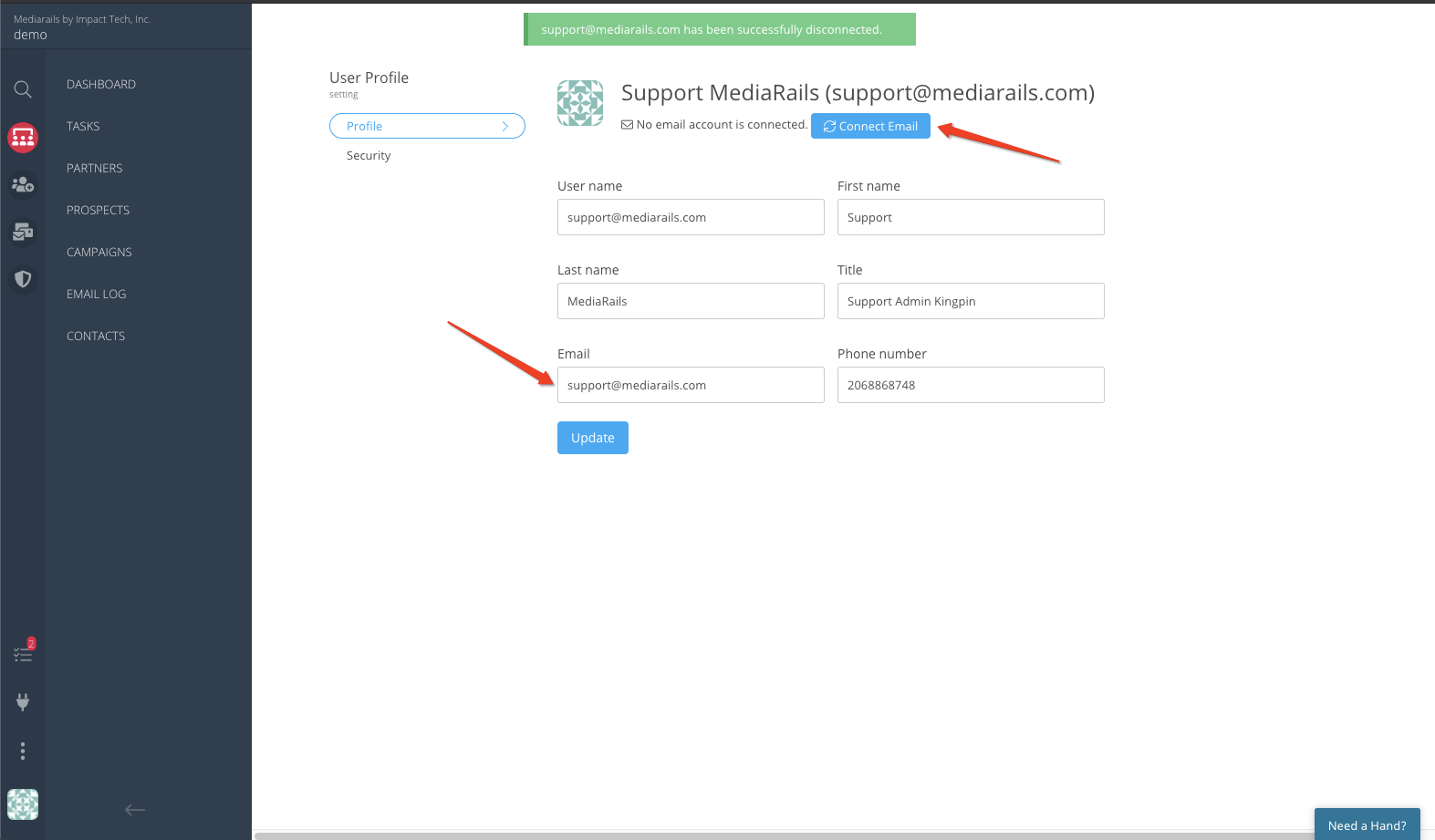
5. Edit your email address to the new email address you want associated with your profile.
6. Follow Normal Instructions for connecting email
Comments
0 comments
Please sign in to leave a comment.