
Finding the embed code for a placement will allow you to fully populate the Placement information when adding placements to Campaigns. Without the embed code the placement will not pull in the creative in some cases, the performance will still pull however.
Instagram:
Navigate to the post you want to add to your campaign. See below for images on next steps:
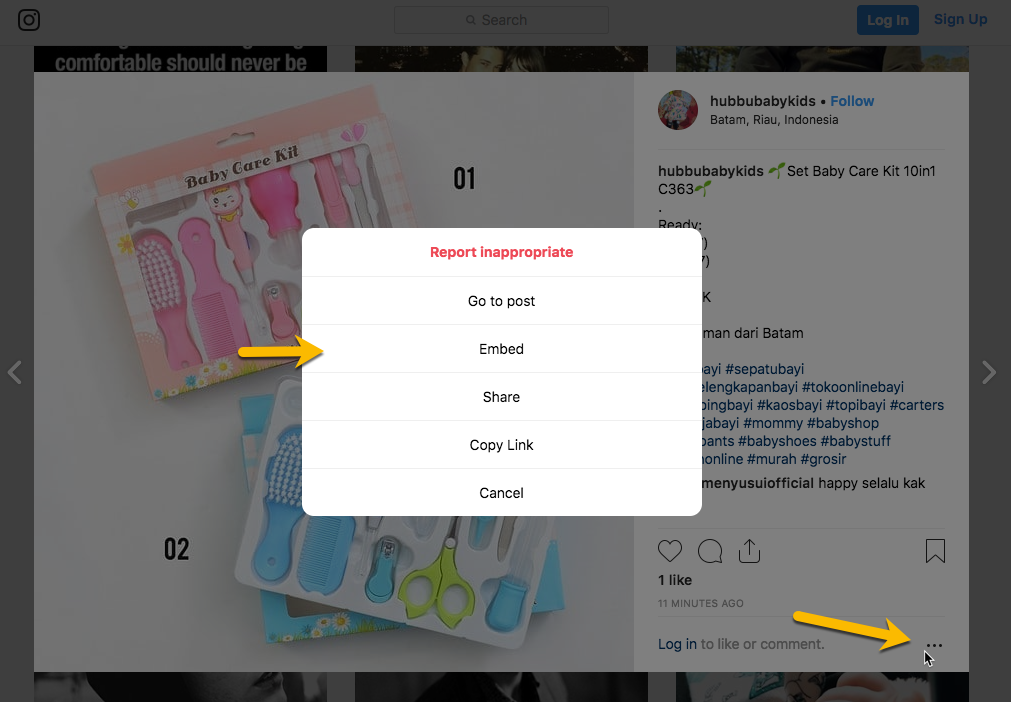
Click on the 3 little dots menu in the lower right corner of the post, then choose the option for Embed:
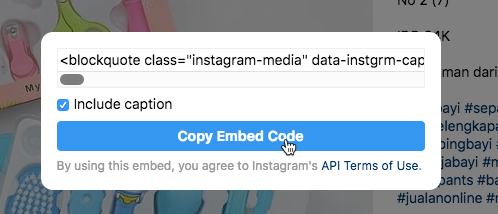
Then you will choose the button to Copy the Code and you will paste that into your placement addition box in Mediarails
Facebook:
Navigate to the post you want to add to your campaign. See below for images on next steps:
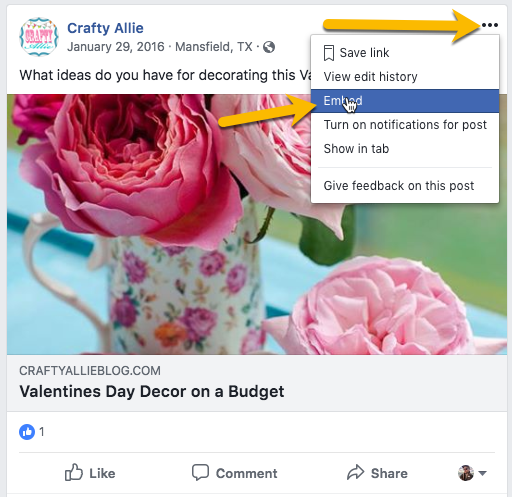
Click on the 3 little dots menu in the upper right corner of the post, then choose the option for Embed:
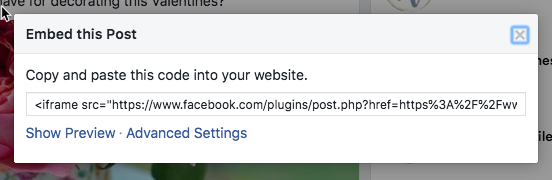
Then you will Copy the Code and you will paste that into your placement addition box in Mediarails
Youtube:
Navigate to the post you want to add to your campaign. See below for images on next steps:
Click on the SHARE button at the bottom of the video, then choose the option for Embed:
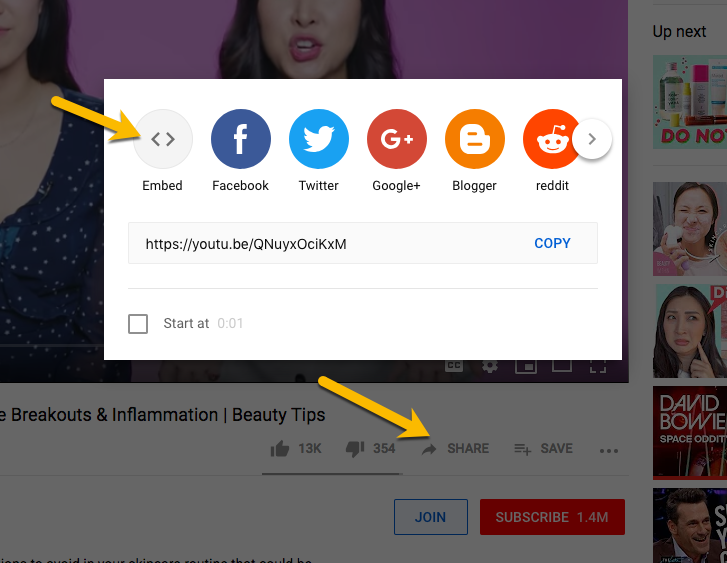
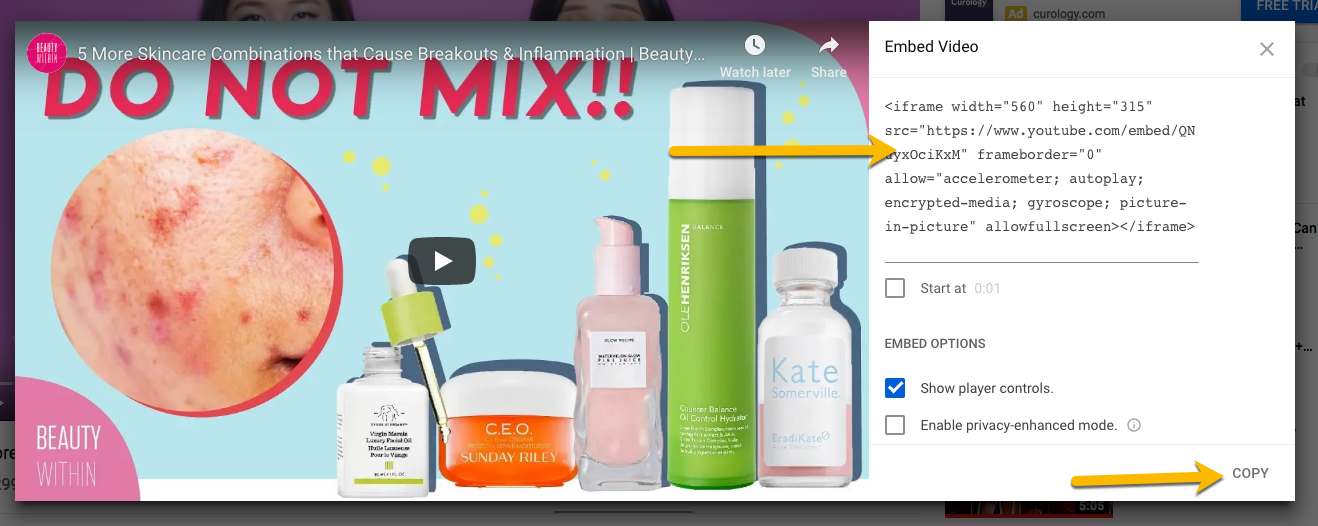
This will pop open a new window and you will Copy the Code and you will paste that into your placement addition box in Mediarails
Pinterest:
Mediarails will automatically populate the embed info from just the URL, but if you have any troubles you can follow these instructions to manually populate the Embed code:
Navigate to the post you want to add to your campaign. See below for images on next steps:
Click the 3 dot menu at the top left of the post and select Embed:
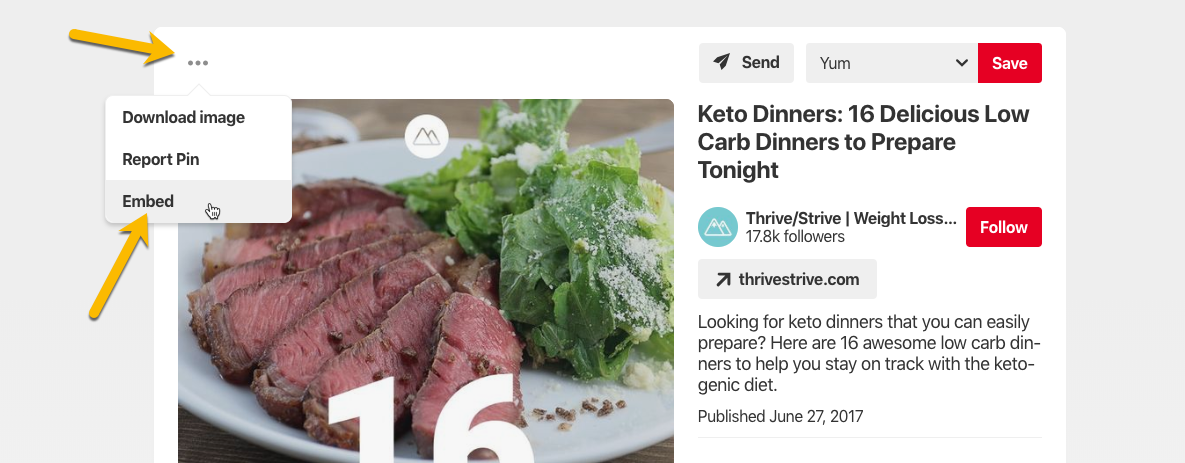
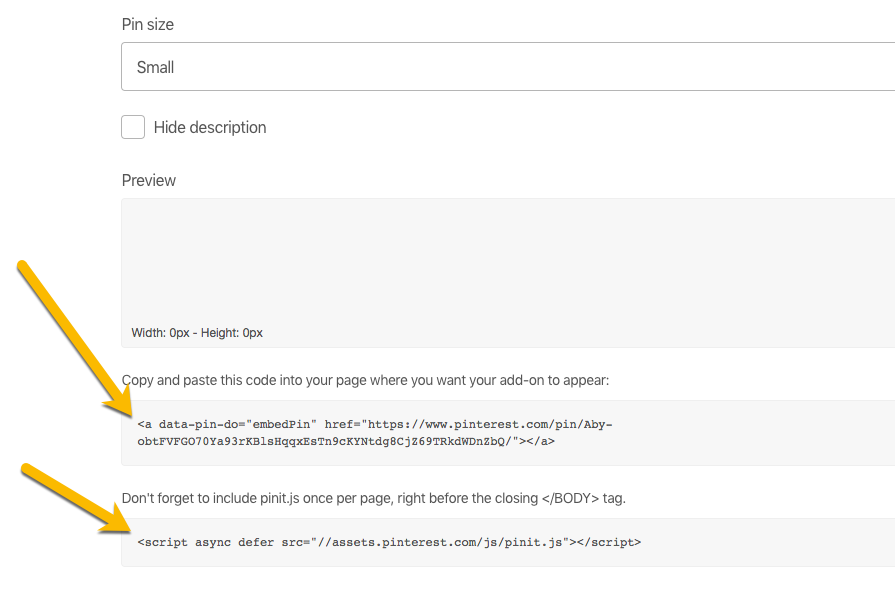
This will take you to another page where you will be able to collect the Embed info.
Scroll to the bottom of the page and you will grab 2 codes and paste them both into the Embed box in Mediarails.
Twitter:
Navigate to the post you want to add to your campaign. See below for images on next steps:
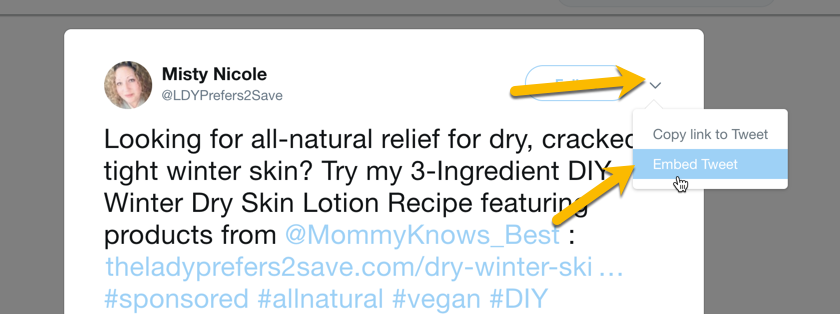
Click on the little arrow in the upper right corner of the post, then choose the option for Embed Tweet:
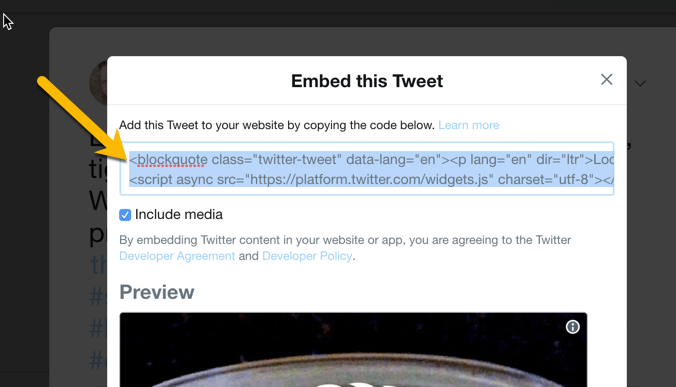
This will pop open a new window and you will Copy the Code and you will paste that into your placement addition box in Mediarails
Other:
For Blogs or other sites where an embed code link is not available, you can use one of the many tools on the internet like this: https://embed.ly/code
To help you generate an embed code
Comments
0 comments
Please sign in to leave a comment.