
The Email Log can be found in the CRM section of the left sidebar. The Email Log will show a log of all emails that have been sent or received through Mediarails.
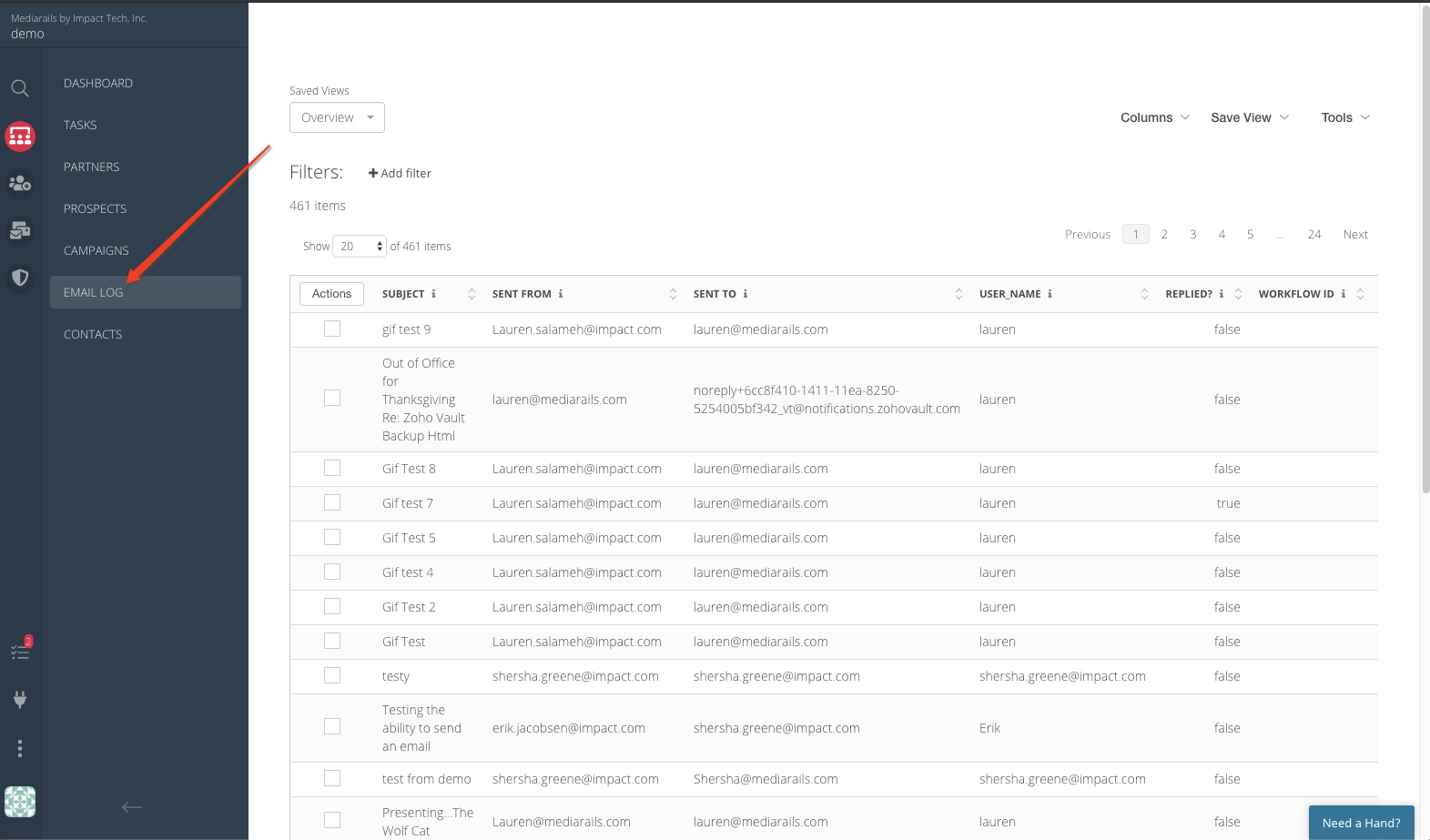
This is handy to search through all emails in one place or to get raw numbers of total emails sent, opened, replied, etc.
You can see information like what workflow the email came from, who sent it, and whether or not is was opened or replied to.
As with any list view, you can filter the records and adjust columns:

Please Note: You cannot click through to see the emails themselves from the Email Log. This page is intended to show raw data on all emails sent or received through Mediarails. To see the actual emails themselves you'd need to visit the Prospects or Partners Detail Pages.
Comments
0 comments
Article is closed for comments.