
When you send a message through the tool, the message gets tracked and stored in the system for future reference.
You can find the messages you have sent and received in the tool by navigating to the respective workspace (Partners/Prospects/Prospects by brand/Partners by brand) and clicking into a record.
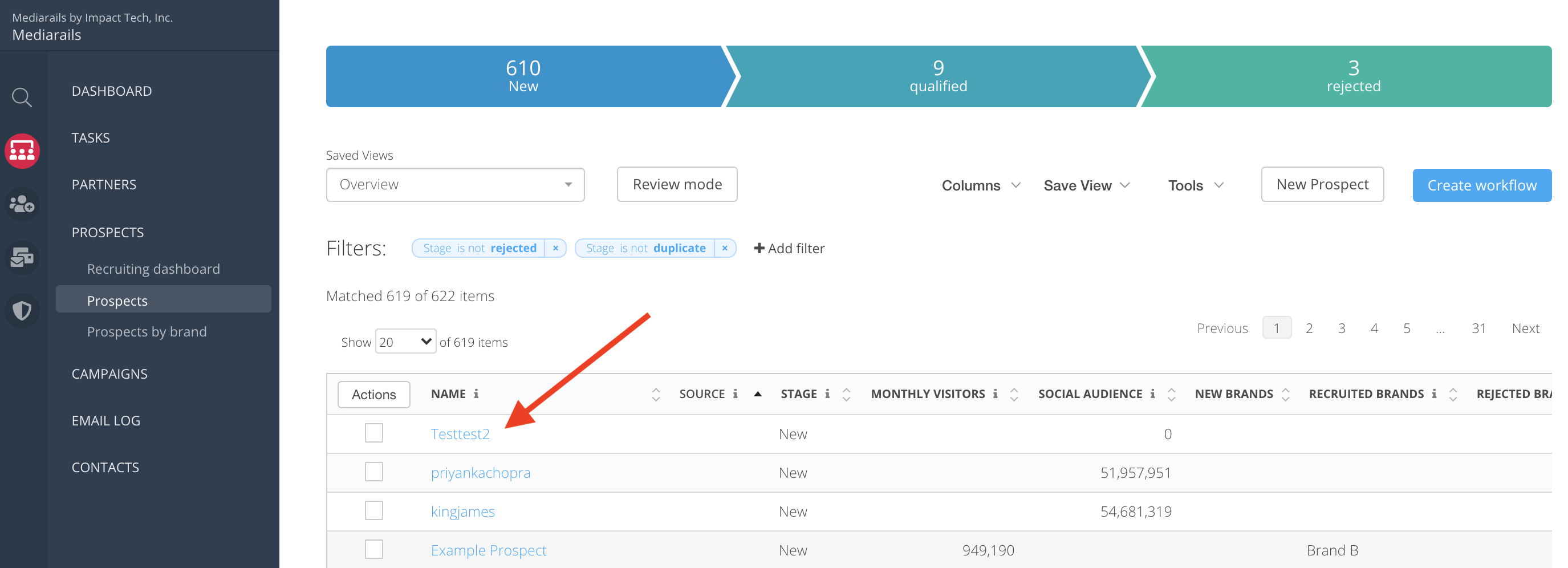
Click on the name of a record in the list view to open the record's detail page. See below screen shot:
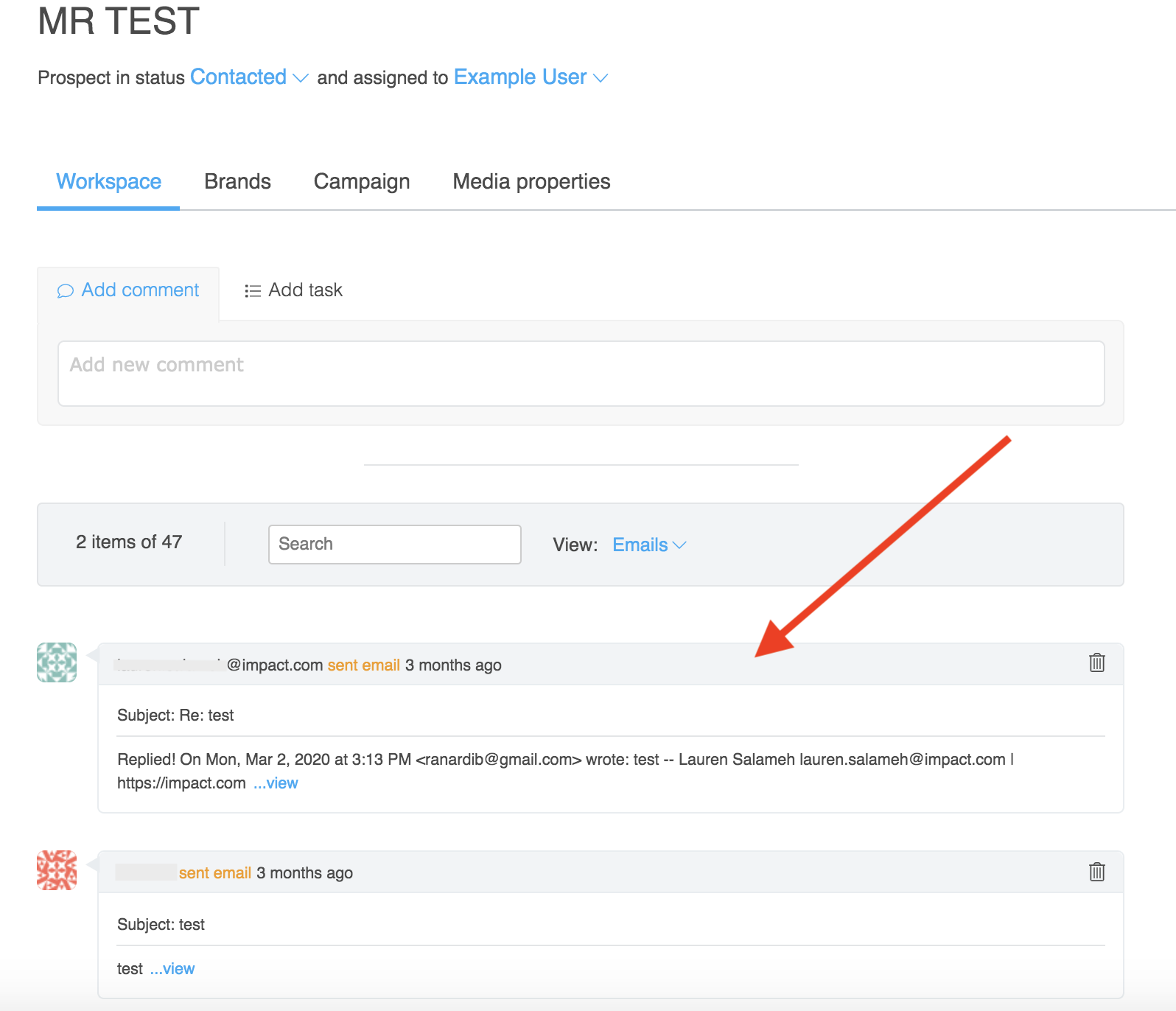
Once in the details page there will be a live feed of comments, emails, tasks etc. located on the lower half of the page. Full email threads will be stored there. Click on the message preview to view the full email thread.
Comments
0 comments
Please sign in to leave a comment.