
In the event of a brand being deleted accidentally from a prospect record or you adding a brand to a prospect after you had already initiated communication outside of the tool, you may want to edit the Created at date of a brand.
This can easily be done from the Prospect record detail page by following the instructions below:
Step 1:
Open the detail page of the Prospect record by clicking the Name of the record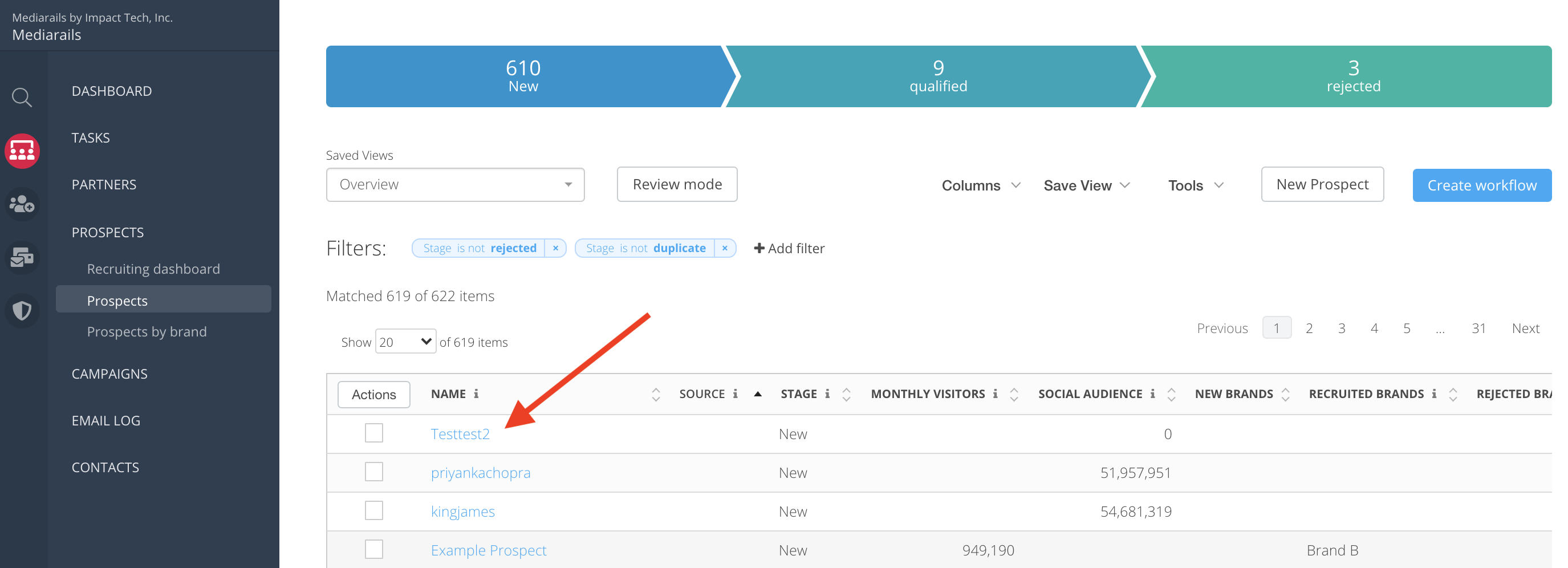
Step 2:
One the detail page opens, click on the Brands tab, then click on the Edit icon: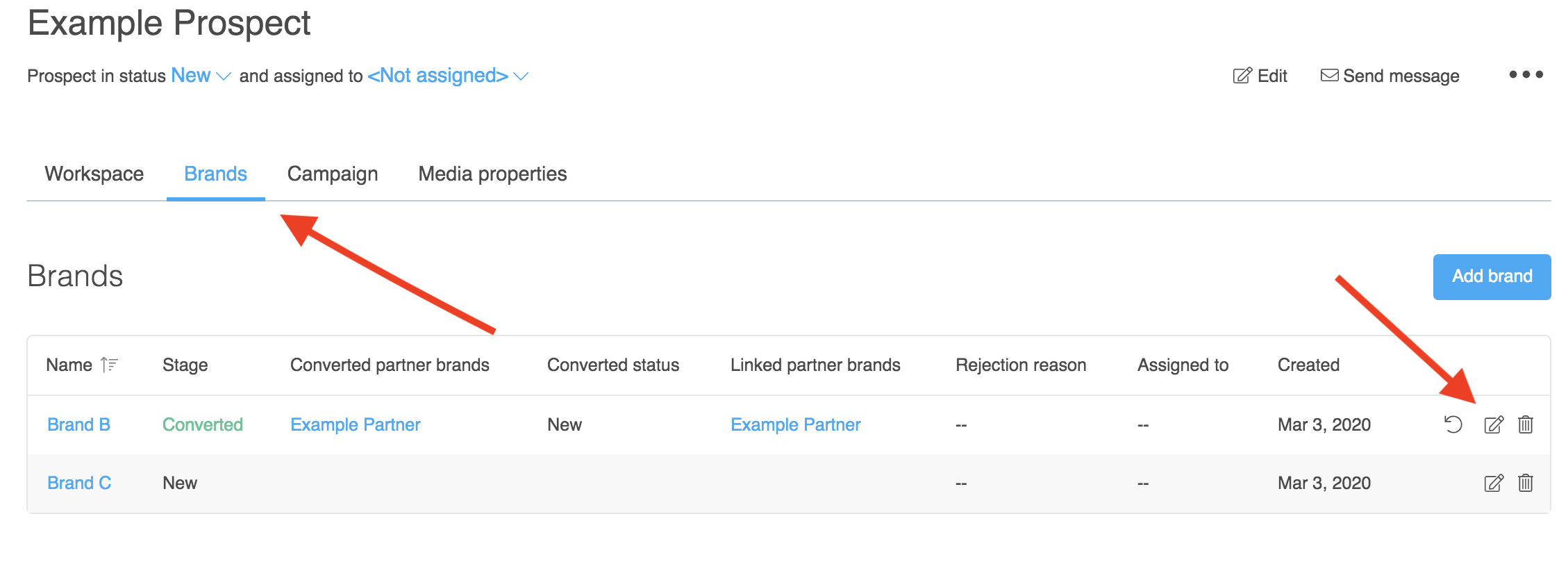
Step 3:
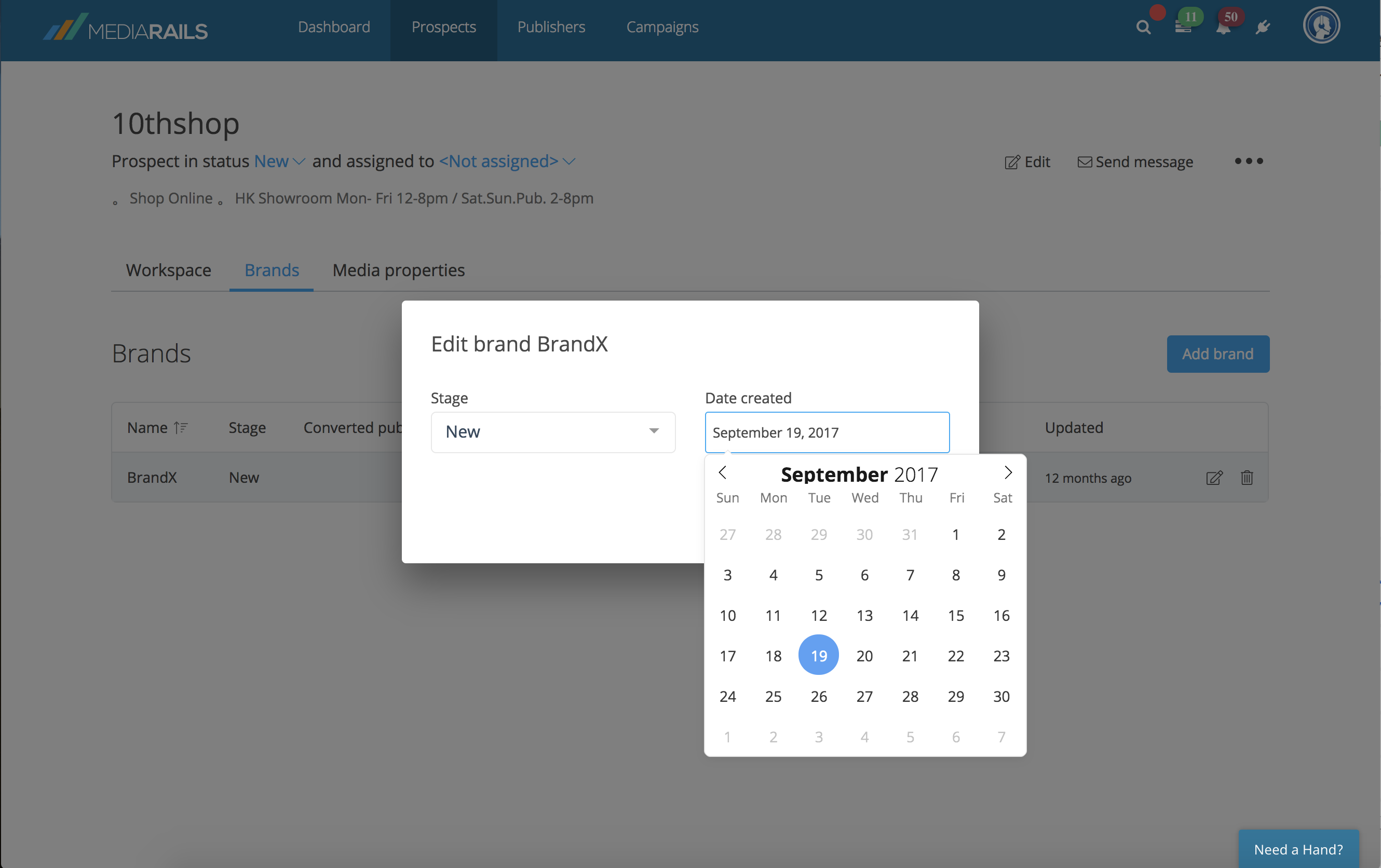
Select the date field you want to change and pick a new date from the calendar (see image)
Step 5:
Select the Save changes button to save the new date
Comments
0 comments
Please sign in to leave a comment.