
Brands in Mediarails represent each of your company's brands. They help you separate and organize your Partner and Prospect records.
If your company has a single-brand, you will only have the one brand in the system and it will be setup for you during onboarding by the Mediarails onboarding team. If your company has multiple brands or if you are an agency managing multiple brands, you may need to create a new brand in the system by following the instructions below.
How to add a new brand to your account:
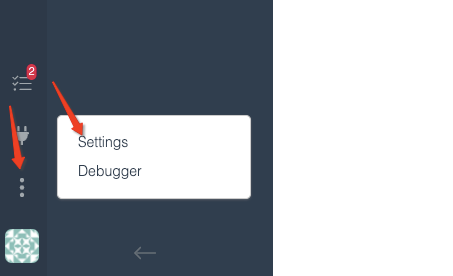
Step 1: Click the three vertical dots in the lower left corner of the screen and select Settings:
Step 2: Next, click the Brands tab which is located on the left side list.
Step 3: Type in the name of your new brand and select the Add brand button located on the right:
- Make sure you spell your brand correctly, as it is difficult to change once you start associating records to it in the system. You can edit if needed at this point.

Notes:
- If you are wanting to add a Network integration for this new brand please click here to see this help article
- If you are wanting to add Prospecting integrations please click here to see how to add Prospecting integrations
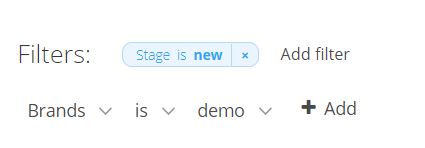
- Once you add an integration for a network or Prospects with this brand you can filter on them in the list views like the example filter below: Brand >is> x
Comments
0 comments
Please sign in to leave a comment.