
To add a new user:
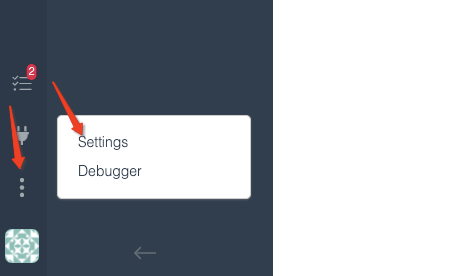
1. Click the three vertical dots in the bottom left corner of screen and select Settings:
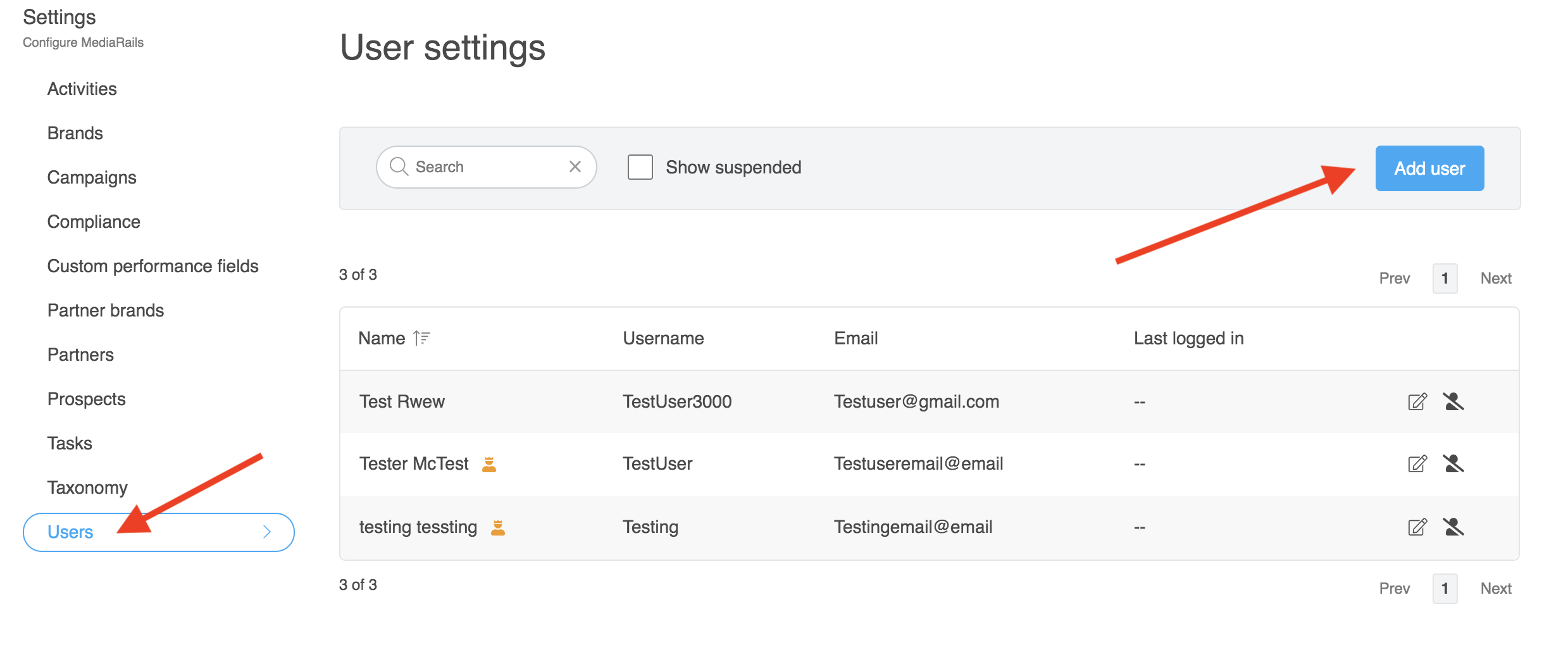
2. Once the Settings page loads you will be on the Users tab. Now select the blue Add user Button:
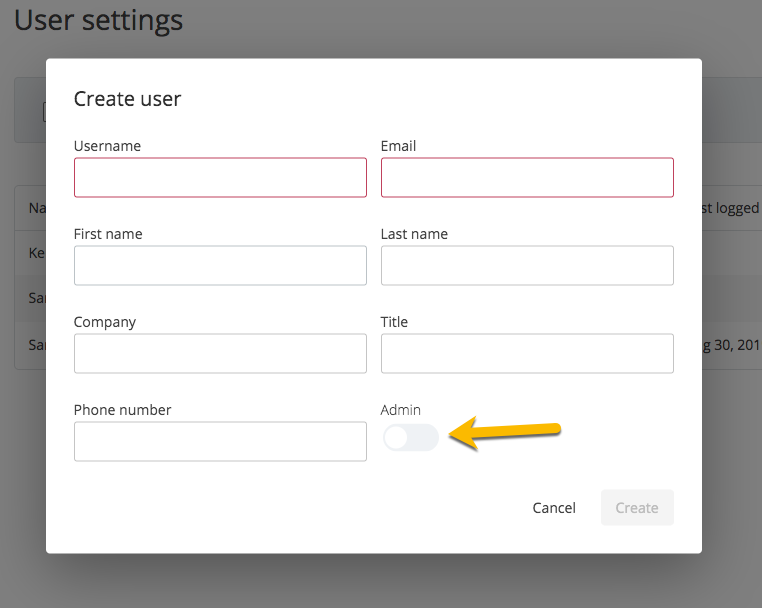
3. Fill out the form like the one below to add a user.
Notes:
- The Admin toggle: Admin access controls a users ability to add new users, edit profile info, and suspend other users.
- Username, Title and Phone are not visible to the recipients of messages sent out.
Once you add a new user they will be sent an email automatically from hello@mediarails.com with instructions to login and set their password for the first time.
You will want to make sure new users connect their email address when they login to enable them to use the email features in the tool: Instructions here.
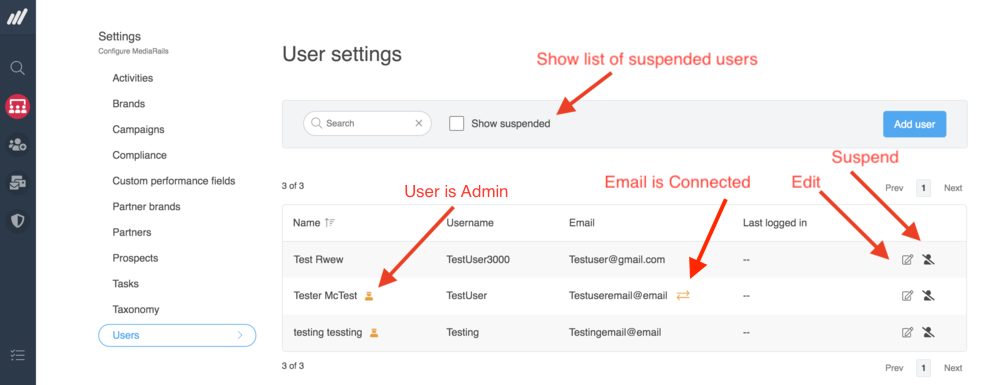
Additional User Icons:
Comments
0 comments
Please sign in to leave a comment.