
A key feature of Mediarails is the ability to create a custom stage-bar for Prospecting organization.
Out of the box, your Mediarails account has a few stages preloaded for your prospects.
When you load new Prospects into your system, they are listed as "new." Once you send them an email, the status automatically changes to "contacted." If they accept your offer, you could manually change to "converted"..and so on. But let's say your business has more steps.
For example, say you typically send Prospects a sample product before they join your program.
Example:
Standard Stage Bar: NEW --> QUALIFIED --> CONTACTED --> CONVERTED
Custom Stage Bar: NEW --> QUALIFIED --> CONTACTED --> SAMPLE SENT --> REVIEWING CONTRACT --> CONVERTED
To Create a Custom Stage:
Step 1. Go to your account Settings by clicking the three vertical dot icon in lower left of the sidebar: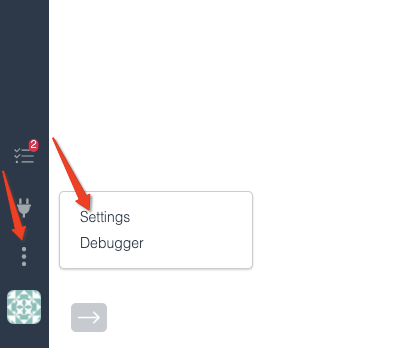
Step 2. Select the Prospects section on the left hand list, then select Stages: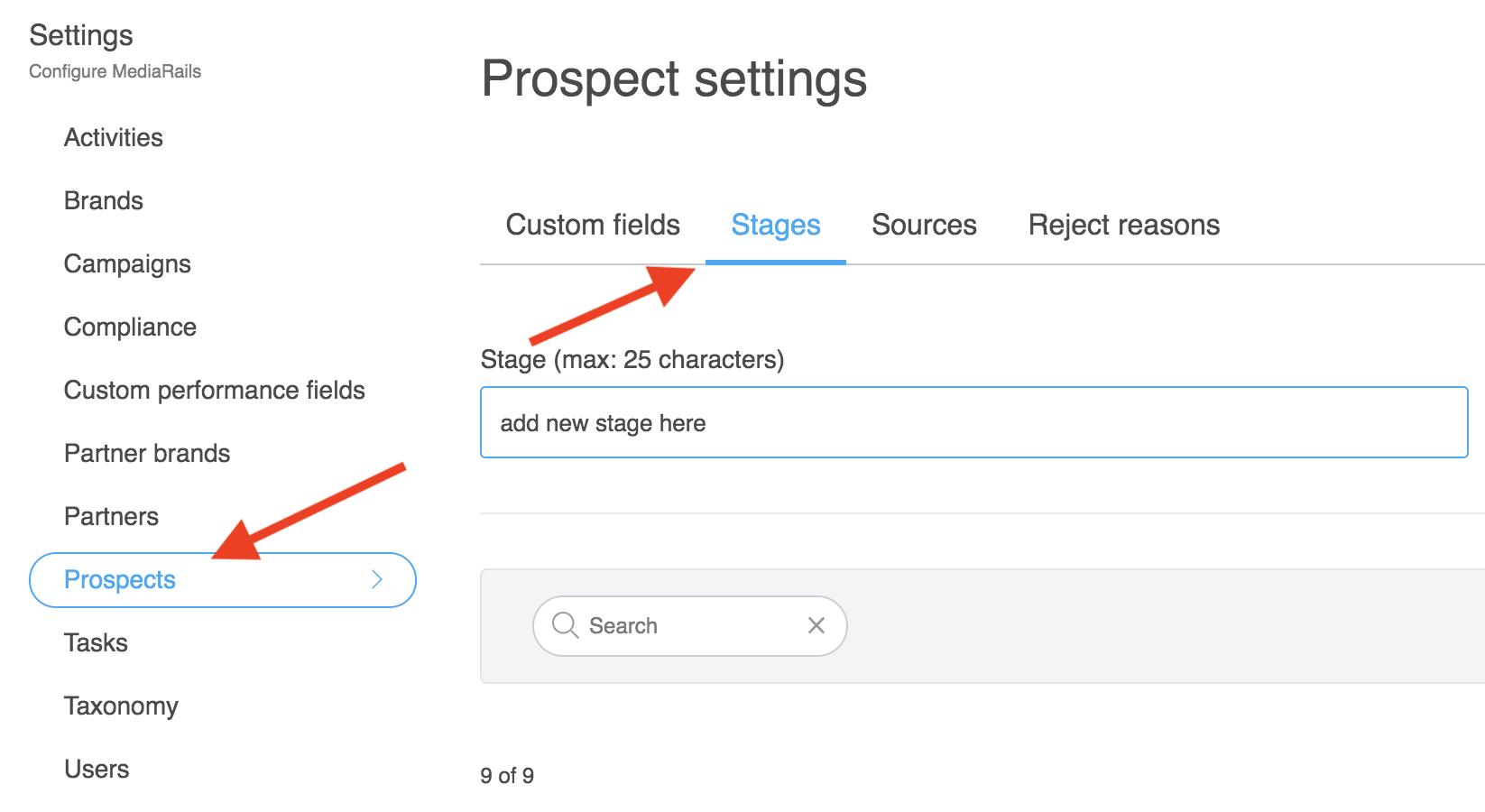
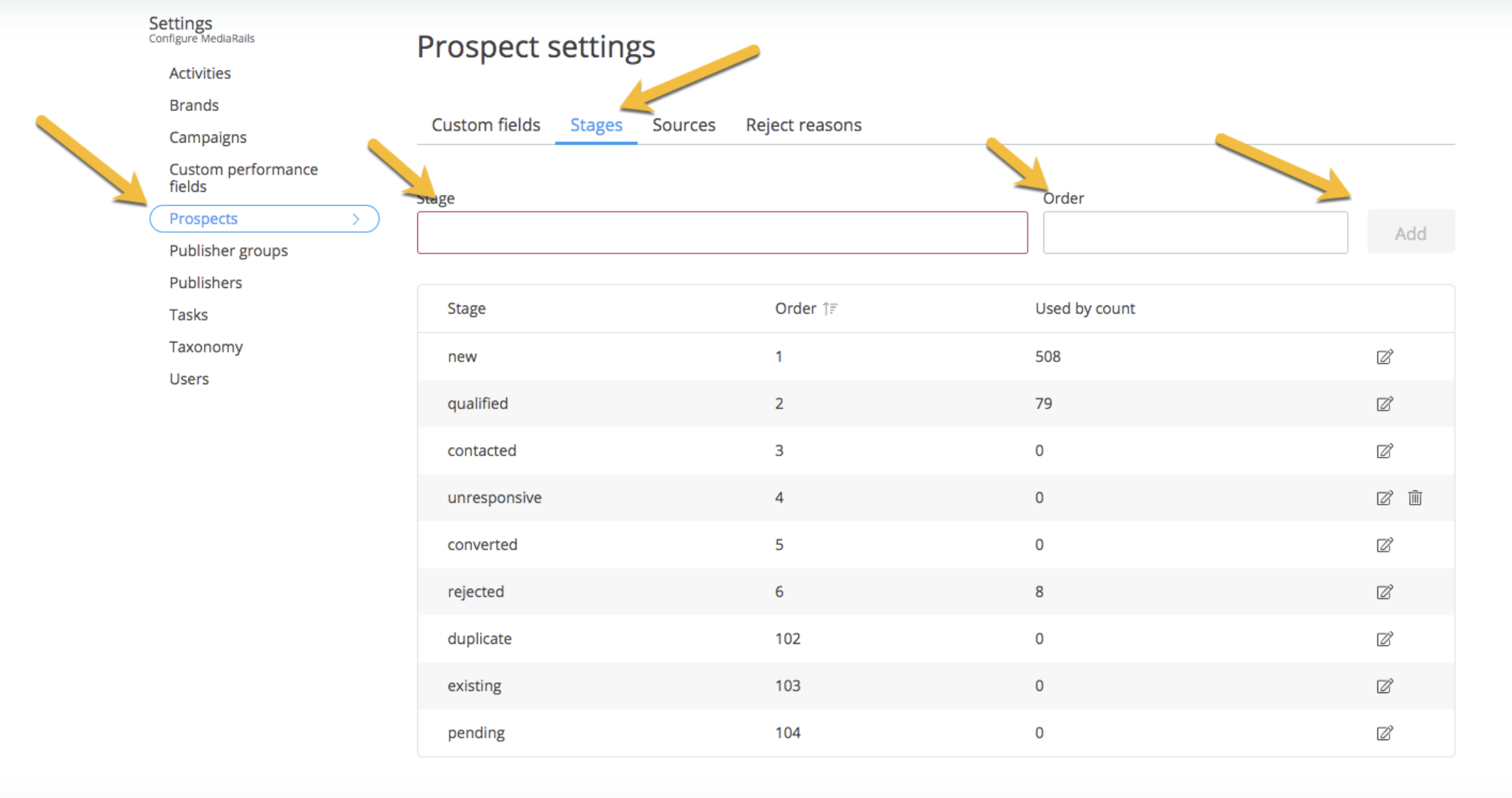
Step 3. Add a new stage by:
- typing a name for the stage in the box outlined in red
- typing a number to position it in the correct order*
- select the Add button as shown below
*The numeric order is important so it is positioned properly on the stage-bar in the prospects section
Comments
0 comments
Please sign in to leave a comment.