
What:
Mediarails makes it easy to manage all of your communications - from initial outreach to opens to replies. Specifically:
- Last contact date
- Last open date
- Last reply date
- Number of messages opened
- Number of messages replied
- Number of messages sent
- Clicks on message links
How:
In the Prospects or Partners sections, pull up the Communications saved view.
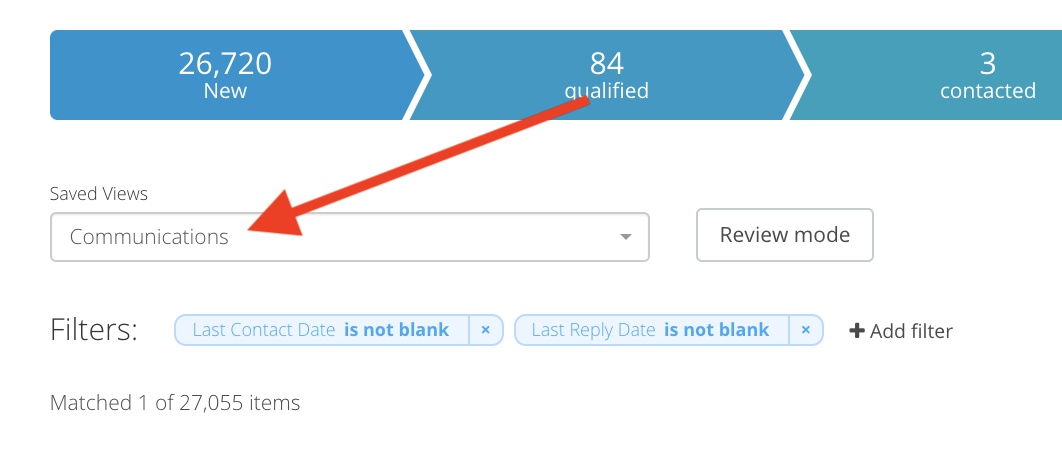
This view comes with preset columns relating to communications:

Communications Columns
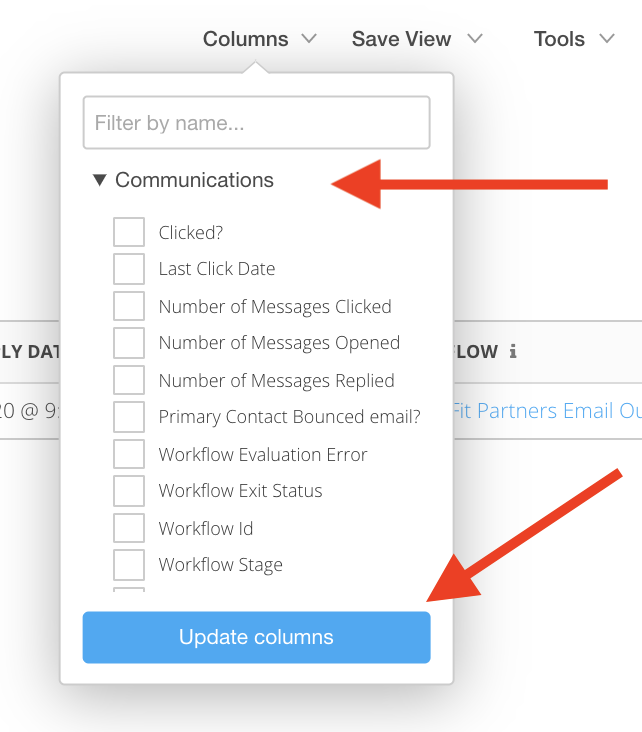
You can add any additional columns to this view using the columns dropdown and selecting the Communications dropdown as shown below.
Check the boxes next to the desired columns and click Update Columns.
Additional Notes:
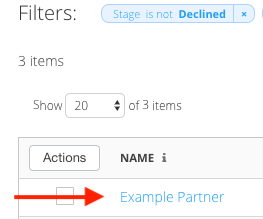
- Click into a record (by clicking on their name in the list) to see the full email copy & history within the account:
- If you reply to an email, Mediarails will track the full thread - so long as the first email was sent from Mediarails.
- All email threads are also visible in your email account (Gmail, Outlook, etc.) - just like normal.
- All email records, every single message sent to or from you that was tracked by Mediarails will be available to view in the Email Log as well.
Comments
0 comments
Please sign in to leave a comment.