
If you have any questions on the tool or need to report a bug within the system, navigate to the lower right hand corner of the screen.
Hover over the 'Need Help' button and select 'Tickets' 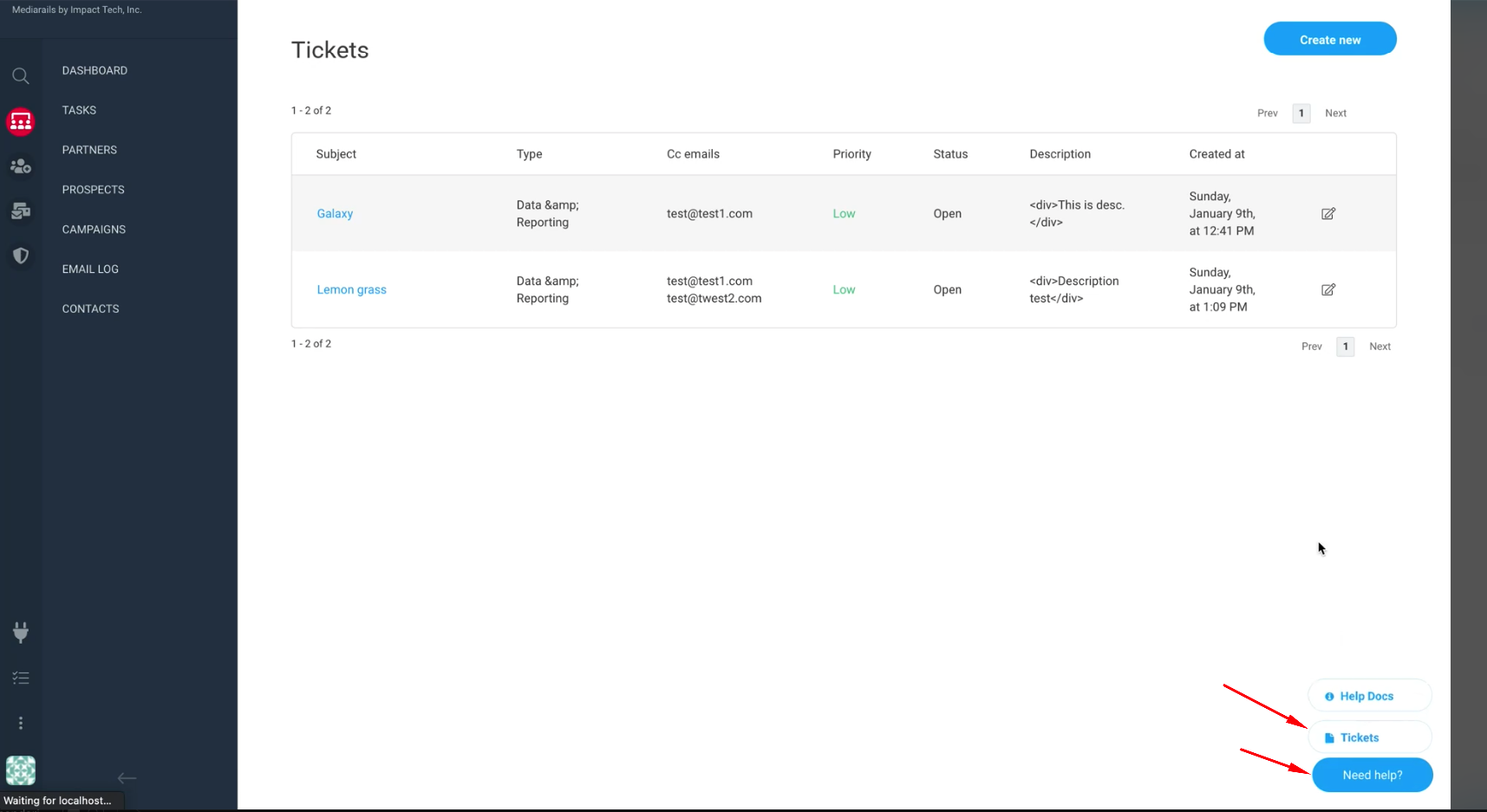
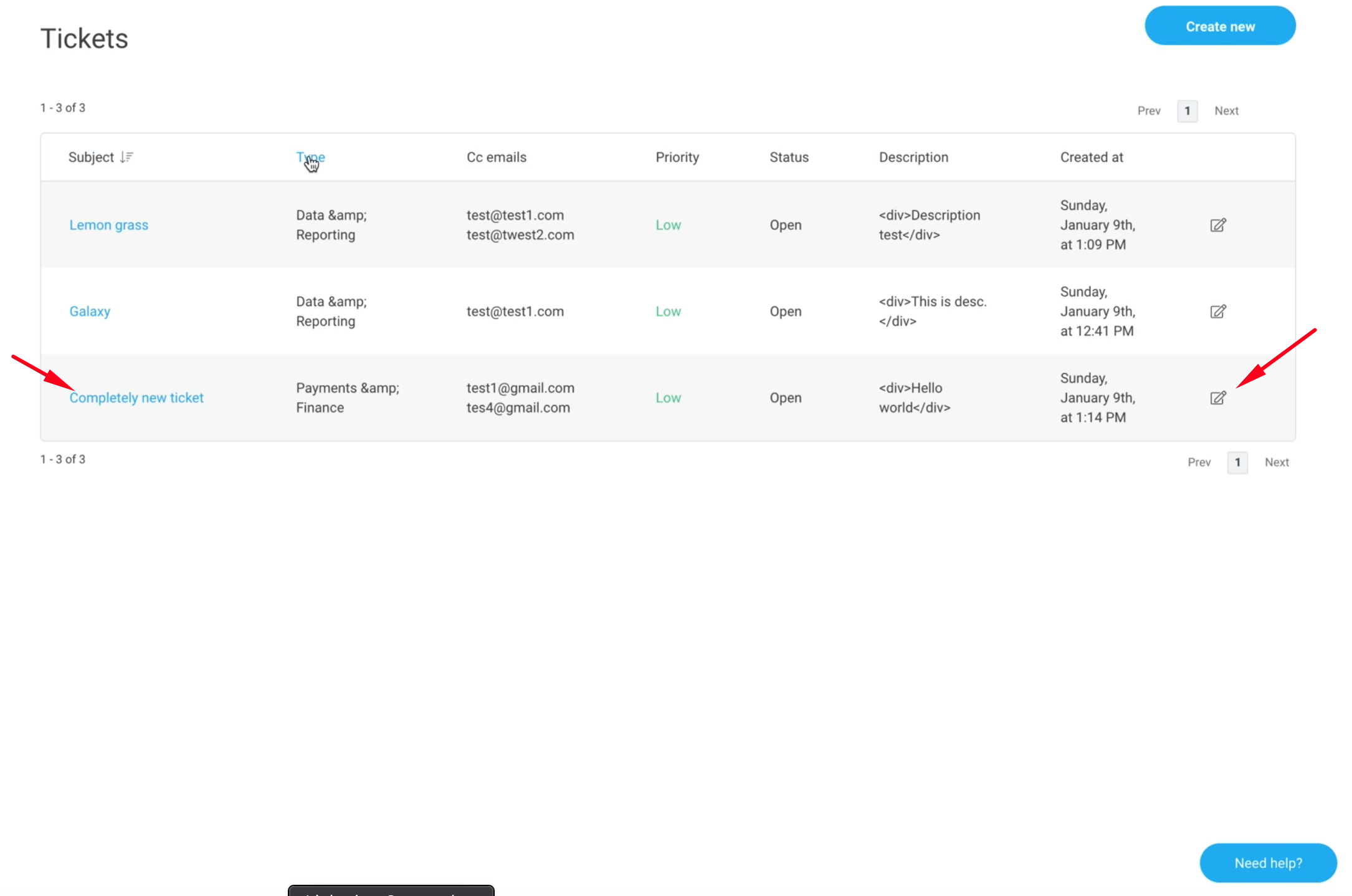
This will bring up the 'Tickets' Page. From here you can view existing tickets, edit tickets and create new tickets.
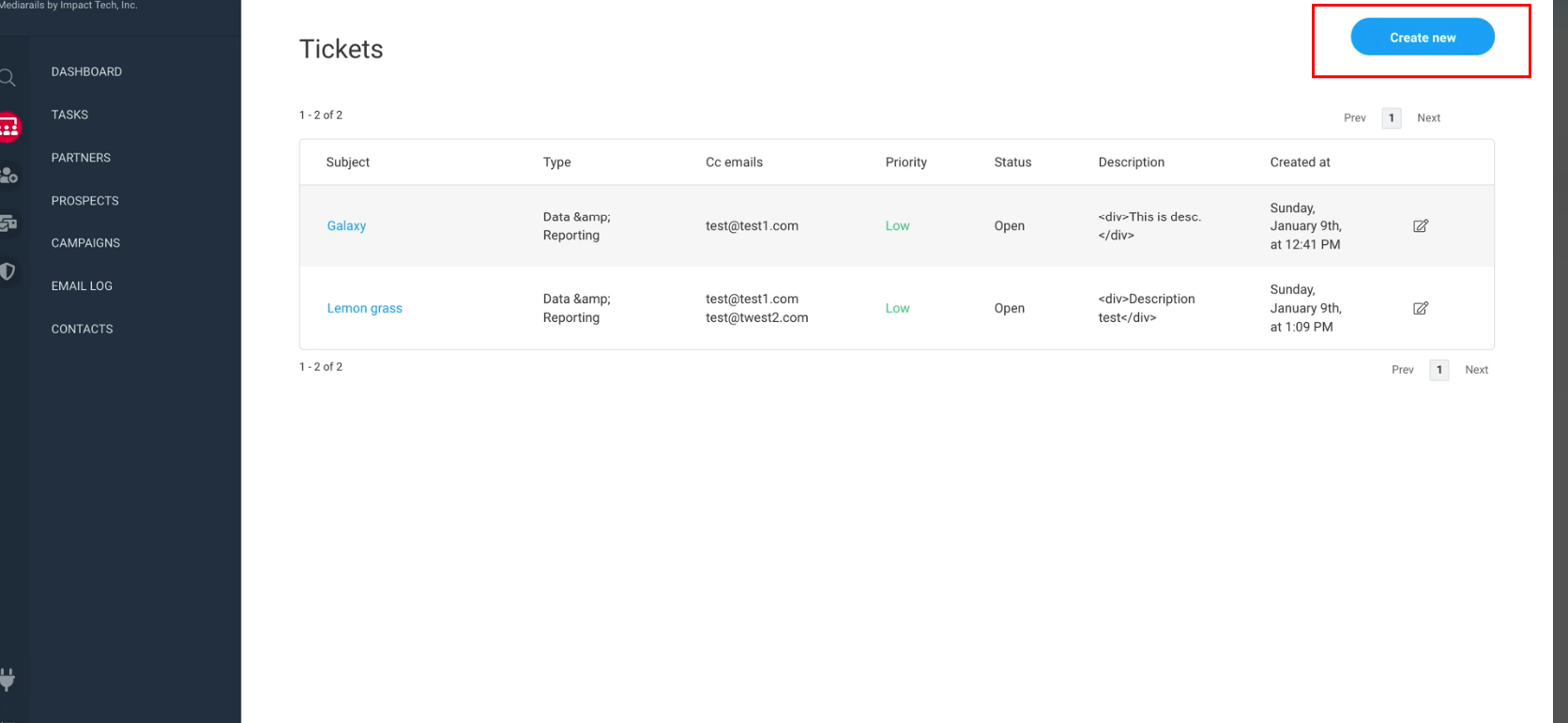
To create a new ticket, click the 'Create New' button in the upper right hand corner of the screen.
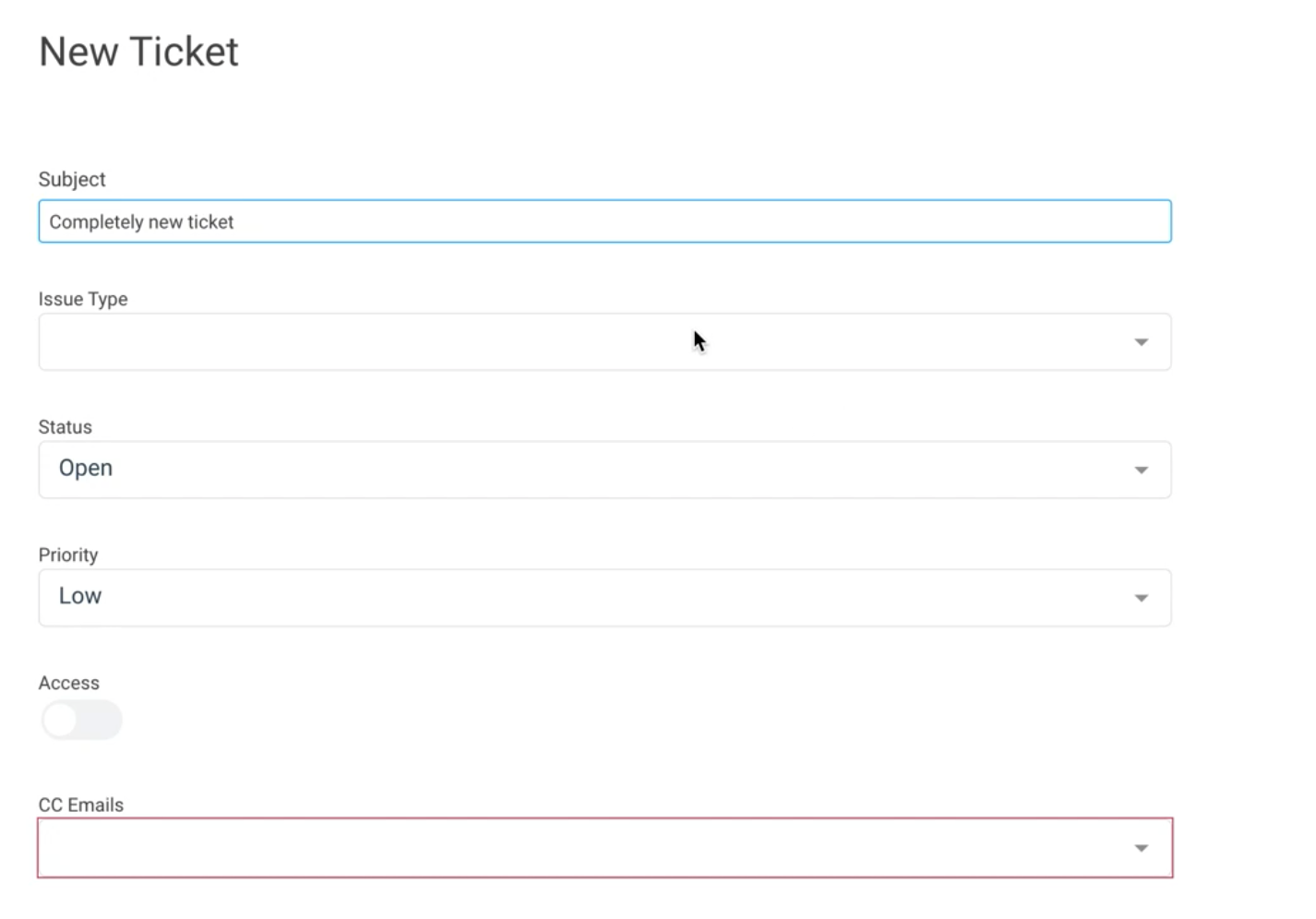
Once in the 'Create New Ticket' page, You can enter a Subject, Issue Type, Priority and also enter your email address as well as any additional email's you want the ticket updates sent to. Any replies to these tickets from the support team will be sent to the emails entered here.
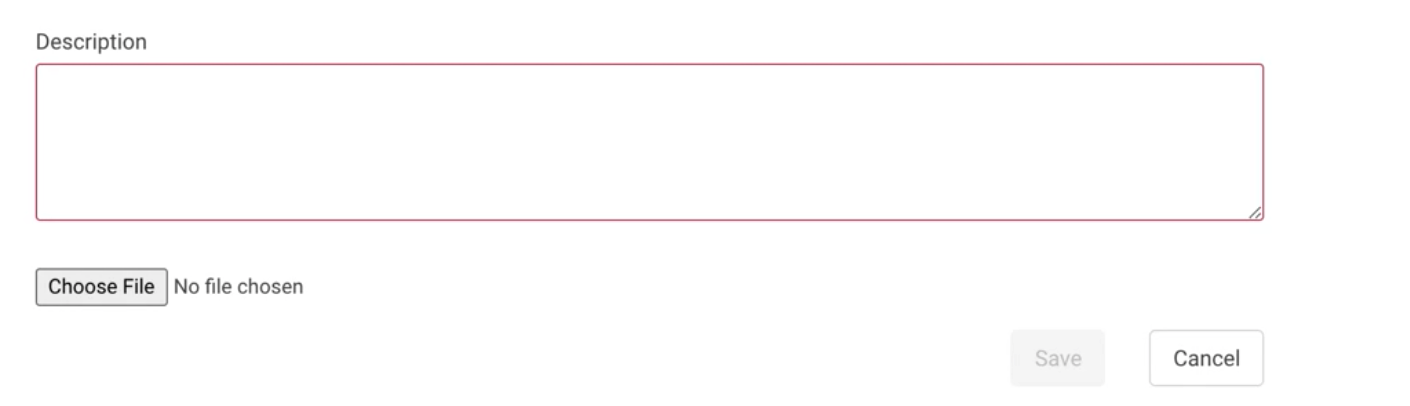
Enter a description of your question or bug and attach any relevant files or screenshots including examples or error messages.
You can view your existing tickets by selecting the blue hyperlinked subject as well as edit the ticket by clicking the pencil icon in the far right column.
Our Support Team is dedicated to responding to these tickets within 24 business hours from ticket creation.
Comments
0 comments
Please sign in to leave a comment.