Our reset password link has a time limit, If you click the reset password button in the tool and the reset email link isn't clicked within a certain time, it will expire. Causing the reset password button to seem that it is not working. To ensure your reset password link works follow the instructions below:
What you want to do is navigate to your Mediarails account url example: 'yourcompany.mediarails.com'
select the 'I Forgot' Link: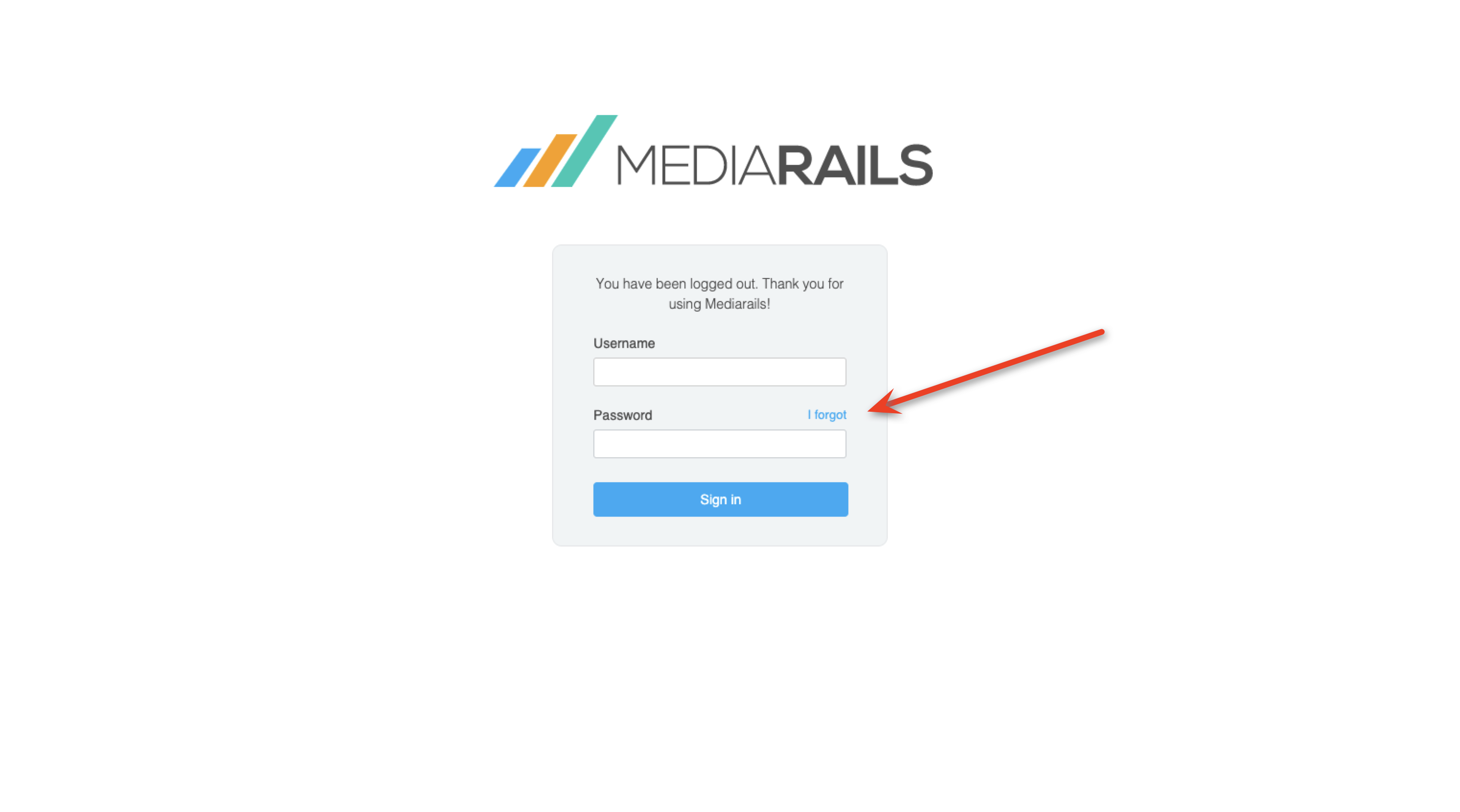
Enter your email in the next page and click the 'Reset' button: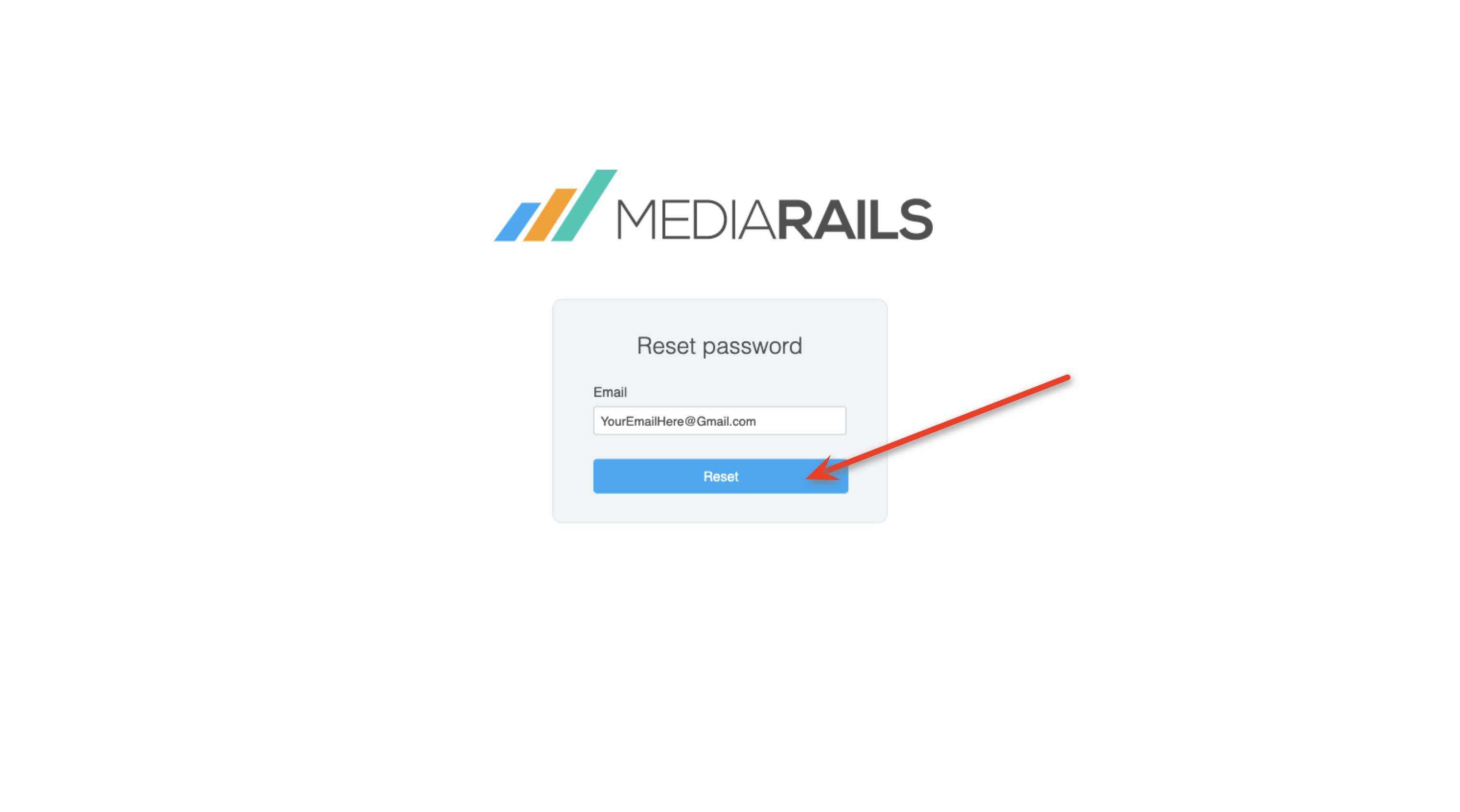
After clicking this you will get an email from help@mediarails.com within a minute or so, make sure to check your spam folder. Make sure you are clicking the most recent email from help@mediarails.com as each reset password link is unique and you want to make sure you're selecting the one that you initiated most recently. Click the link in the email and it will bring you to a page that allows you to enter a new password. (your password must be 14 characters)
After creating your new password you will be sent back to the login screen where you can enter your Username and newly created password to login.
How to Reset a Password in Mediarails

Comments
0 comments
Please sign in to leave a comment.