
Are you currently sending your partners their custom tracking links manually? The Mediarails tool has some features that allow you to send out custom tracking links to your partners at scale.
Using the CRM filters you can easily segment the partners that you wish to contact. Next, you can draft your message in an Email Workflow or Newsletter and input the Mediarails dynamic fields to personalise each and every email on your behalf. Using this method, all you need to do is draft your message once and send out custom tracking links to all relevant partners at scale. Say goodbye to the manual and repetitive process!
How to dynamically populate tracking links in emails:
- Segment your recipient list in Partners/Partners By Brand by adding filters and saving the view. Remember to consider the Network and Brand (programme) to ensure the correct records are segmented.
- Create a new Email Workflow or Newsletter. Access by clicking Automate > email workflows/newsletters:
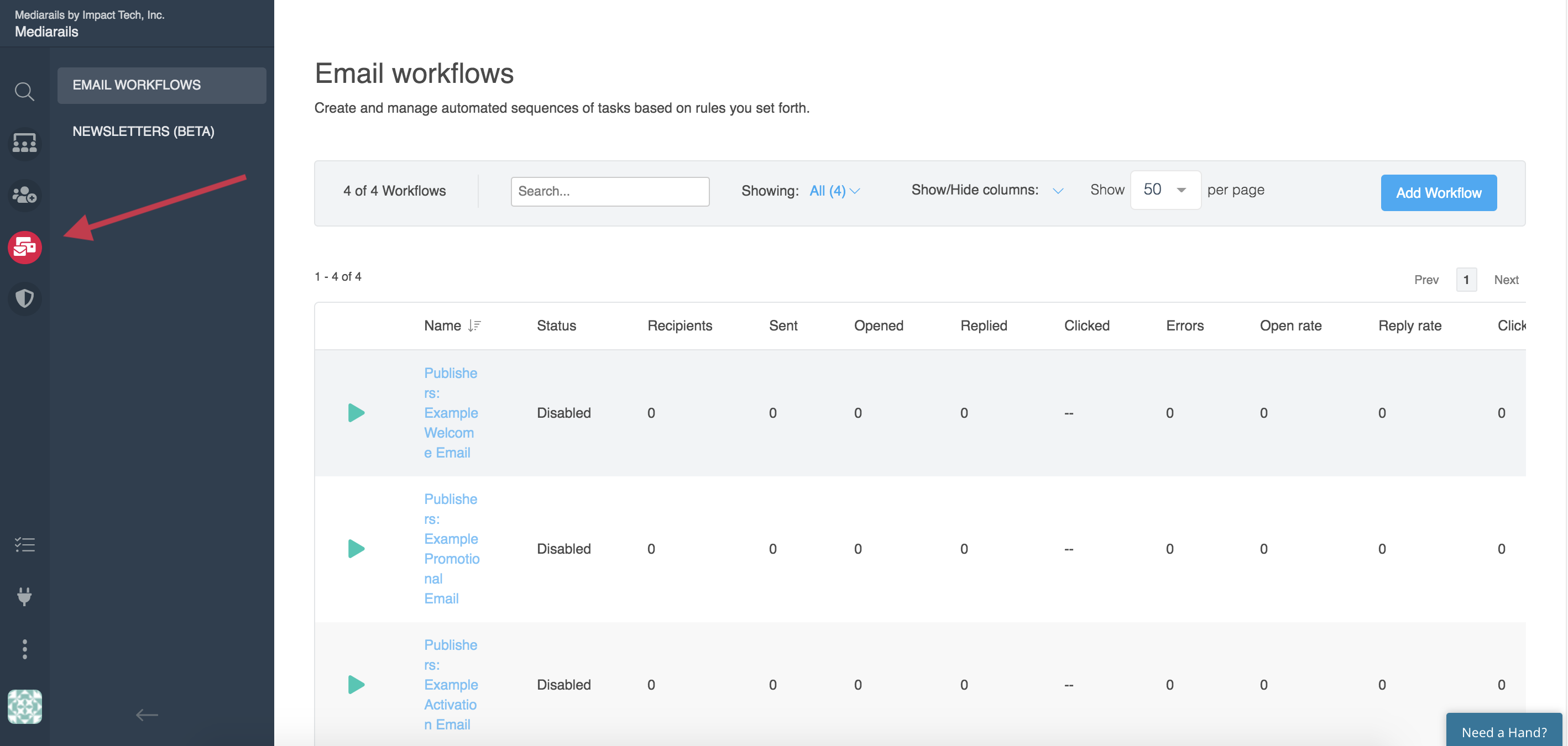
- Select the correct recipients and fill out settings
- Start to craft your message within the email builder
- Use dynamic fields to customise each email at scale e.g. {{Name}}
- Paste in your tracking link and add in the {{network_publisher_id}} dynamic field where the Impact Media Partner ID would normally go:
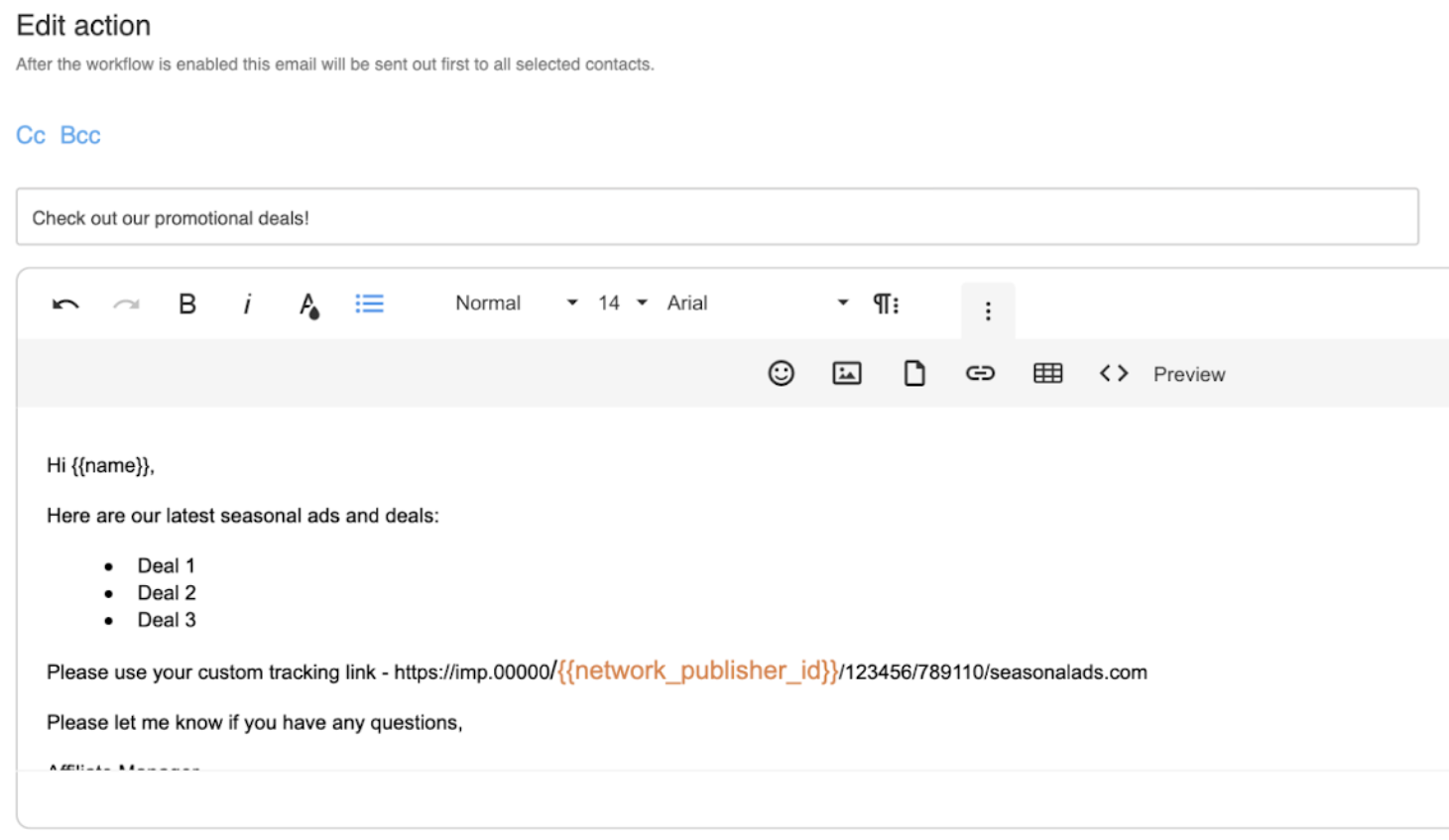
- This will auto-populate with the partner’s ID so that they will receive their own custom tracking link
- This will auto-populate with the partner’s ID so that they will receive their own custom tracking link
- Once you’re happy with the email flow and content, press play
- Emails will send and each partner will receive their custom tracking link at scale
- Say goodbye to editing and sending these manually
Comments
0 comments
Article is closed for comments.