
Markettraq is a marketing ESP. Mediarails integrates with Markettraq to help you send bulk emails and manage this at scale through this service. ESP's can be helpful when you, as a marketer, wish to send significant amounts of email to a large set of prospects or Partners and not risk your current email service provider throttling you. For example if you're existing email account is through Google Business you are limited to 2000 emails a day.
Once you have an integration established in your Mediarails account, connecting the two applications, you will be able to have Markettraq send emails created by Mediarails workflows on your behalf.
Let's walk through the data points you will need to collect to establish this connection:
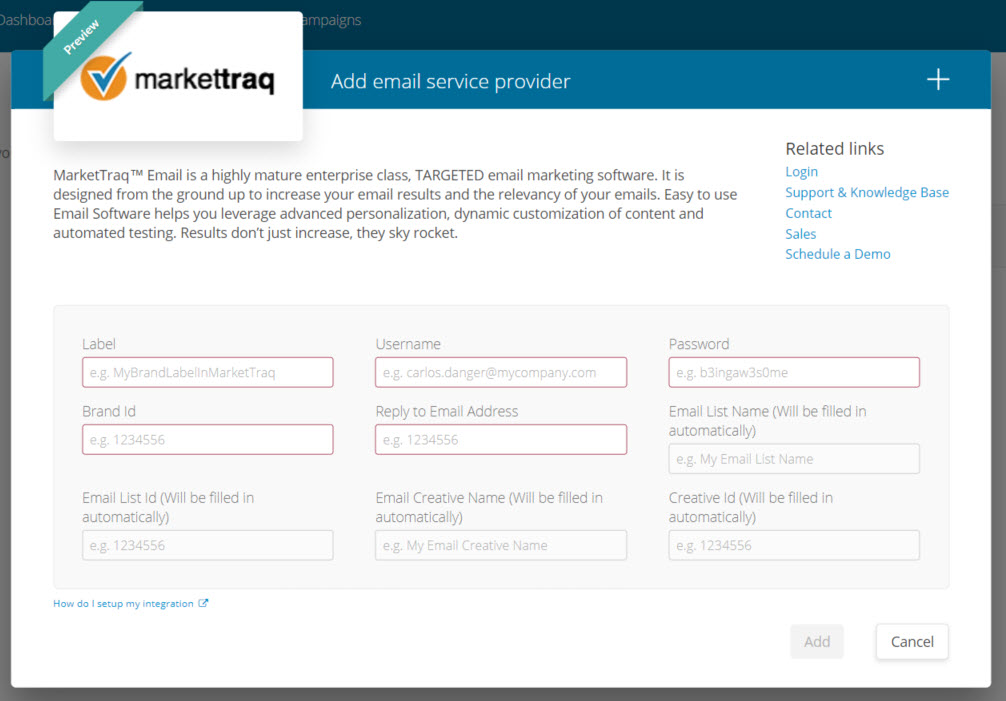
Label:
This will be the name of this integration that you will see in the tool when selecting where your emails will send from. You can call this something descriptive that will be easy to understand for all users. We recommend using a brand name or some specifics as to how and where this should be used. The name will automatically have (Markettraq) in the beginning of the name.
Username:
User name for your Markettraq account
Password:
Password for your Markettraq account
Brand ID:
You will find this in the Markettraq account using the following instructions:
Login to your Markettraq account and perform the following steps: (see image below)
1. Select Lists from the left navigation
2. Select List Overview
3. Select any List name from the list
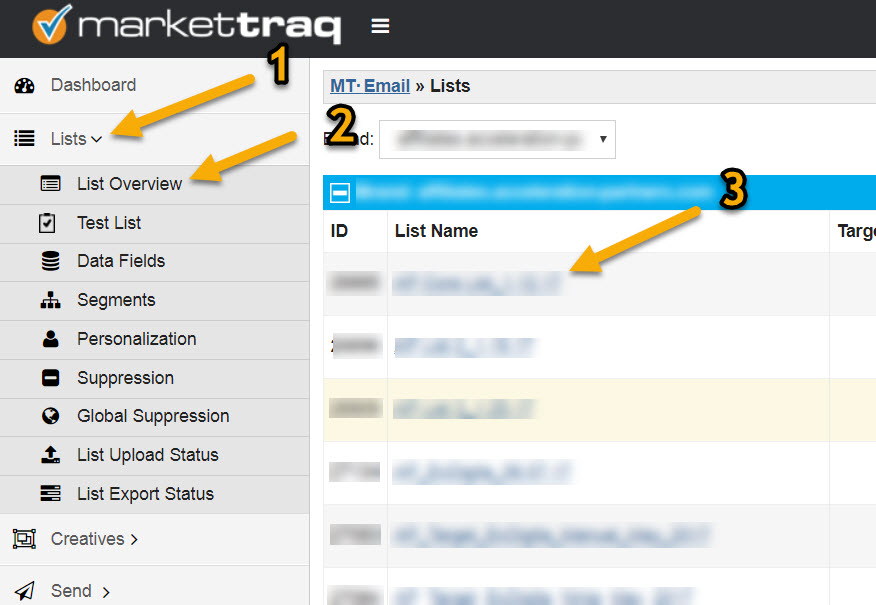
4: Grab the number on the end of the URL on the current page after the "idID=(XXX)" in the URL:

Reply to Email Address:
this will be the email address that you will want replies to come to. You will want to make sure that you have this email in Markettraq as well as in Mediarails as a user. You will also need to make sure to connect the email to this account in Mediarails in order for the reply tracking to work.
The other fields are readonly and will be populated when you create the connection the first time. They will correspond to the list and creative that Mediarails references when pushing emails to Markettraq for sending. You will be able to see the new creative and list pop up in Markettraq under the creatives and lists respectively.
IMPORTANT NOTE: In order to take advantage of Markettraq's unsubscribe lists you will want to make changes to the mediarails creative in Markettraq to include a Markettraq unsubscribe link.
Comments
0 comments
Please sign in to leave a comment.